01. The problem
No connected data, no value
AgencyAnalytics was seeing a decline in activation and trial-to-paid conversion. The root cause: users weren’t connecting their marketing data early enough in the trial. Without connected data, dashboards and reports stayed empty, so users never experienced the product’s value.
The direction
Redesign onboarding to reach the “aha” moment faster: contextual data-source selection, and a Smart Dashboard that auto-populated with demo widgets based on the sources a user picked, with a clear call-to-action to connect their own data.I led design across multiple onboarding experiments, including research, funnel mapping, wireframes, prototypes, and experiment documentation, working closely with Product, Data, Engineering, and Marketing.
02. Funnel
Finding where activation broke down
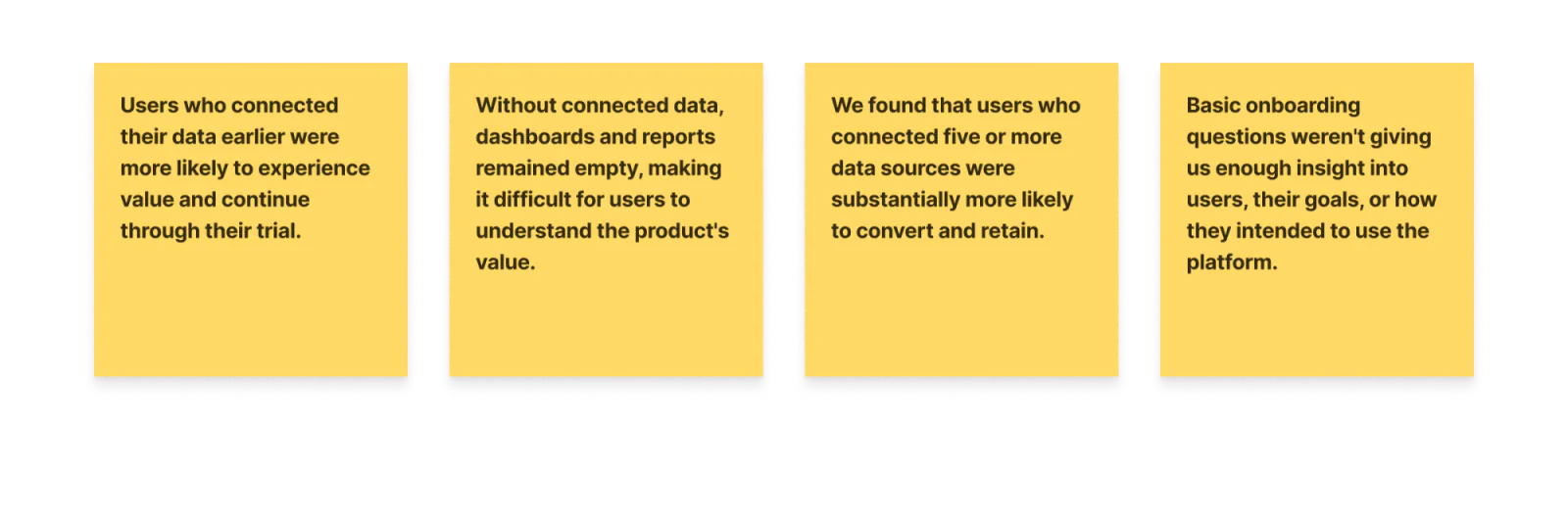
I partnered with product managers and data analysts to map the onboarding funnel and find where activation and conversion broke down. A few insights quickly emerged.
03. Segmentation
Finding out who was coming through the door
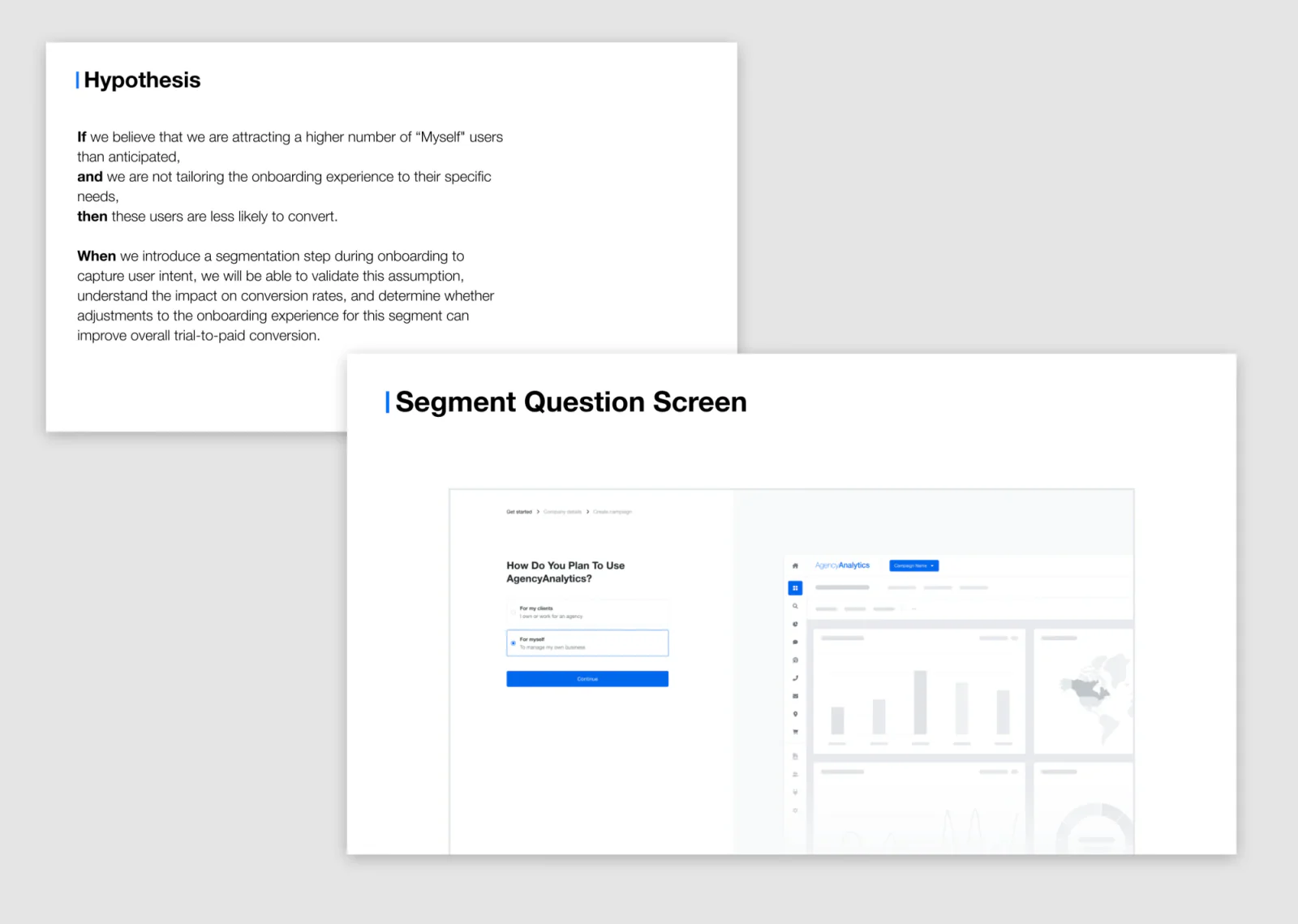
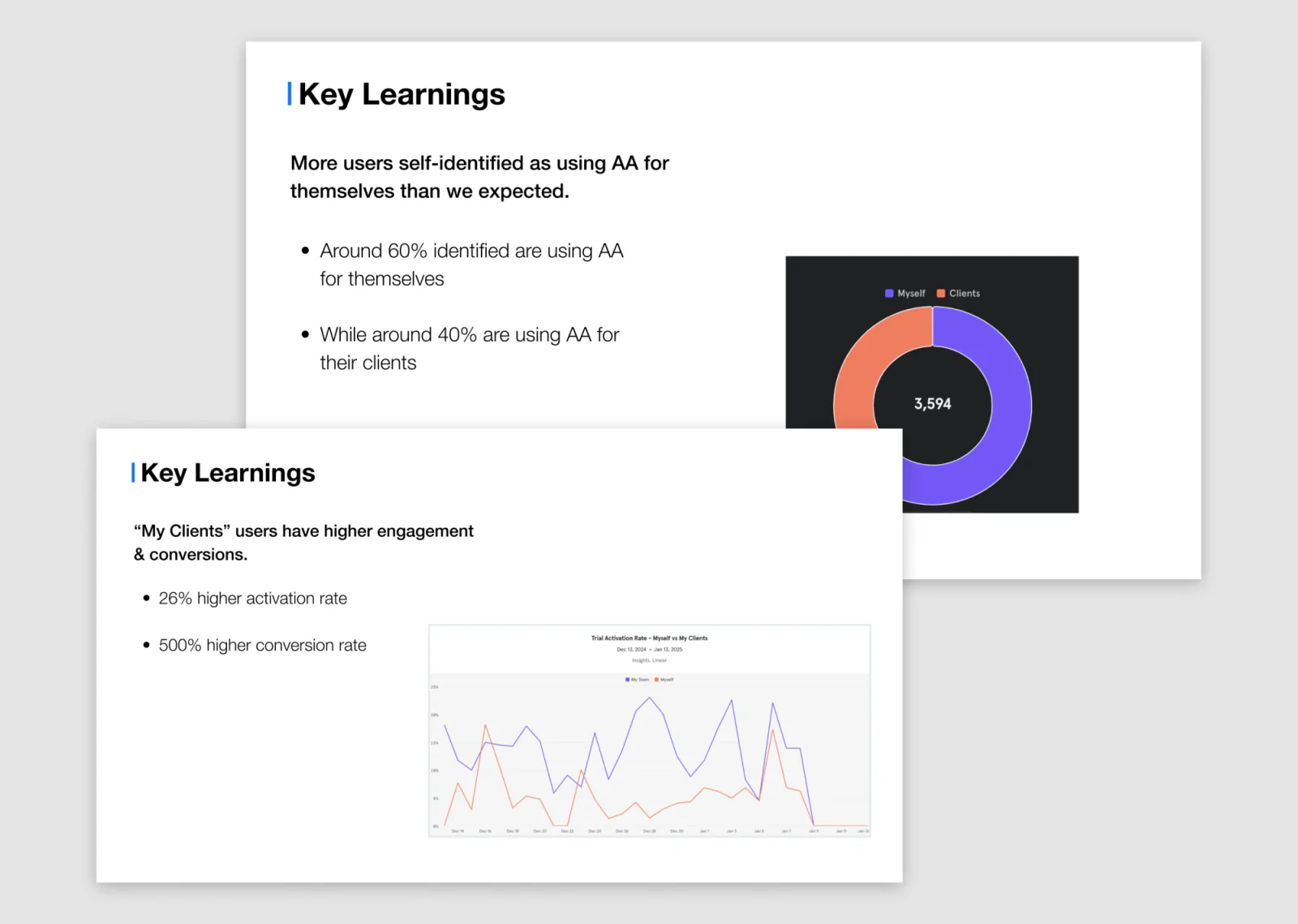
Our onboarding only captured company size. That wasn’t enough to know who was actually trialing the product or what they intended to use it for, so I added a segmentation question to find out.
Hypothesis: we were attracting more non-agency users than expected, and they were less likely to convert.
higher activation
Agency vs. Not an Agency usershigher conversion
Agency vs. Not an Agency usersAgency users showed 26% higher activation and 500% higher conversion than Not an Agency users. The clearer picture of the funnel fed directly into Marketing’s acquisition strategy and Product’s ICP definition.
ArtefactSegment question results, as presented
04. Structure
One question at a time, inside the app
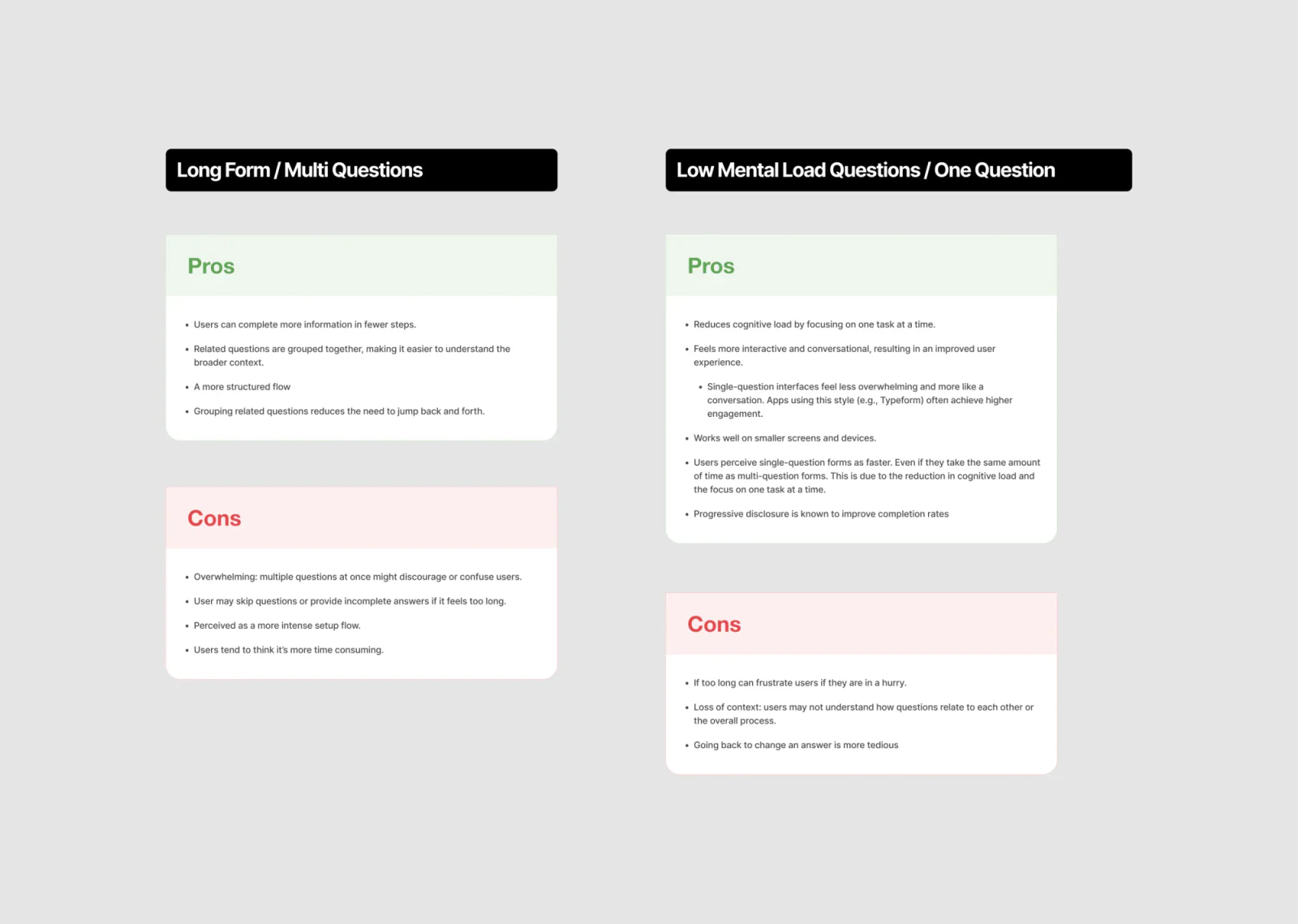
I researched how other products handled onboarding and account setup. A pattern stood out: single-question flows over large forms.

Before
The original onboarding was a long, multi-question form.The trade-off
Rather than assume single-question steps were better, I weighed the trade-offs and we tested both.The decision
The single-question version was slightly faster to complete, with no impact on activation or other metrics, so we moved forward with it.Deciding what to ask, and where
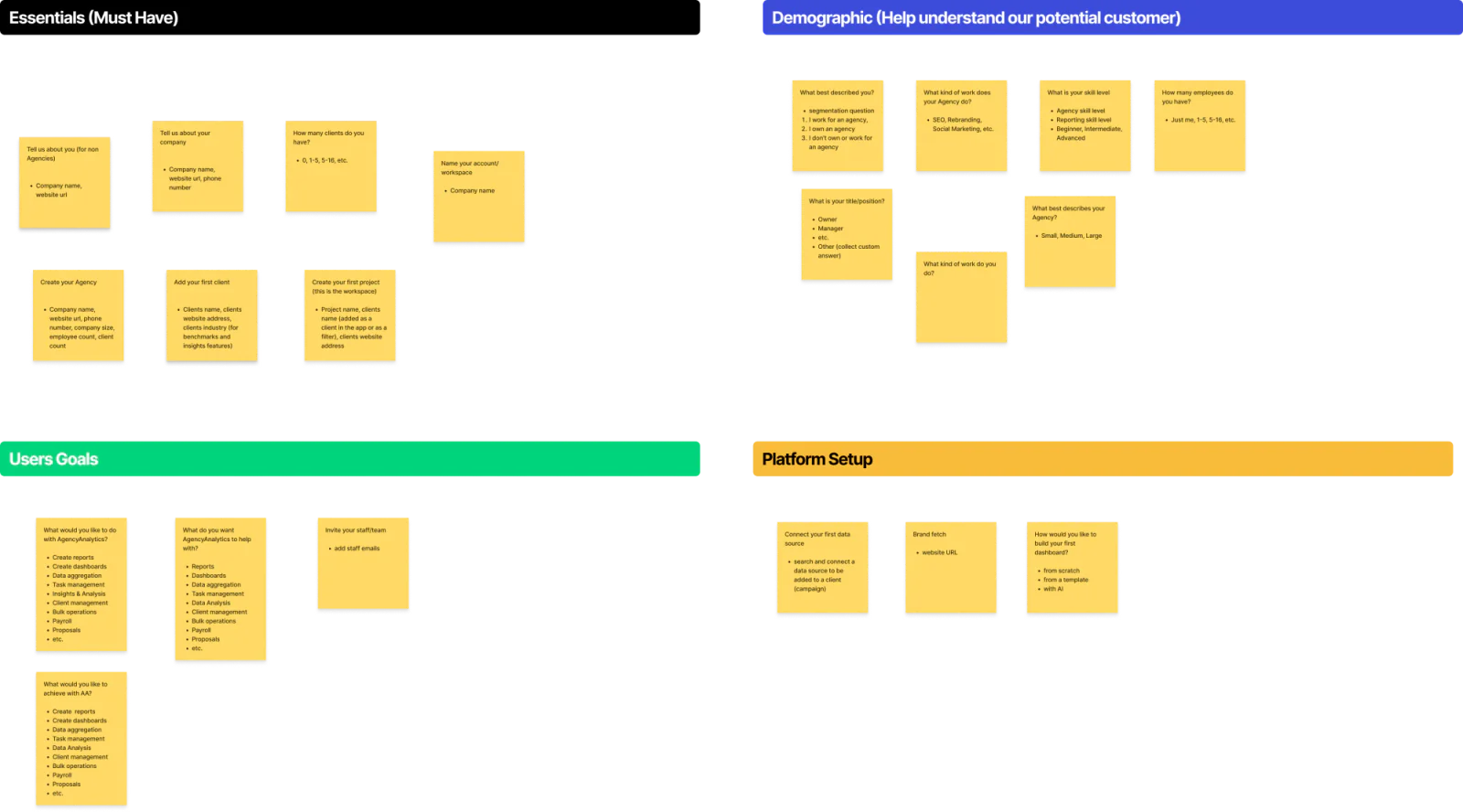
I worked across teams to define what information we actually needed, why, and where it belonged in the flow, balancing business needs against the user’s desire to get into the product fast.
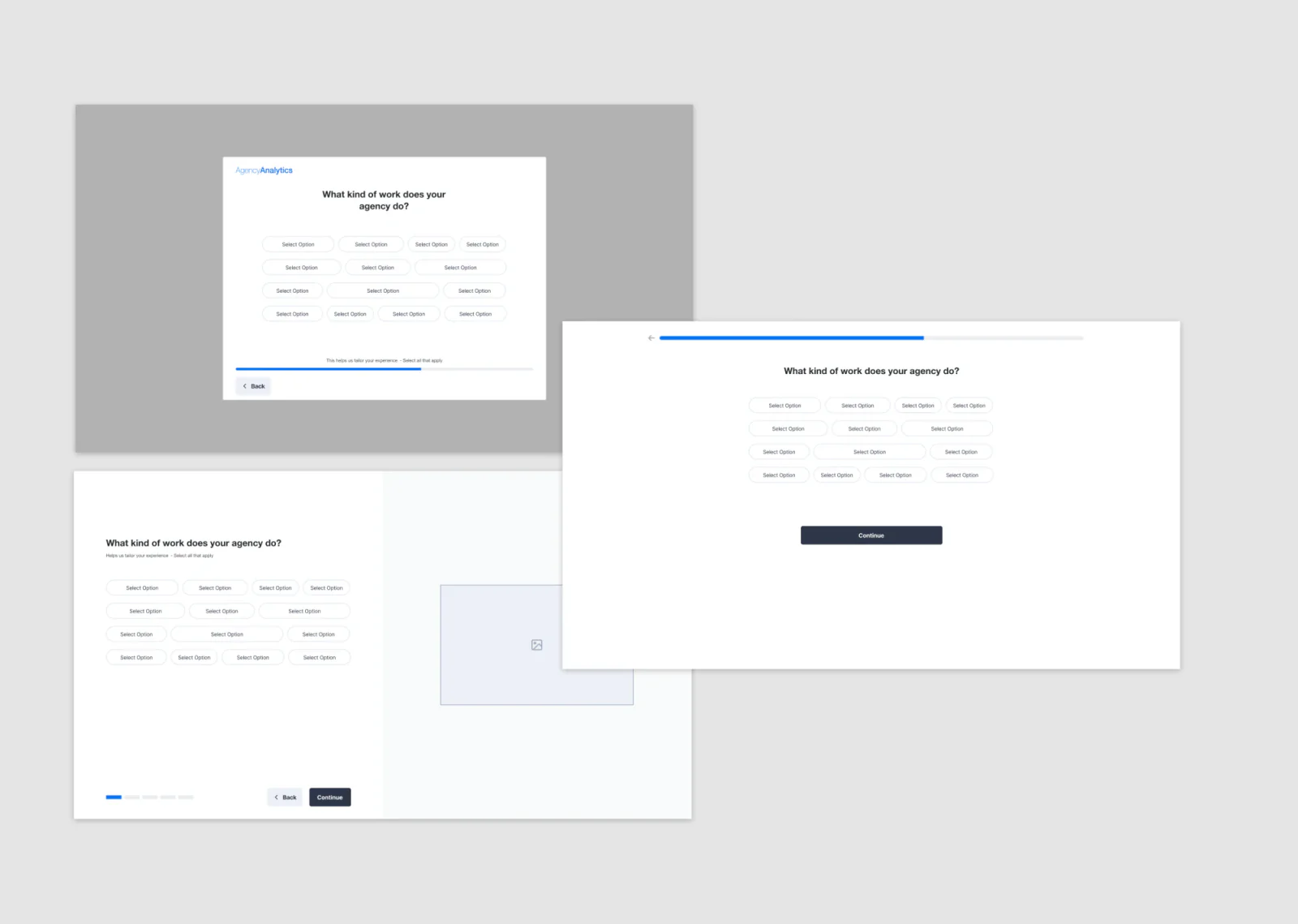
Then I explored three low-fidelity layout styles, reviewed the trade-offs with stakeholders, and we aligned on testing the modal style.
Why the modal
Combining the modal with single-question steps made setup feel focused rather than overwhelming: one task at a time, a stronger sense of progress, and a modal that feels like part of the app instead of the marketing site.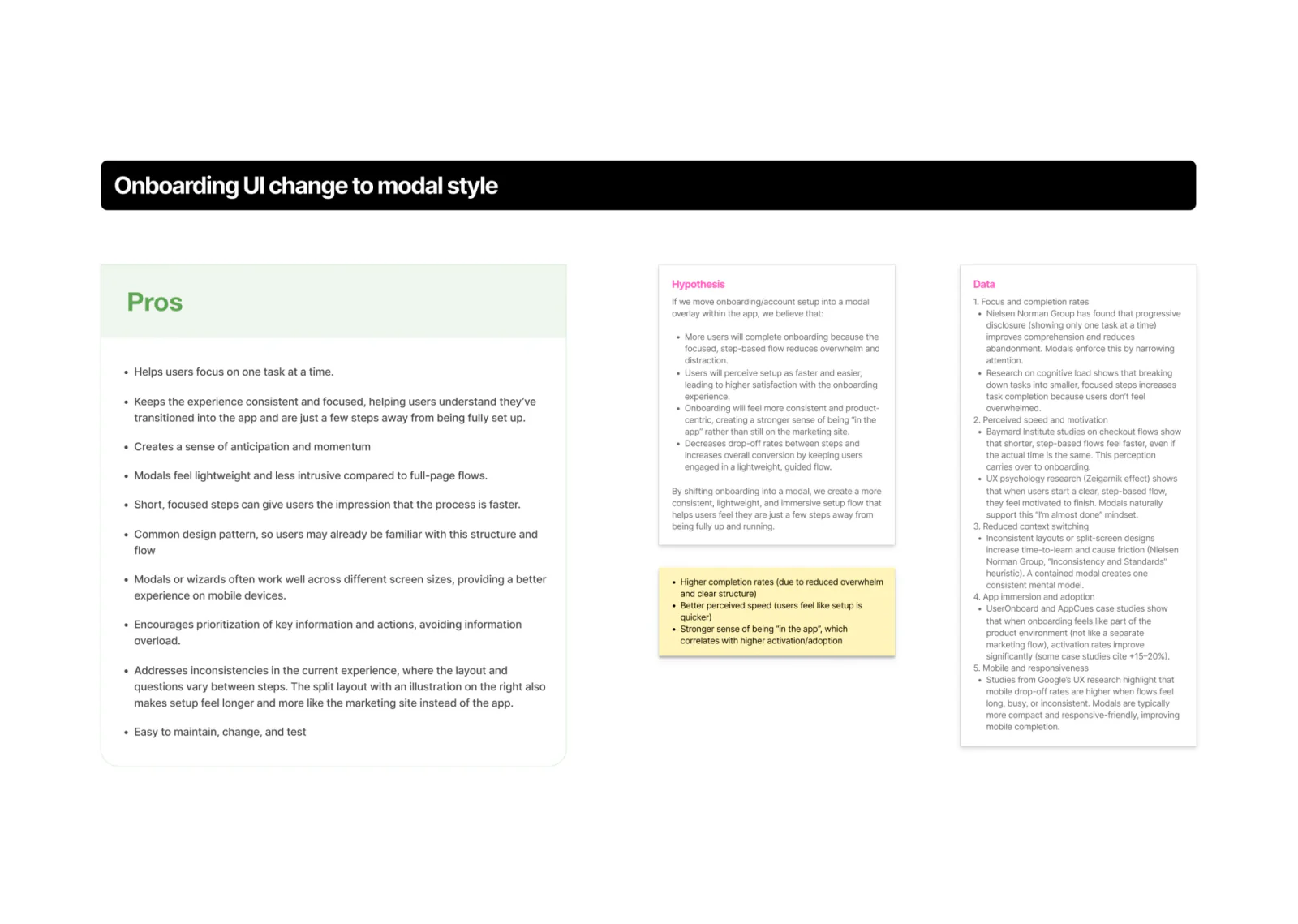
05. Experiment log
A few of the changes
Each experiment shipped with a clear hypothesis, documentation, and tracking to measure impact.
Experiment 01
Understand their intent
I added this question to the onboarding flow to understand what users hoped to accomplish with the product.
Framing it as “what’s most important right now” instead of a generic use-case picker also gave us language we could reuse in the UI later, while capturing intent data to personalize the experience and inform targeted marketing outreach.
Experiment 02
Tailor the journey
Different segments get different questions, keeping the experience relevant instead of generic. This was a direct response to the segment data: Agency users converted at 6x the rate of Not an Agency users, so treating them identically was actively costing us conversions in the higher-value segment.
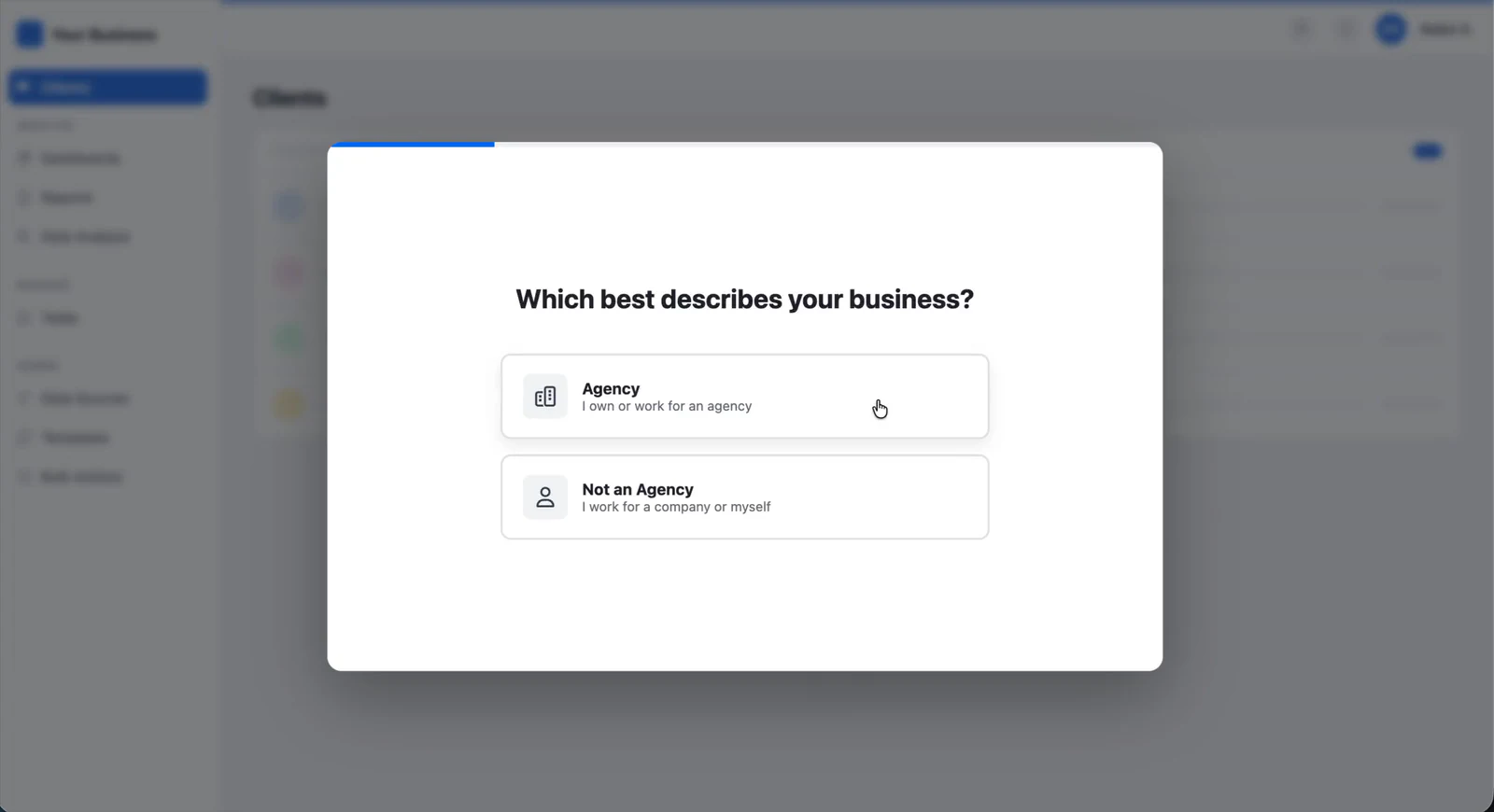
The trade-off
Branching added engineering complexity, with more states to build and test.Why it was worth it
A single generic path would have kept diluting the questions that mattered most to agencies managing multiple clients.Experiment 03
Make it feel like their app
AgencyAnalytics is a white-label reporting tool. Agencies show it to their own clients, so it needed to feel like theirs, not ours, from the first screen.
Auto-pulling the logo and brand color from their URL proved that instantly, building excitement before the product even loads, without an extra “customize your branding” step later in the flow that most users would have skipped or delayed.
Experiment 04
Connect a data source
The drop-off data showed that connecting data sources early correlated with activation, so I moved the connection step directly into account setup instead of making users figure out where to connect their data in the app.
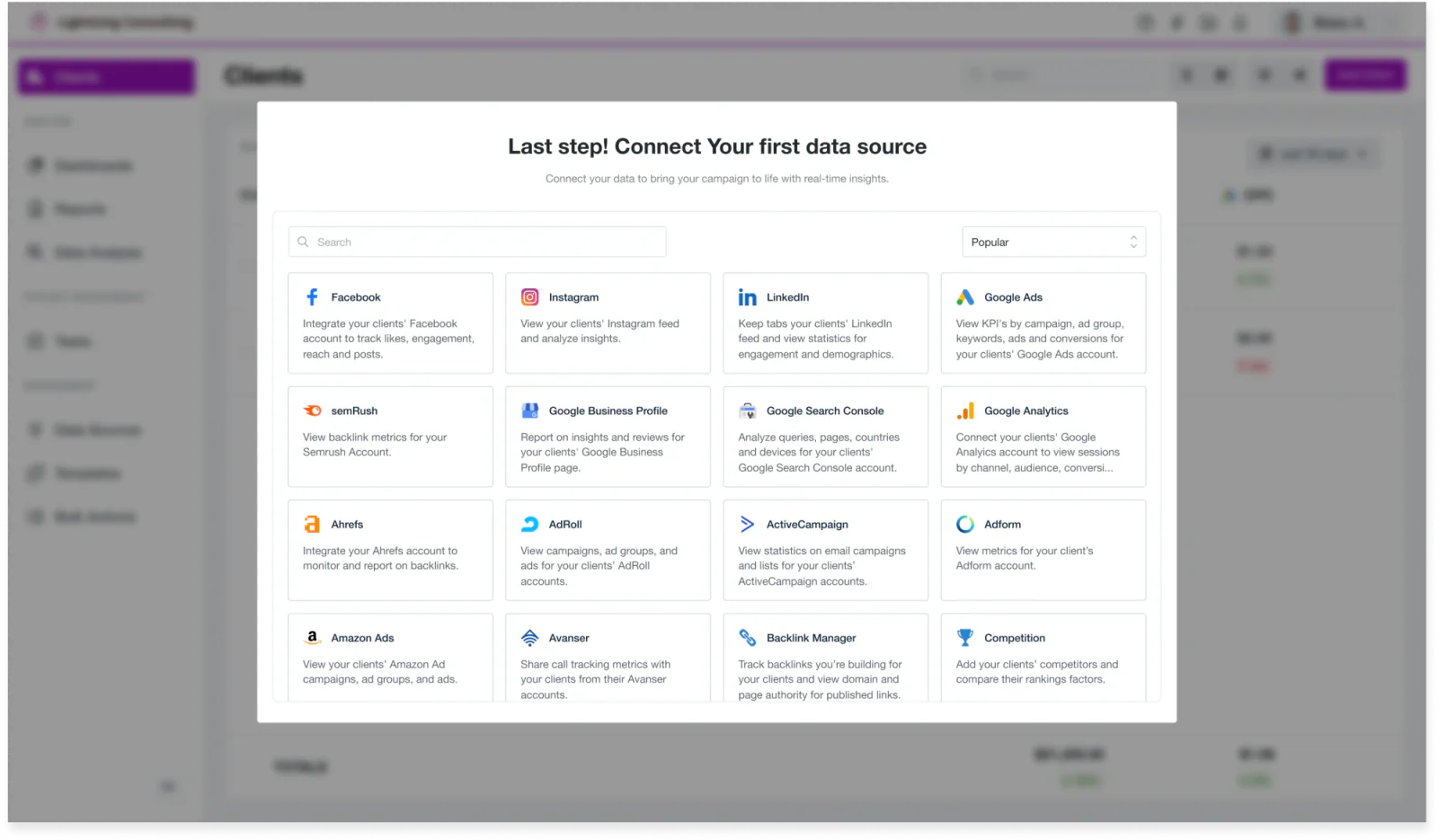
This was a smaller, low-risk change we could ship immediately, ahead of the bigger Smart Dashboard bet.
Experiment 05
Trial with your team
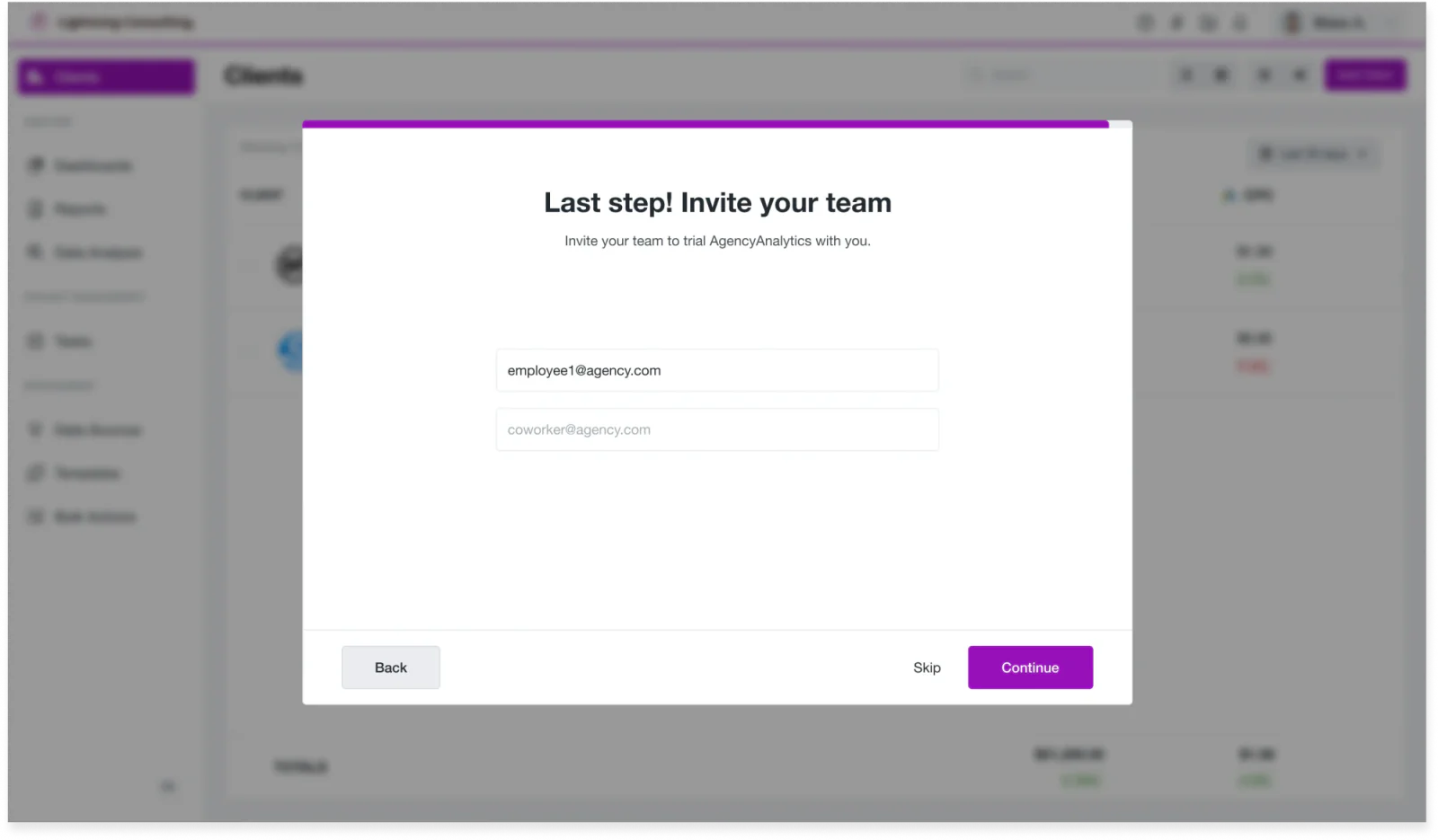
Agencies are rarely a single-seat purchase. The person signing up for the trial is often not the person who’ll set up reports day-to-day. Users who invited their team were more likely to activate and convert.
The design decision
Optional, not required. Forcing the invite would have added friction for solo users, so it only shows real value to the segment it actually helps.06. Null result
The experiment that didn’t move anything
Experiment · No effect on activation
The problem wasn’t where the step appeared. Users didn’t understand why connecting their data was worth it.
One experiment moved “Connect a data source” higher in the onboarding checklist, on the assumption that users weren’t connecting data because the step was easy to miss. It didn’t move activation, the time it took users to connect their first data source, or the time to reach five.
The assumption
Users weren’t connecting data because the step was easy to miss.The result
No change in activation, time to first data source, or time to five data sources.Where it pointed
That result was useful. It redirected the work from where the step sat to why it mattered, which led to the Smart Dashboard.07. The bigger problem
A brick wall with no context
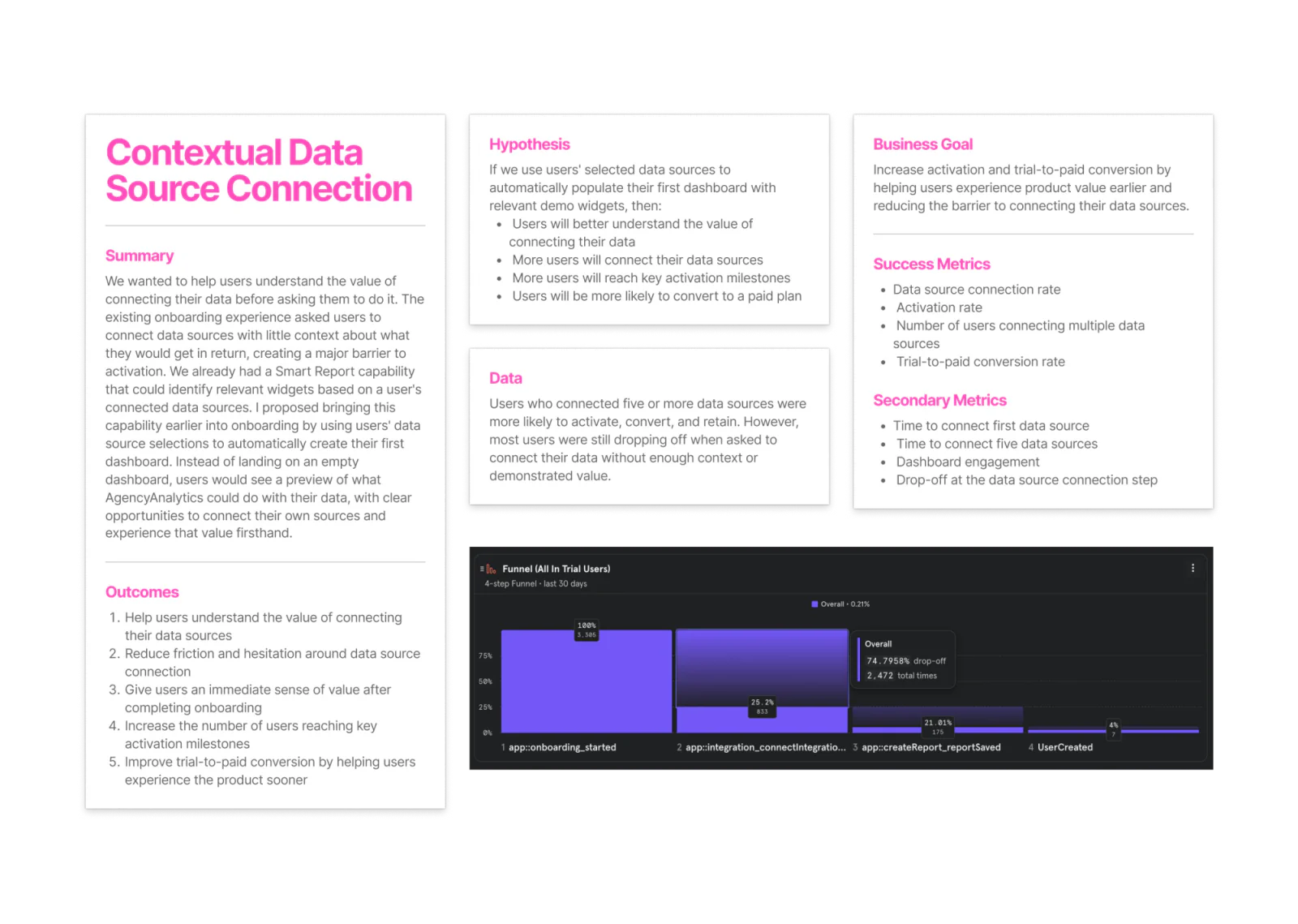
Even after the early wins, most users still hit the same wall: connect a data source, with no context on why. Many simply stopped there.
of users who started onboarding went on to connect an integration
Baseline funnelWe had a Smart Report feature that could identify relevant widgets from connected data sources. I proposed pulling it earlier into onboarding: users pick their sources, and we auto-build their first dashboard.
Instead of seeing an empty product, they see what it could look like with their data connected.
If we show users what their dashboard could look like using demo data and place the ‘Connect Data Source’ action directly in that context, users may be more motivated to connect their own data.
Experiment hypothesis · Contextual data source connection
08. Smart Dashboard
Show the dashboard, then ask for the data
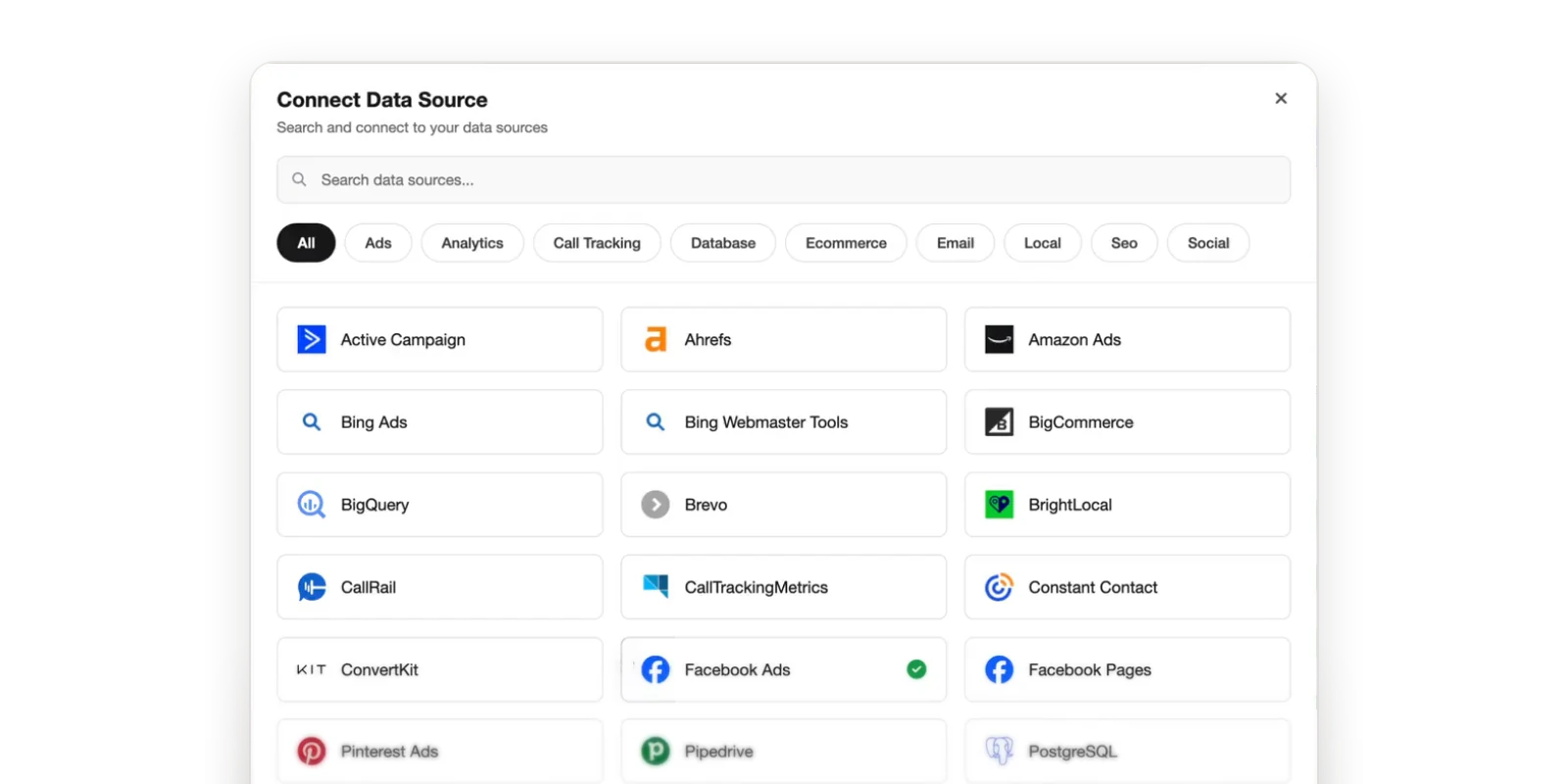
Collect the user’s preferred data sources during onboarding, then carry that straight into their first experience inside the product.
Step 01
Start with their data
I designed it as a multi-select rather than one-at-a-time, so a user managing several sources wasn’t punished with more steps than someone with one, and so the dashboard we built next had enough signal to feel personalized rather than generic.
This step only works because it reuses the Smart Report widget-matching logic that already existed for connected accounts.
Step 02
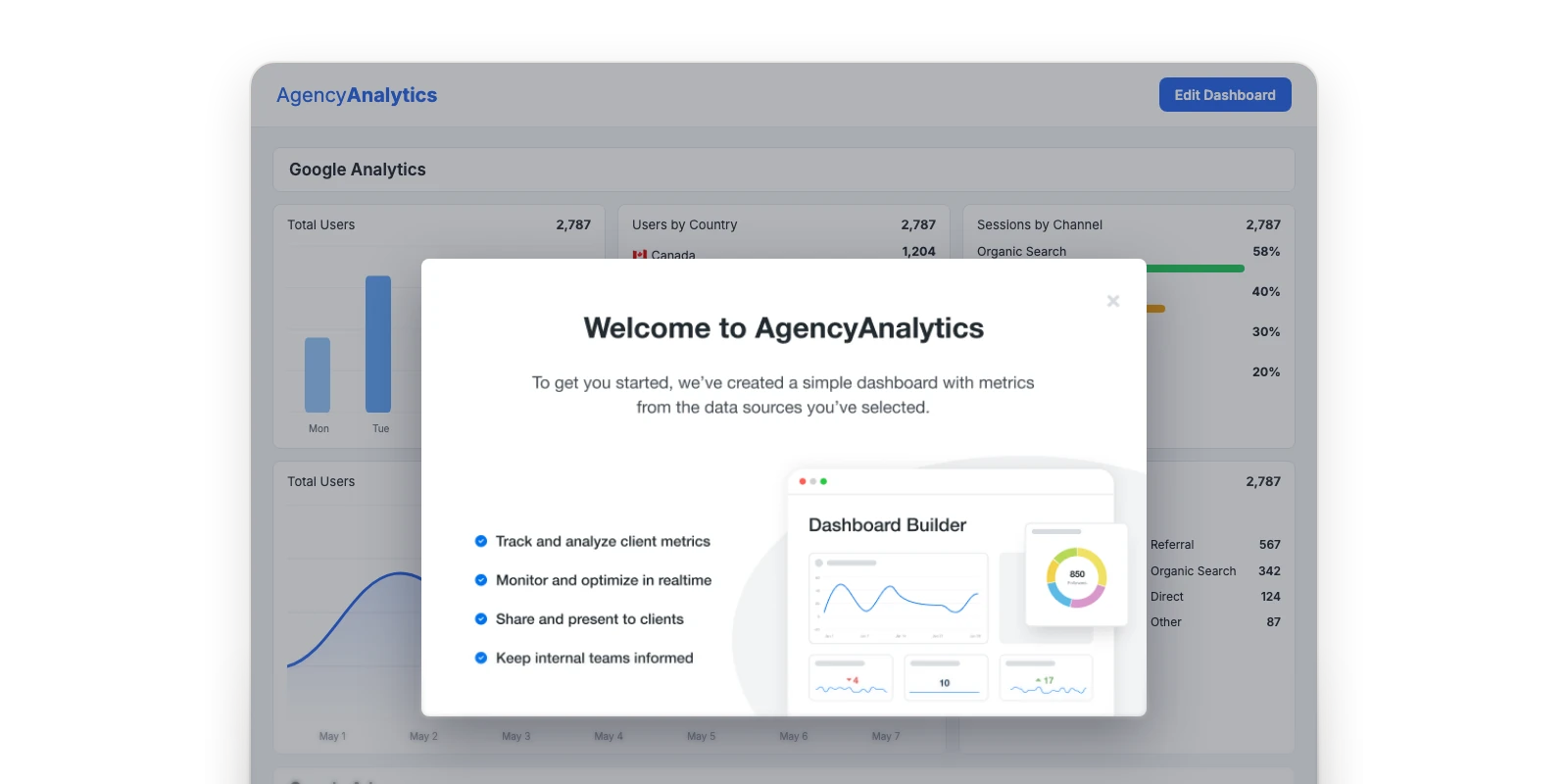
Set the context
The new risk
Landing straight on a populated dashboard meant users could mistake demo data for their own, or not understand why widgets appeared that they hadn’t set up.The trade-off
A short explanation up front cost one more screen, but removed that ambiguity before it could turn into distrust or a support ticket.Step 03
Show the value
This was the core bet of the experiment. An empty dashboard asks users to trust the product on faith; a populated one lets them evaluate it immediately.
Using realistic demo data instead of placeholder boxes mattered, because vague, lorem-ipsum-style previews don’t answer the question users needed answered before they’d bother connecting real accounts: “Would this actually help my agency?”
Step 04
Connect in context
The design decision
Connect buttons sit directly on top of each demo widget. The call-to-action lives right where the value is being shown.Why it works
Users could see the widget they wanted and immediately understand that connecting the relevant source would turn it into a widget powered by their own data.Step 05
Turn preview into reality
Once connected, the dashboard updates with real data in place, proving the value without ever leaving the experience. The widget swaps demo data for real data in the same spot, rather than sending users to a separate “your dashboard is ready” screen.
As users connected each data source, its widgets updated with their real data, gradually turning the demo into a useful, customized dashboard without them configuring it. The payoff stayed immediate and directly connected to the action that unlocked it.
The key was putting the connection step in context. Rather than telling users they needed to connect their data, we could show them why.
Project reflection
09. Process
Decisions based on behavior, not opinion
Because onboarding drives activation and conversion, we documented every change, with dashboards to track results.
- 01Problem
- 02Hypothesis
- 03Expected outcome
- 04Design
- 05Success metrics
- 06Tracking dashboard
Each change was A/B tested in isolation to attribute impact correctly, looking beyond onboarding completion to activation, conversion, and time-to-complete across the broader funnel.
I worked closely with developers through implementation, including specs, styling, and edge cases, then monitored results post-launch to decide what to learn, change, or test next.
The guardrail
A change could win by improving onboarding completion, but only if activation didn’t drop. Getting more users through setup didn’t matter if they never reached value.10. Results
What changed across the experiments
activation, from 9.3% to 17.9%
- ProblemUsers weren’t connecting data early in the trial, so dashboards stayed empty and they never saw the value.
- DecisionA series of tested onboarding experiments: intent and segment questions, a tailored journey, data connection during setup, team invites, and the Smart Dashboard.
- OutcomeActivation rose from 9.3% to 17.9%. Users connected sources earlier in the trial and reached value sooner.
time-to-activation, down from 5.3 days
- ProblemConnecting a data source was a brick wall with no context on why.
- DecisionAcross the experiments, move data connection earlier, and ultimately put it where the value was shown, swapping demo data for real data in place.
- OutcomeTime-to-activation dropped from 5.3 days to 1.2 days.
trial-to-paid conversion
- ProblemTrial-to-paid conversion was declining, and empty trials never showed the product’s value.
- DecisionA Smart Dashboard that gave users an immediate preview of the product’s value and a clear call-to-action to connect their own data.
- OutcomeContributed to a 25.5% lift in trial-to-paid conversion.
Biggest single impact
The Smart Dashboard had the biggest impact of any single change.
The contextual data source connection experiment confirmed that showing users the value of their data was the key to getting them to connect it.
Also across the experiments
- Earlier data connectionUsers connected sources earlier in the trial, reaching value sooner.
- Faster path to five sourcesThe threshold most correlated with conversion and retention.
- Better user understandingSegmentation data now informs Marketing’s acquisition strategy and Product’s ICP definition.
11. Reflection
What I learned
Show users the value before asking them to act.
Moving the data connection step higher in the onboarding checklist didn’t improve activation. Showing users what their dashboard could look like with realistic demo data gave them a reason to connect their own accounts, turning an abstract action into a clear payoff.
Onboarding connects product, marketing, and customer strategy.
Improving activation meant looking beyond the interface to understand customer segments, acquisition, and conversion. Working across teams helped connect those insights to decisions throughout the customer journey.
Onboarding must evolve with your customers.
As acquisition channels and customer needs change, the assumptions behind onboarding can become outdated. Continuously learning about who signs up, what they’re trying to accomplish, and where they struggle keeps the experience relevant and effective.
Try it