01. The problem
Staff had a chat app. They used other ones.
Would love to just use one tool for staff communication. 7shifts has a chat but it’s unreliable and we need more for our communication needs.
— 7shifts customer
Messaging in 7shifts was outdated, didn’t update in real time, and was missing features people expect from any messaging app. That showed up in negative reviews, and in restaurant teams moving their staff communication to other apps.
02. The approach
Five releases instead of one big launch
Rather than one large redesign, we modernized messaging in phases. Each release closed a specific gap against modern messaging apps, so we could ship value continuously instead of waiting on a single big-bang launch.
03. Research
What restaurant staff needed from chat
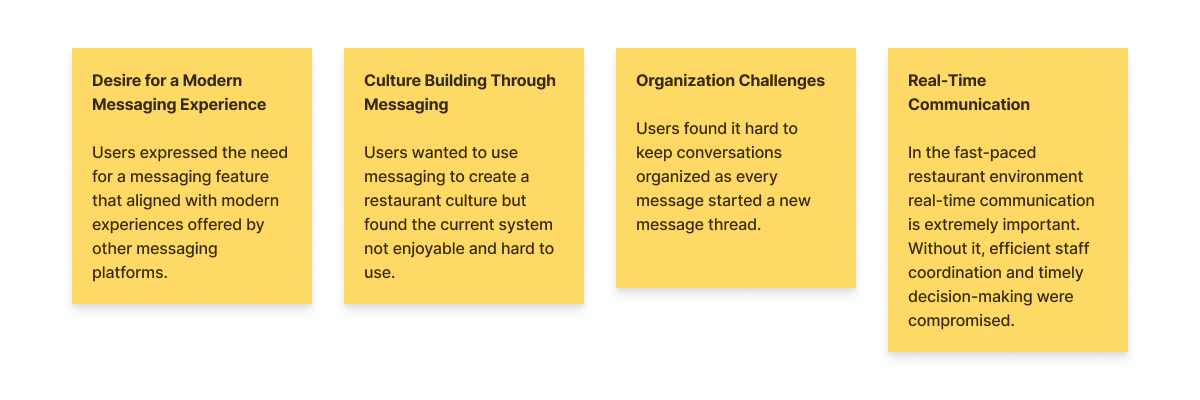
Talking to restaurant staff surfaced four recurring themes.
- 01. Modern experienceA messaging experience that matched the apps they already used.
- 02. Culture buildingChat as a way to build team culture, not only get work done.
- 03. OrganizationEvery message started a new thread.
- 04. Real-timeDelivery fast enough for a fast-paced environment.
Persona and empathy map
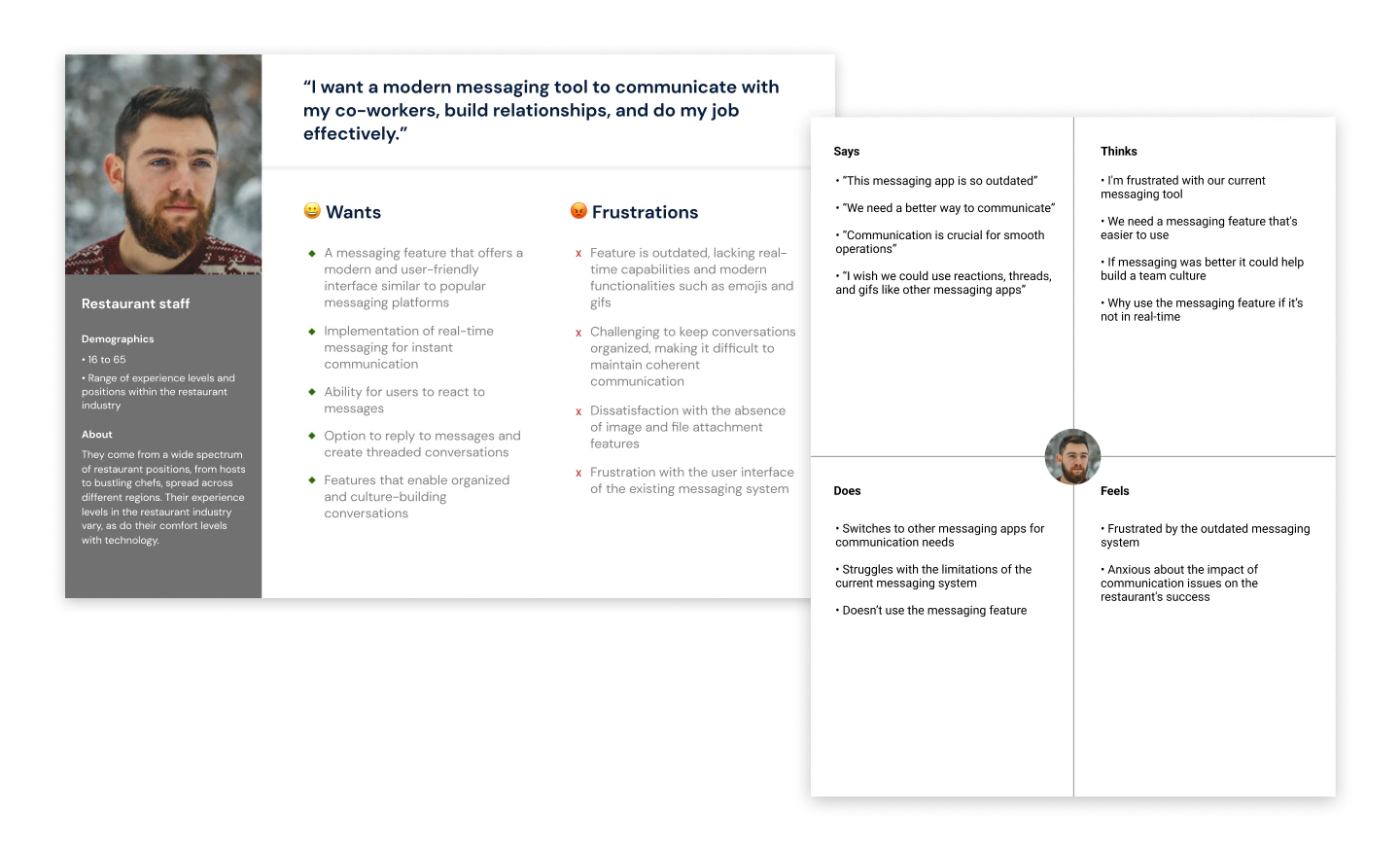
I turned the interview data into a persona and empathy map so the wider team, not just the people who ran the interviews, could feel the frustration behind the feature requests instead of reading a list of them.
The diagram that aligned the team
Mapping the existing flow made the rigidity concrete: every message, new or reply, funneled through the same “create new message” path, with no way to reply in context.
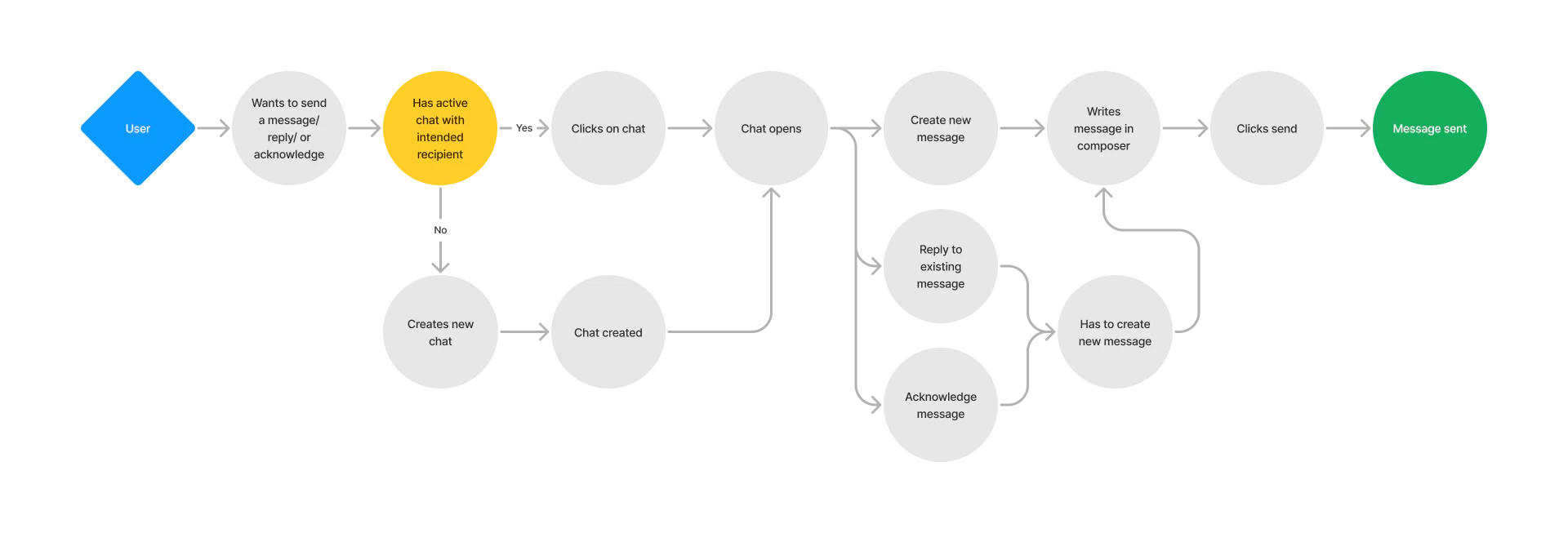
That single diagram did more to align the team than the interview notes had.
Deciding what to build first
Survey. With the marketing and product managers, I ran a survey to prioritize which features to build first and to set benchmarks. That gave us an objective way to measure whether each release moved the needle, not just whether it shipped.
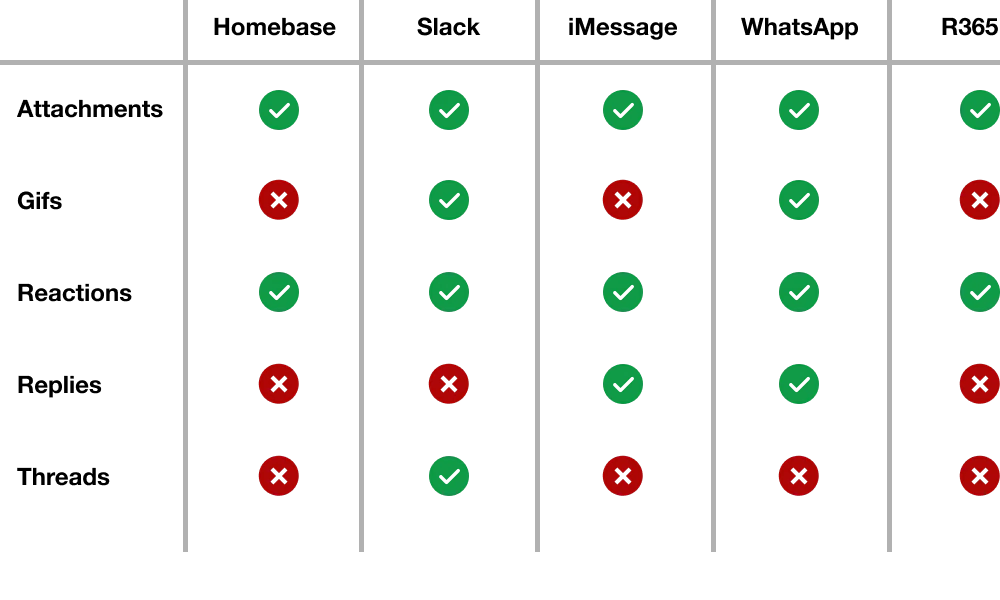
Competitive analysis. I reviewed the messaging platforms teams were already using, including Homebase, Slack, iMessage, and WhatsApp, plus other platforms for broader industry patterns. The goal was to find patterns users already understood and avoid reinventing familiar messaging behaviors.
04. Technical constraint
Buy, not build, and check the docs before designing
The constraint
Real-time messaging with reactions, threads, and attachments wasn’t feasible to build from scratch on our timeline.
So we evaluated third-party messaging services instead of building in-house.
The trade-off
A third-party UI might not blend into 7shifts’ design system, and our customization would be bounded by what the vendor exposed.What I did
I reviewed the vendor’s documentation myself and confirmed it offered enough component-level control to keep the experience on-brand.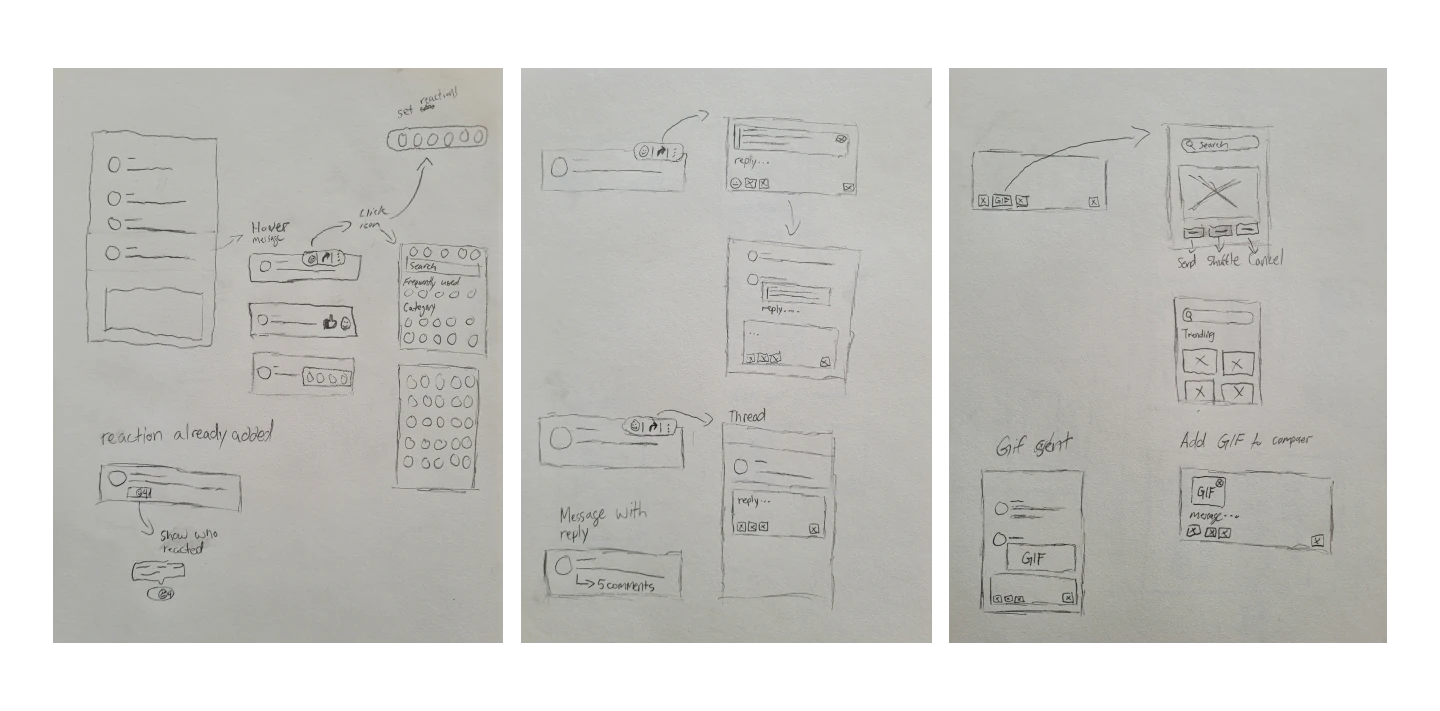
Wireframes that were already buildable
I sketched directly against the third-party service’s actual components rather than idealized boxes, so the concepts we reviewed with the team were ones we knew were buildable.
05. Release 01: Interface
A current foundation before any new features
The first release brought the messaging UI up to modern standards, so every feature after it landed on an interface that already felt current.
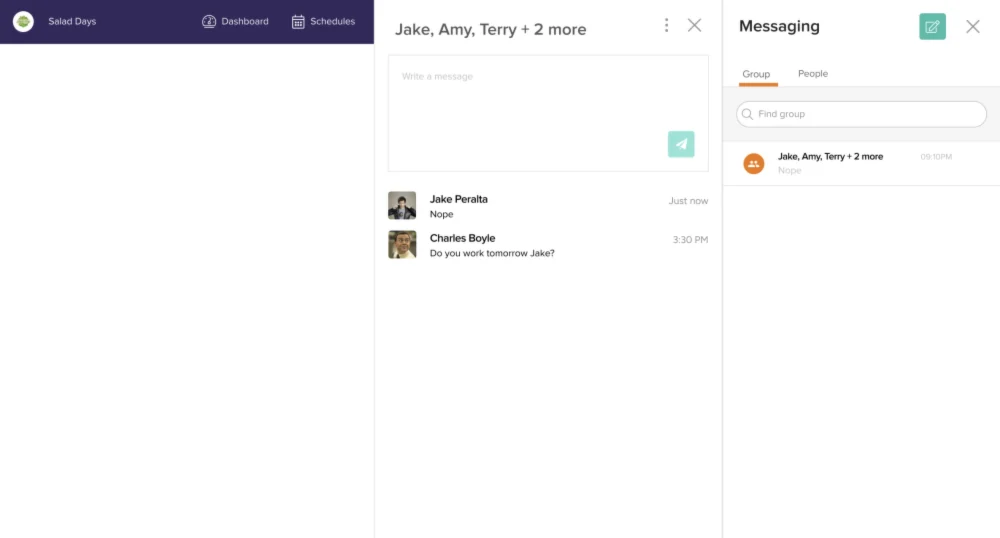
What wasn’t working · users
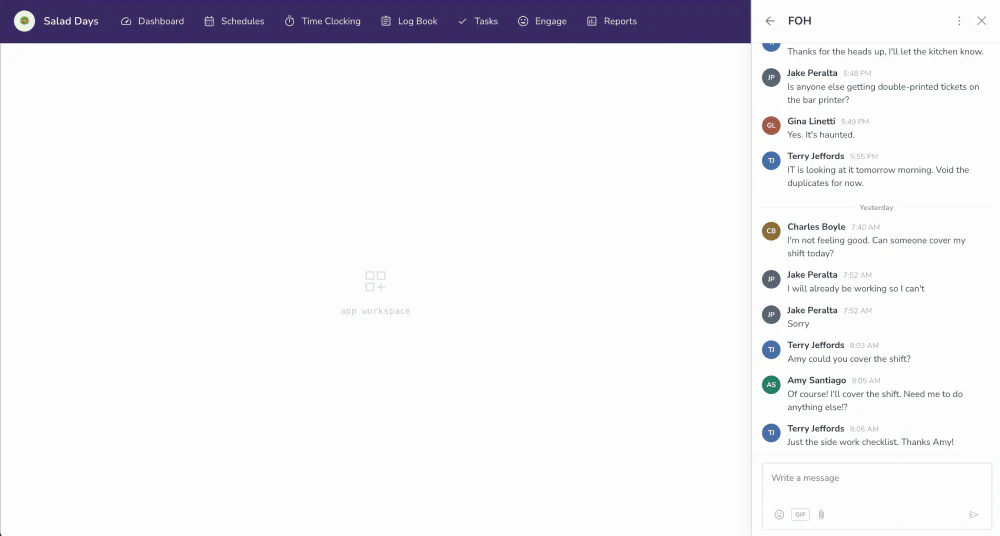
Messages ran in reverse order, nothing updated in real time, and the two-panel layout took up a lot of the screen.What wasn’t working · business
Messaging drove negative reviews, and customers were switching to competitors.The design decision
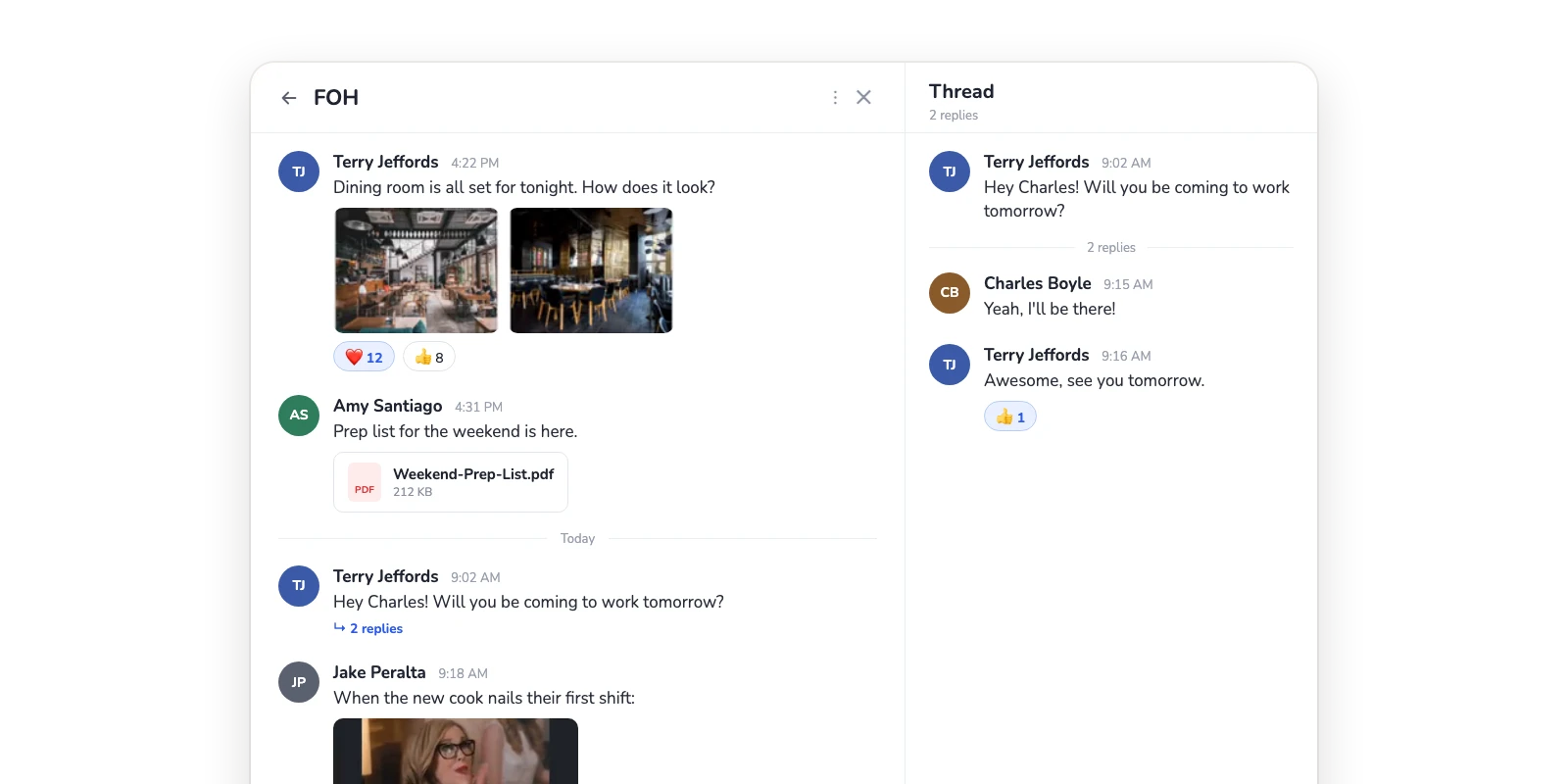
A single, compact panel with messages in chronological order and the composer at the bottom, matching the messaging apps staff already used. A refinement pass then adjusted avatar size and spacing, and added quick actions to the composer.06. Release 02: Reactions
“Got it” without another reply
Reactions gave staff a way to acknowledge a message, like “got it” or “on my way”, without adding another reply to an already-crowded thread.
The trade-off
My first iteration offered the full emoji picker, which gave staff the most freedom. But a reaction can’t be moderated on its own: if someone added an inappropriate one, the whole message would have to be deleted.The design decision
Reactions are limited to a small, intentional set. The full emoji picker stays in the message composer, where an inappropriate message can be flagged and removed by a manager.07. Release 03: Replying & threads
Reply to something from two days ago, in context
We tested both inline replies and full threads with users. Threads won: staff could reply to an older message without losing the surrounding conversation.
Inline replies
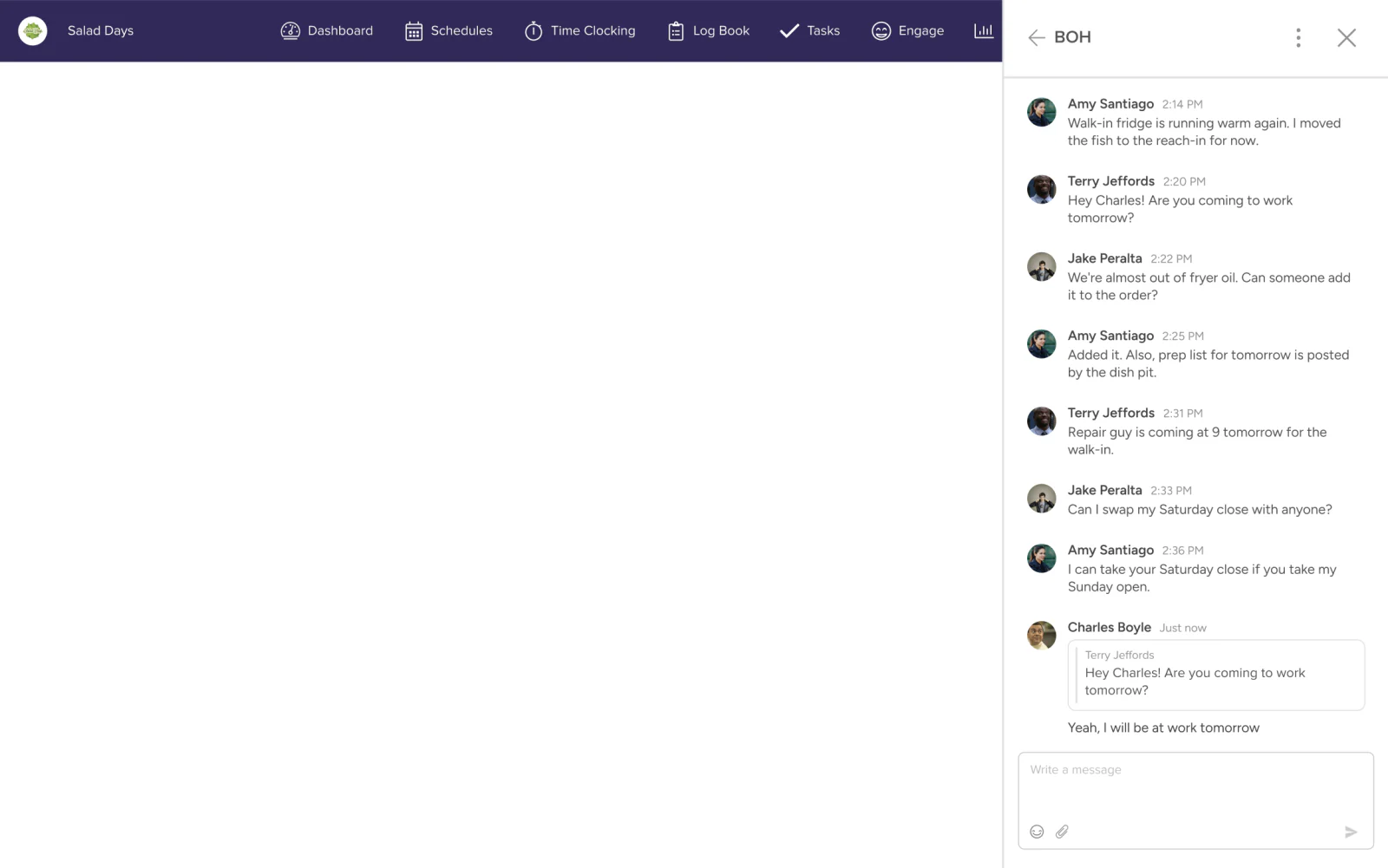
Inline replies let users respond directly within the main conversation, quoting the original message for context. They were simpler to implement and familiar from consumer messaging apps.
Why I turned back
- It performed worse in testing.Users found replies harder to follow than threads during usability testing.
- It got messy fast.When several people replied to the same message, the replies scattered through the main chat, making the conversation harder to follow.
The design decision
Threads, accepting a longer build to keep each reply grouped with the message it answers. The main conversation stays readable, even when several staff respond to the same message.08. Release 04: Attachments
Photos and files, without leaving the conversation
Staff needed to share photos and files directly in a conversation, like a printed schedule or a photo of a spill, without leaving the app to text or email it separately.
What was missing before
Messaging was text only. Anything visual, like a new policy, an updated menu item, or a photo from the floor, had to be shared outside 7shifts, splitting team communication across apps.The design decision
Support for images, documents, and video attachments directly in the composer, keeping updates and the conversations around them in one place.09. Release 05: GIFs
Room for the social side of team chat
GIFs gave teams a lighter, more personal way to communicate, bringing some fun into everyday conversations and helping build team culture.
What was missing before
Culture-building came up as a theme in interviews, but messaging only supported getting work done. The social side of team chat was happening in other apps.The design decision
GIFs directly in the composer alongside emojis and attachments, so a moment of fun happens right in the conversation instead of in another app.10. Testing & implementation
Testing the interactions most likely to be missed
I prototyped the reaction and threading flows to test discoverability specifically: the interactions most likely to be missed if they weren’t obvious at a glance.
users tested
completion rate
satisfaction
Staying close through every release
For every phase, I stayed close to development, handling specs, styling questions, and a final usability and interaction pass before each release, rather than handing off and moving on.
11. Mentoring & cross-platform
One messaging experience across web, iOS, and Android
I led the project across web and mobile, designing the web experience and guiding the mobile designs. A junior designer on the mobile team designed the mobile screens, and I mentored them through it.
- ReviewReviewed their work.
- PairPaired with them on design problems.
- PresentHelped them prepare to present to the team.
- Edge casesWorked with them to identify edge cases.
The biggest challenge
Consistency, when staff moved between web, iOS, and Android throughout their day.
Each platform has different system capabilities and interaction patterns. We aligned on where the experience needed to behave the same and where it should follow each platform’s conventions, so messaging felt familiar wherever staff opened it.
12. Results
What changed
feature satisfaction
Measured via post-interaction survey- ProblemAn outdated, unreliable chat missing table-stakes features.
- DecisionFive independent releases, each closing a specific gap against modern messaging apps, measured against survey benchmarks.
- OutcomeFeature satisfaction up 40%.
messaging complaints
Dropped significantly- ProblemMessaging drove negative reviews, and customers were switching to competitors.
- DecisionA real-time, chronological chat, then reactions, threads, attachments, and GIFs, each shipped as its own release.
- OutcomeMessaging complaints dropped significantly.
What shipped
- Modernized interfaceA compact, chronological chat with real-time messaging.
- New featuresReactions, threads, attachments, and GIFs.
- Consistent experienceMessaging that feels familiar across web, iOS, and Android.
13. Reflection
What I learned
Phasing de-risks scope.
Splitting one large redesign into five independent releases meant we could ship, learn, and adjust continuously instead of betting everything on one launch.
Vendor constraints are a design input, not an afterthought.
Reviewing the third-party service’s actual capabilities before designing kept concepts realistic and kept avoidable rework low.
Cross-platform consistency takes deliberate effort.
Different platforms carry different interaction norms. Mentoring a junior designer through that made attention to detail non-negotiable.
Try it