01. The problem
A search page that sent shoppers to competitors
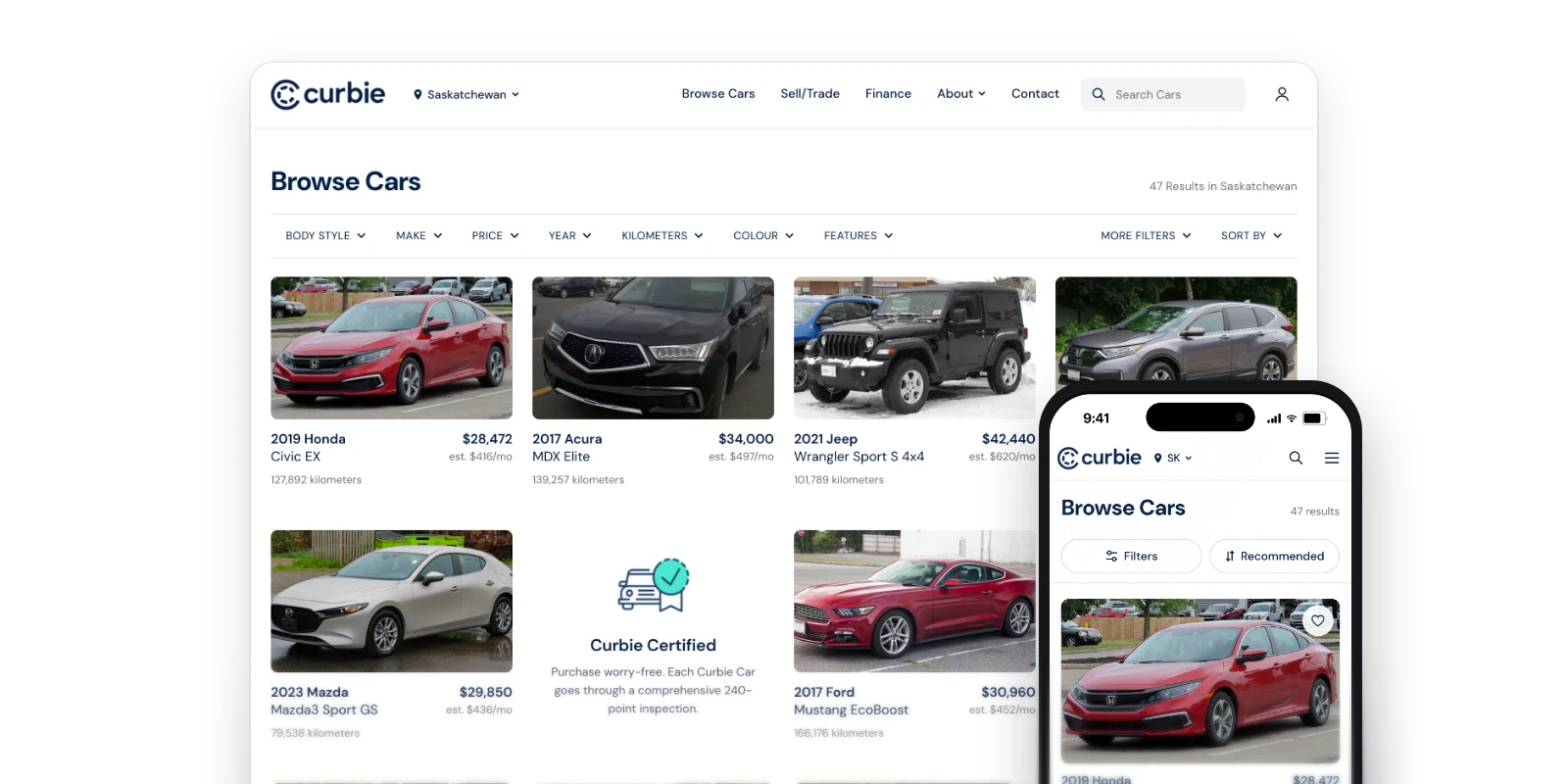
Curbie’s search page couldn’t stand up to competitors. Interviews and conversations with the support team showed it was hard to navigate: shoppers struggled to find vehicles, and that friction was pushing them toward other used-car sites.
The goal
Rebuild search around how people actually shop for a used car. Filters, keyword search, and browsing all need to lead somewhere, and the page should sell Curbie’s advantages (no-pressure buying and transparent pricing) rather than just list cars.02. Research
What shoppers actually feared
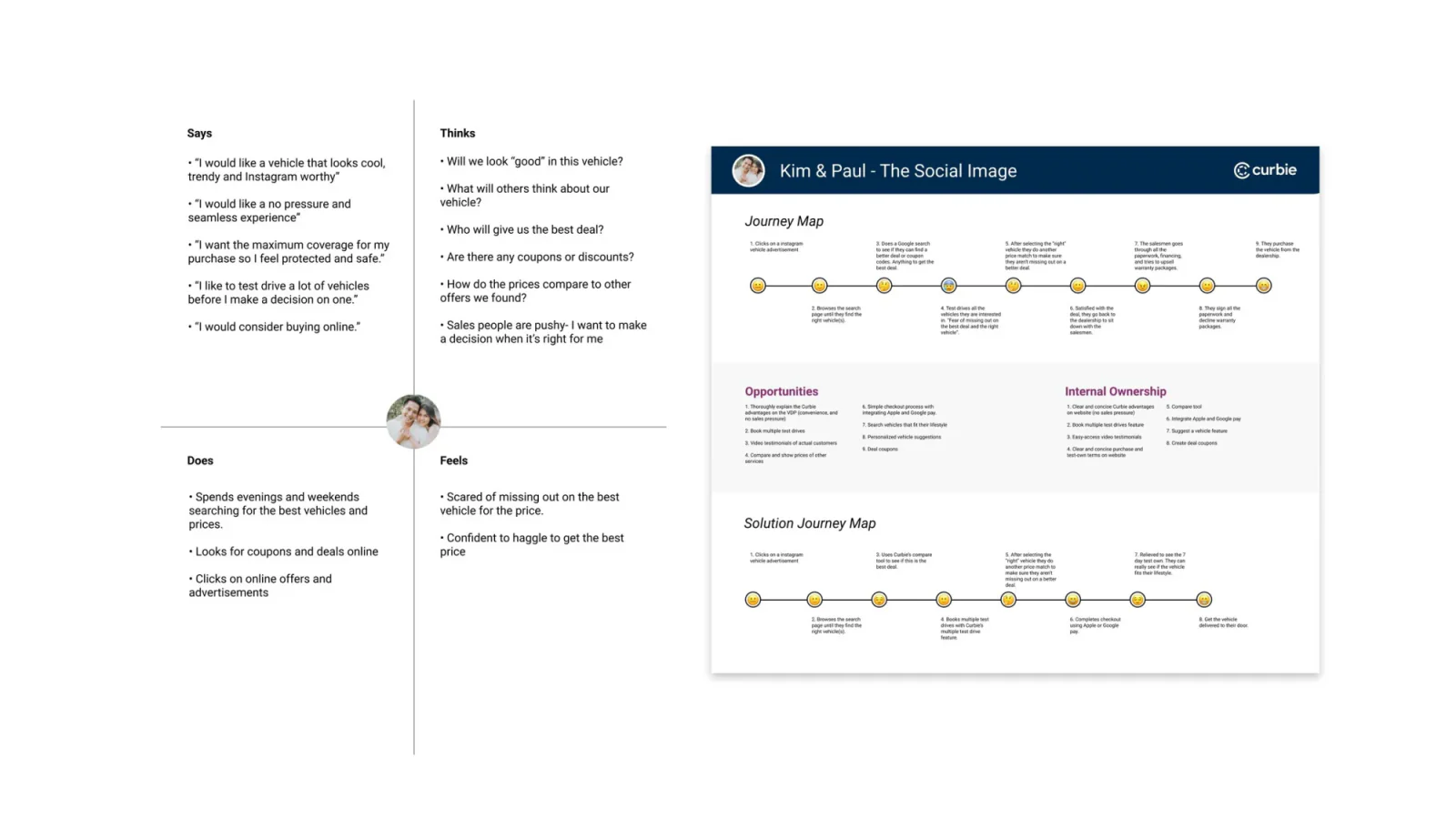
Interviews surfaced a consistent anxiety: fear of missing a better deal elsewhere, and distrust of sales pressure. That reframed the brief.
The reframe
Search wasn’t just a findability problem. It was a confidence problem.
Every screen after this had to answer one question for the shopper: “Am I getting the best deal, without being pushed?”
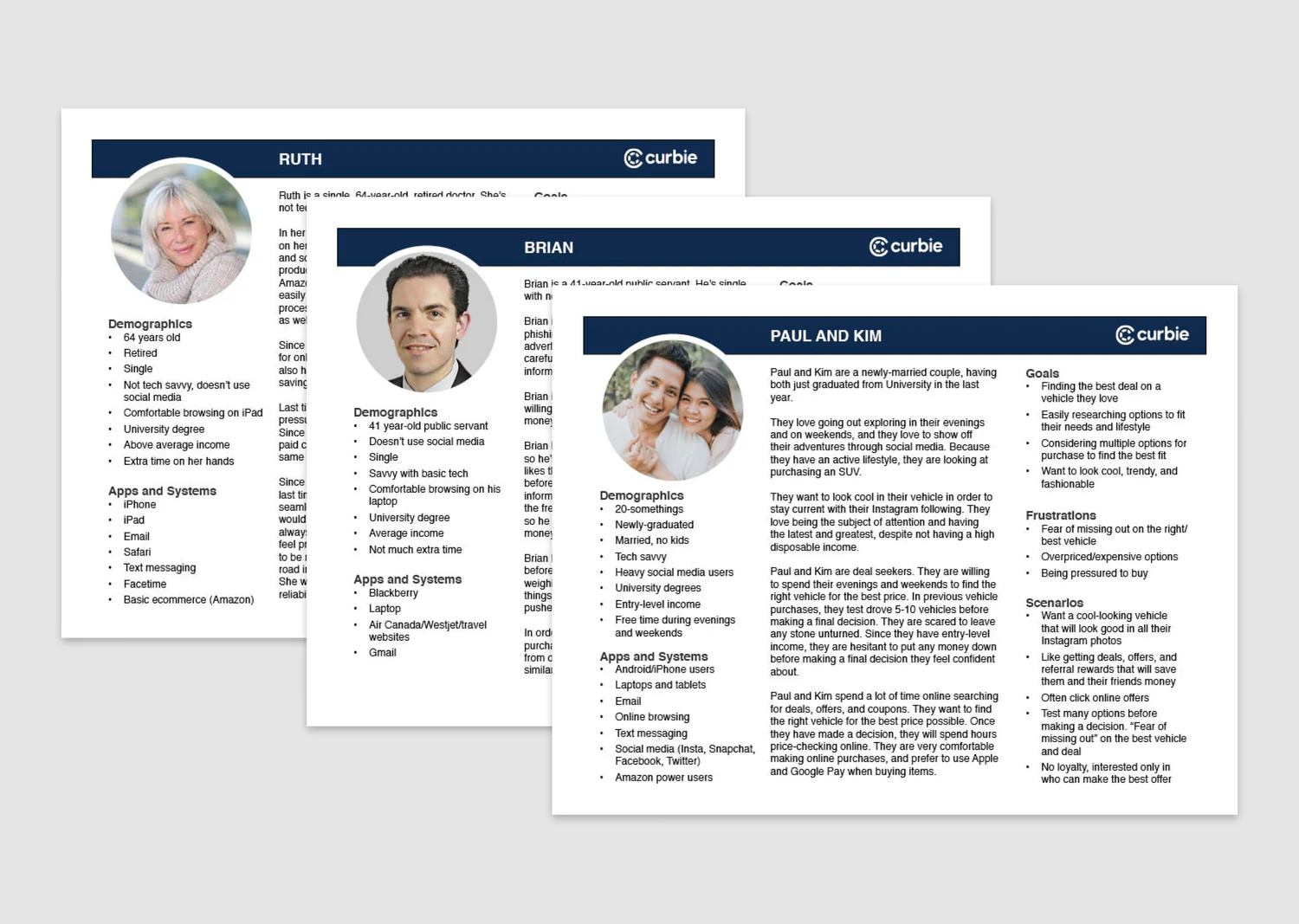
Personas
Based on the interviews, I created a set of personas. Each one highlights goals, frustrations, and scenarios.
03. Competitive analysis
The best references didn’t sell cars
I benchmarked direct competitors, then deliberately widened the set to products whose filtering, categorization, and recommendation patterns were more mature than anything in automotive.
- Direct competitorsAutoTrader, CarGurus, Carvana
- Outside automotiveNike, Walmart, Netflix
- What it shapedA “browse by lifestyle” grouping, instead of a plain spec-filter grid
04. User flow
Every path ends in a car or a sign-up
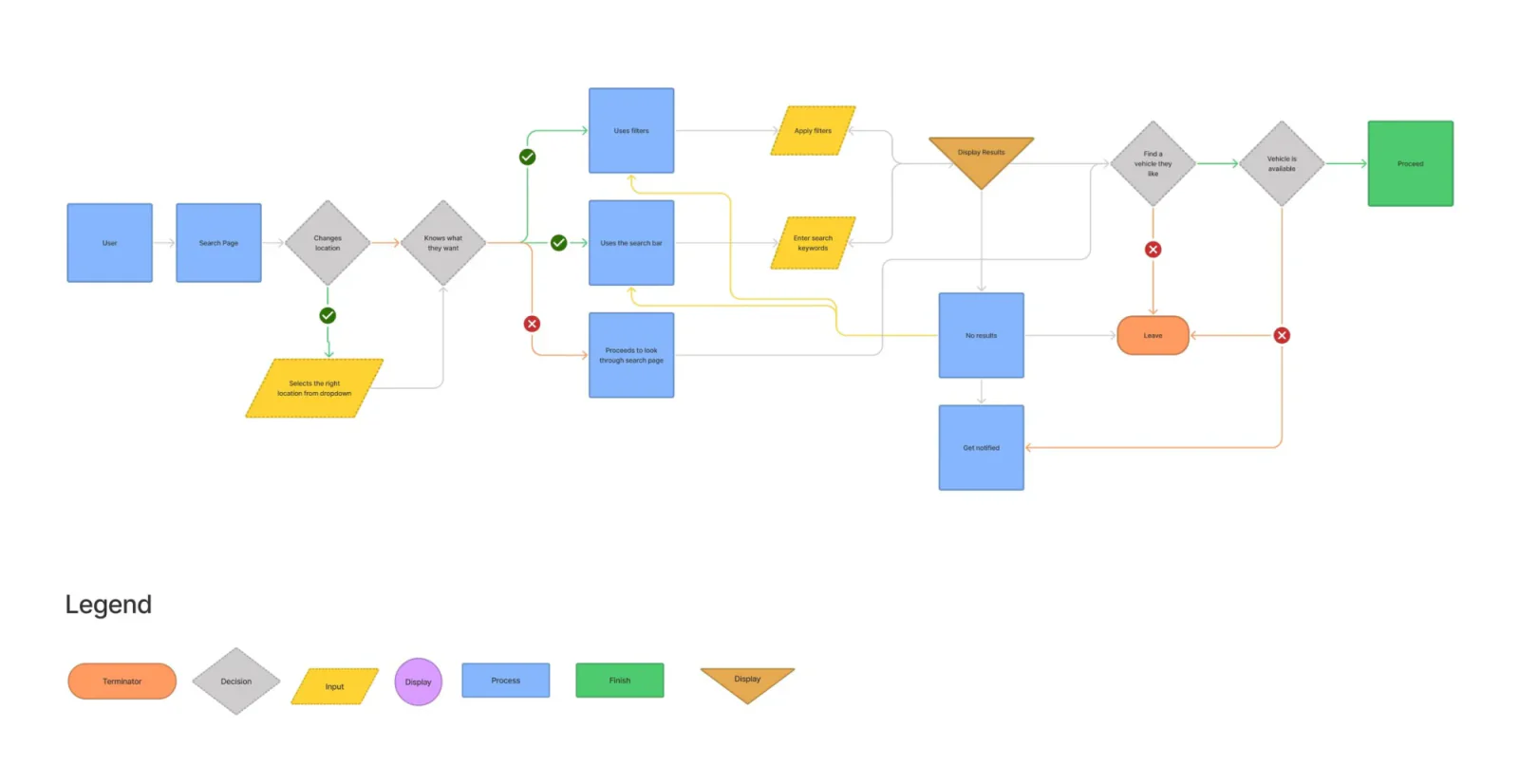
Mapping the entry points, filters, and search bar helped me account for the no-results state early. Every path needed a clear next step: find a car that matches, or get notified when one becomes available.
ArtefactThe full user flow, as presented
05. Exploration Exploration
Settle the hierarchy while changes are cheap
Paper first. Before opening Figma, I sketched on paper, deliberately staying away from pixel-perfect spacing and color while the real problem was still “what goes on this page, and in what order.” Paper made it cheap to swap and reorder components pulled from the competitive analysis, which surfaced the lifestyle-category structure before a single screen was built.
Then four layouts. I brought four structurally different layouts to stakeholders before investing in any visual polish. The goal was to settle the information hierarchy, categories vs. filters vs. search-first, while changes were still cheap.
.webp)
The design decision
I moved forward with lifestyle and category grouping. It connected best with the research and with how shoppers thought about finding a car: by how they’d use it, not just by specs.06. States
Designing the in-between moments, not just the happy path
Wireframes in the earlier purple brand
Search in progress
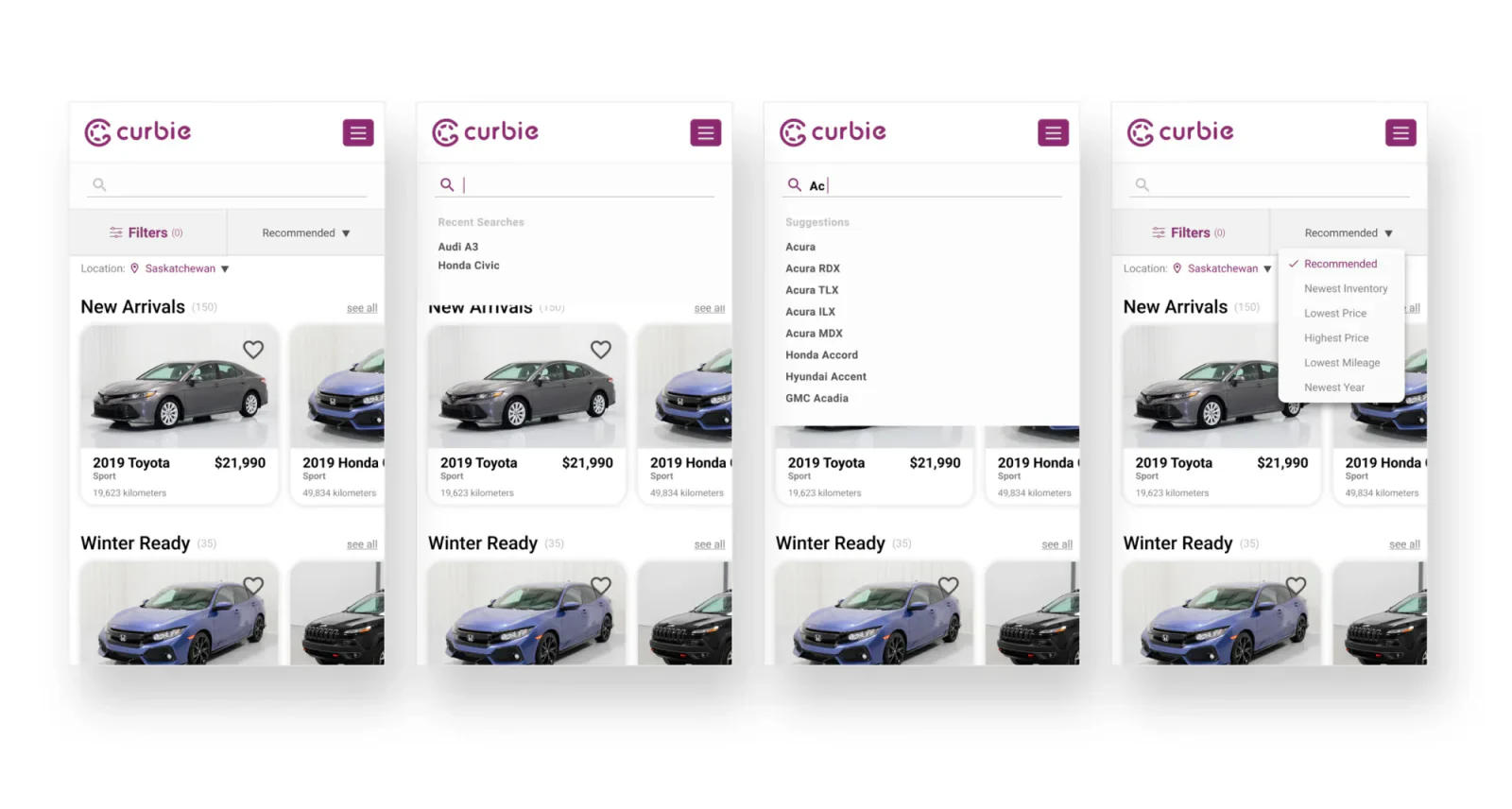
Recent searches and live suggestions surface as soon as someone taps the field, so the search bar is never just an empty box waiting for exact input.
Recent searches
Shown as soon as the field is tapped, so shoppers can pick up a previous search instead of retyping it.Suggestions while typing
Live suggestions below the field, so shoppers can pick a match without typing the full make, model, or search term.Filters
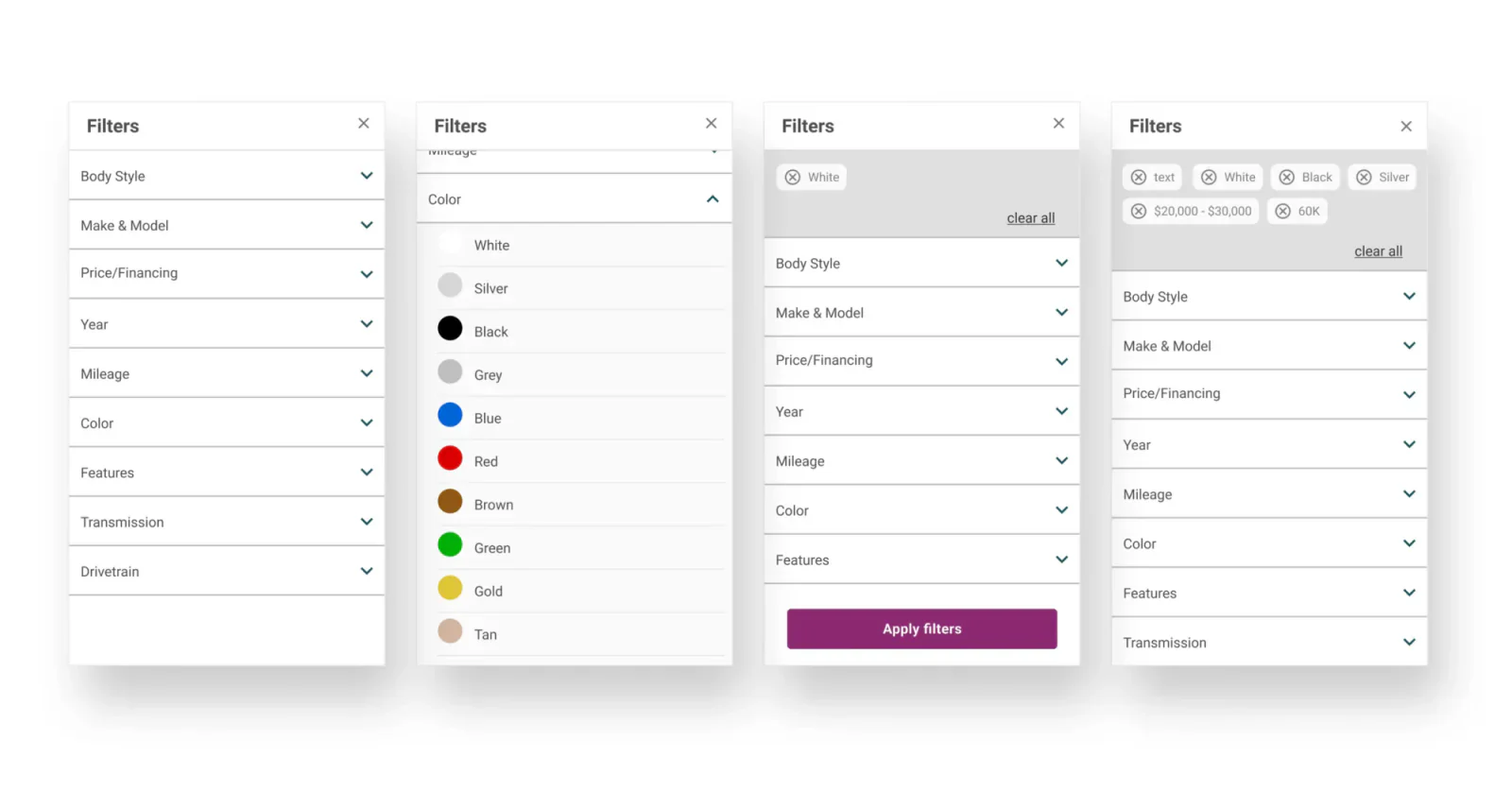
The panel shows all available filter options and applied filter chips, so shoppers can see which filters are narrowing their results.
What was missing before
There were no filters. Shoppers had to scroll through the inventory to find a car that matched what they were looking for.The design decision
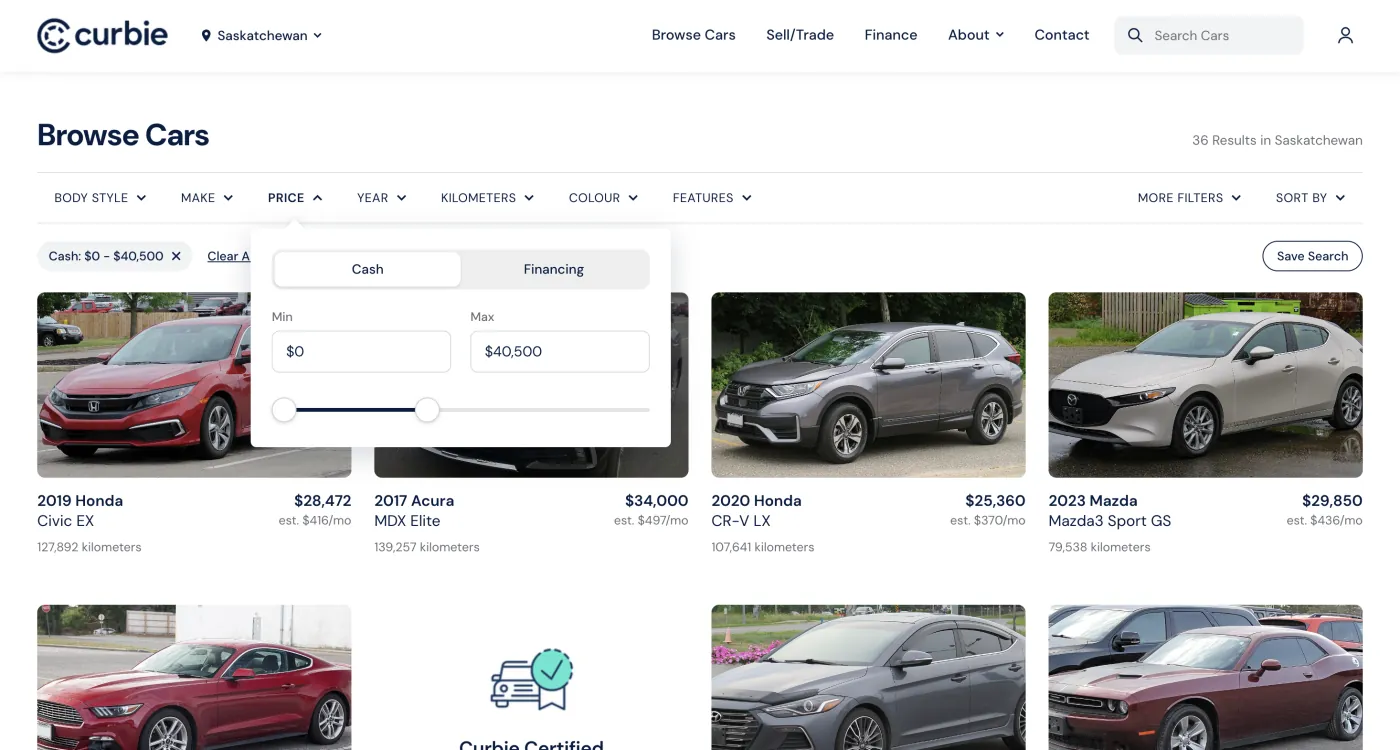
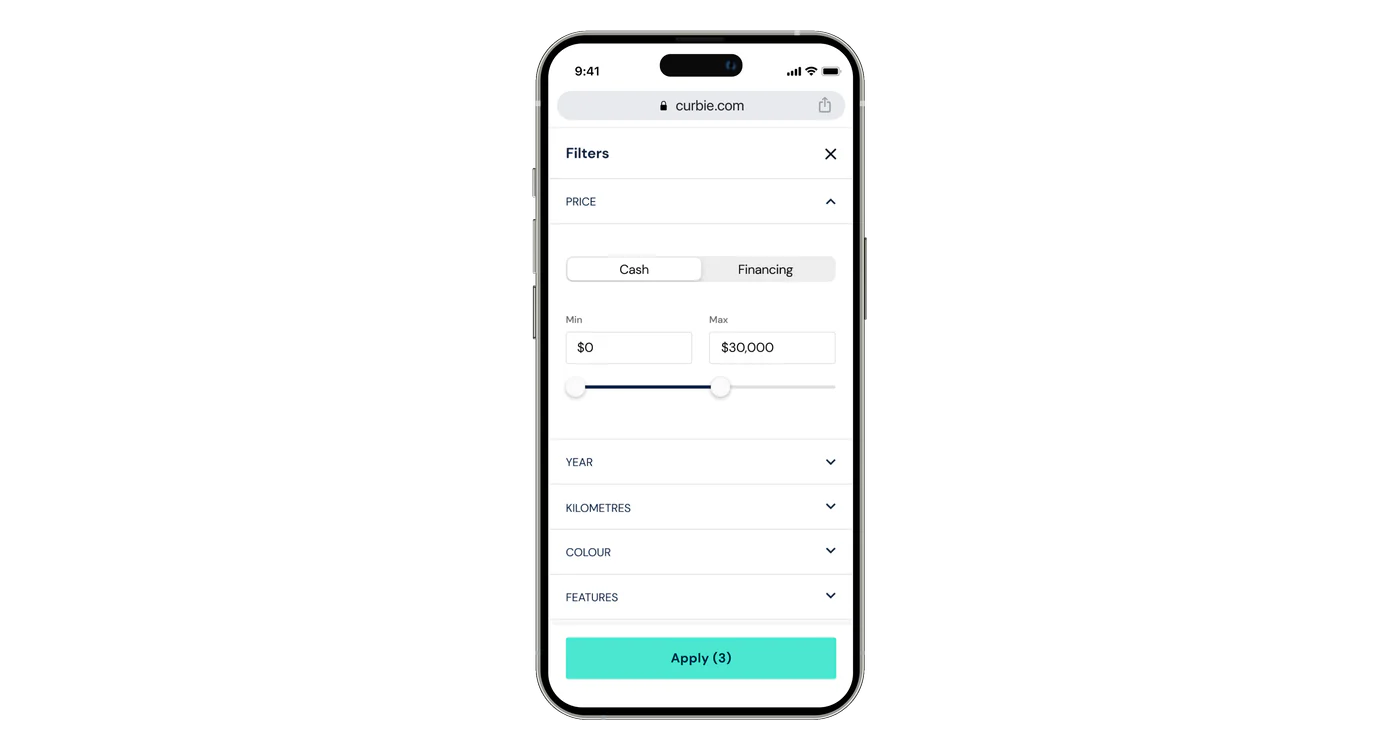
A filter panel so shoppers can refine results to exactly what they want: body style, make and model, price or financing, year, mileage, color, and more.No results
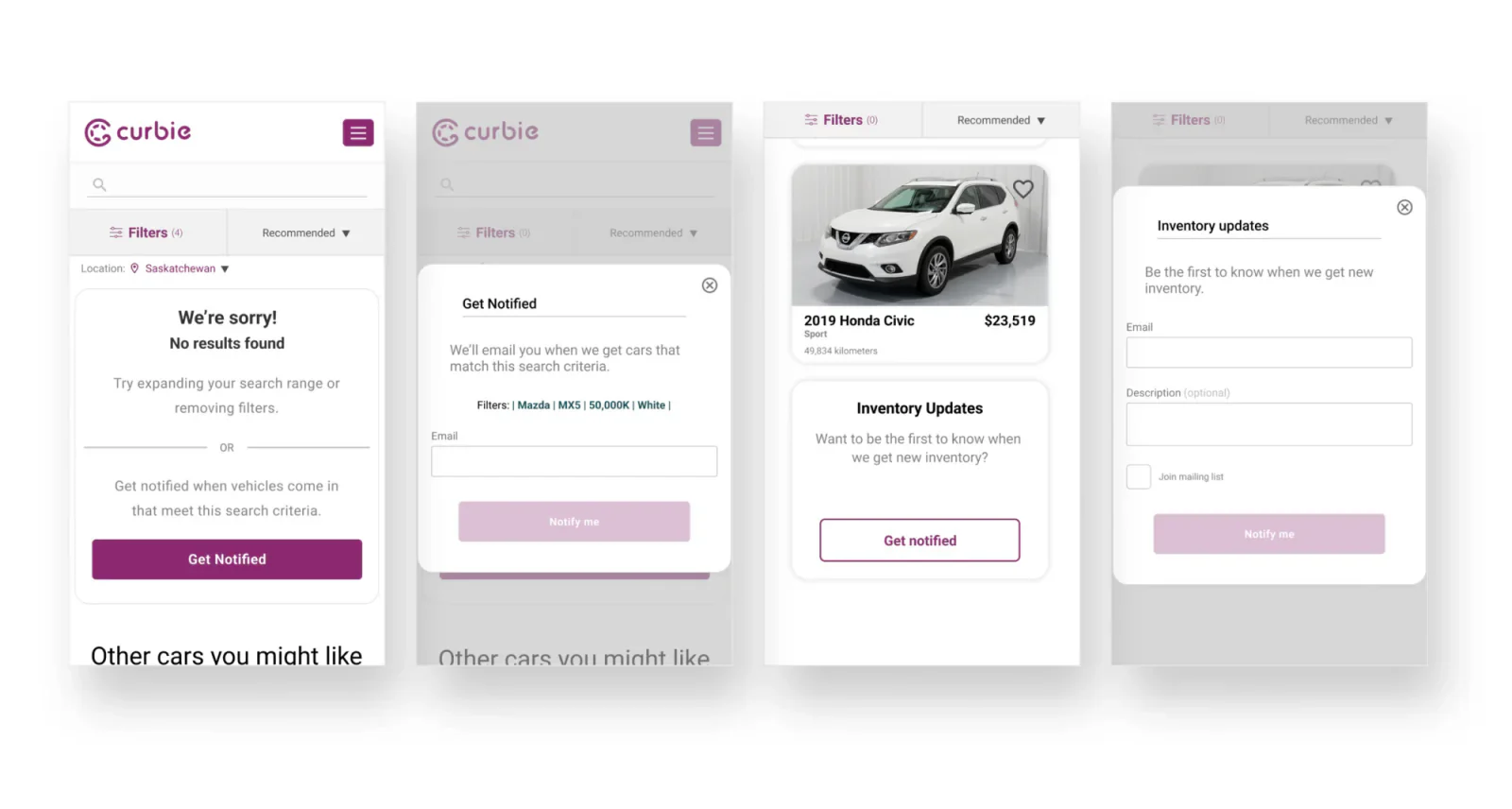
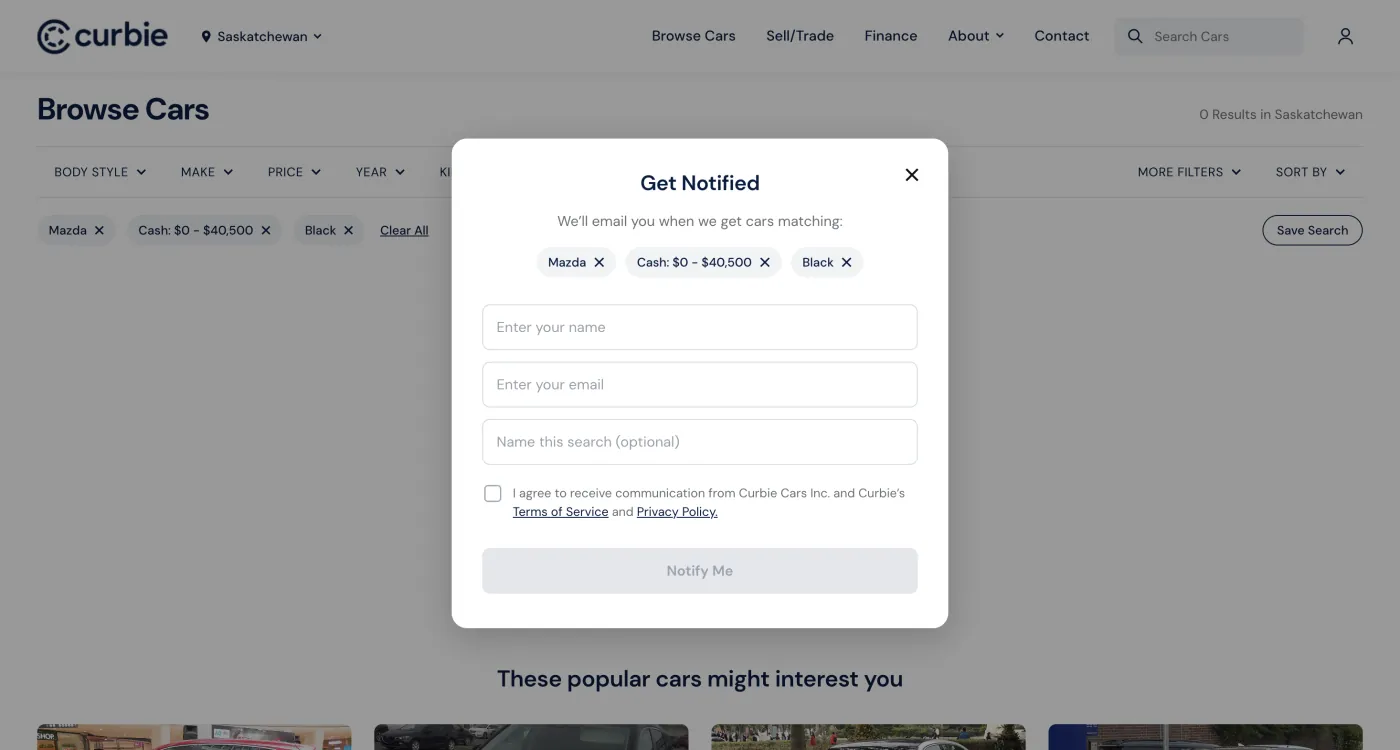
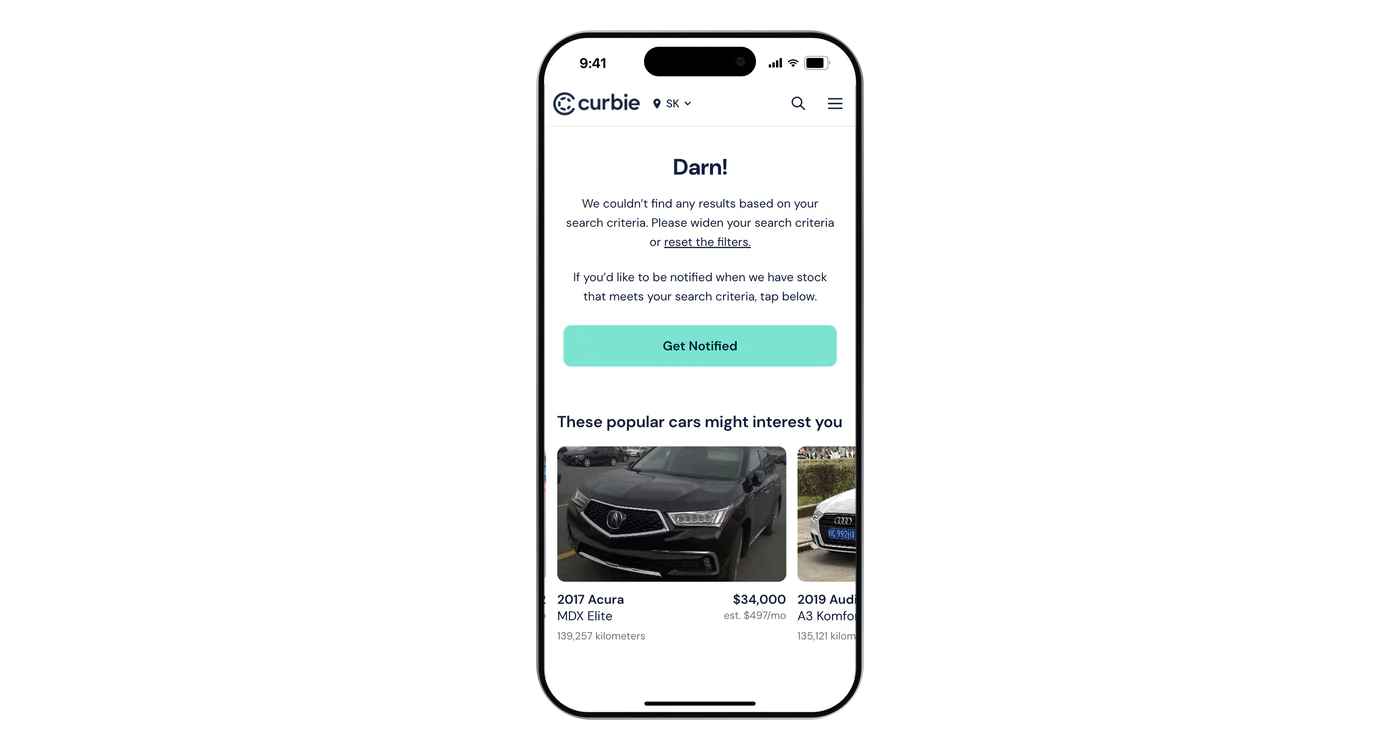
Instead of a dead end, searches with no matches offer a way to get notified when the right car comes in.
When nothing matches
When a search or filters returned no results, shoppers could get notified when matching inventory arrived. Each sign-up also gave the sales team an email to follow up with and help find the right vehicle.At the end of the results
Instead of leaving the bottom of the results empty, an option to get notified about new inventory turned the end of a search into a lead the sales team could use.07. Design system
A rebrand landed mid-project, so I built the system
Partway through, Curbie moved from purple to navy and teal as part of a company-wide rebrand.
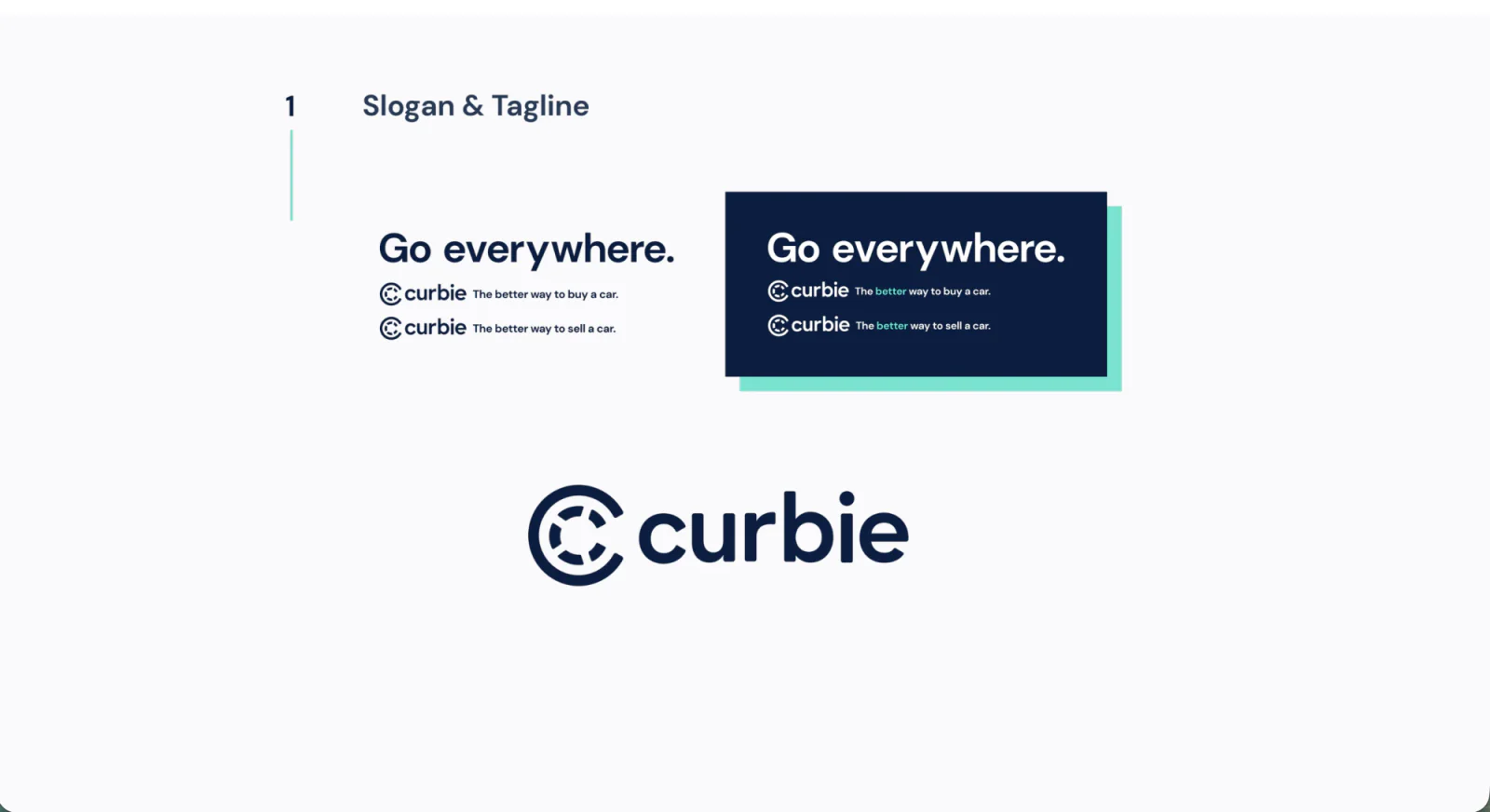
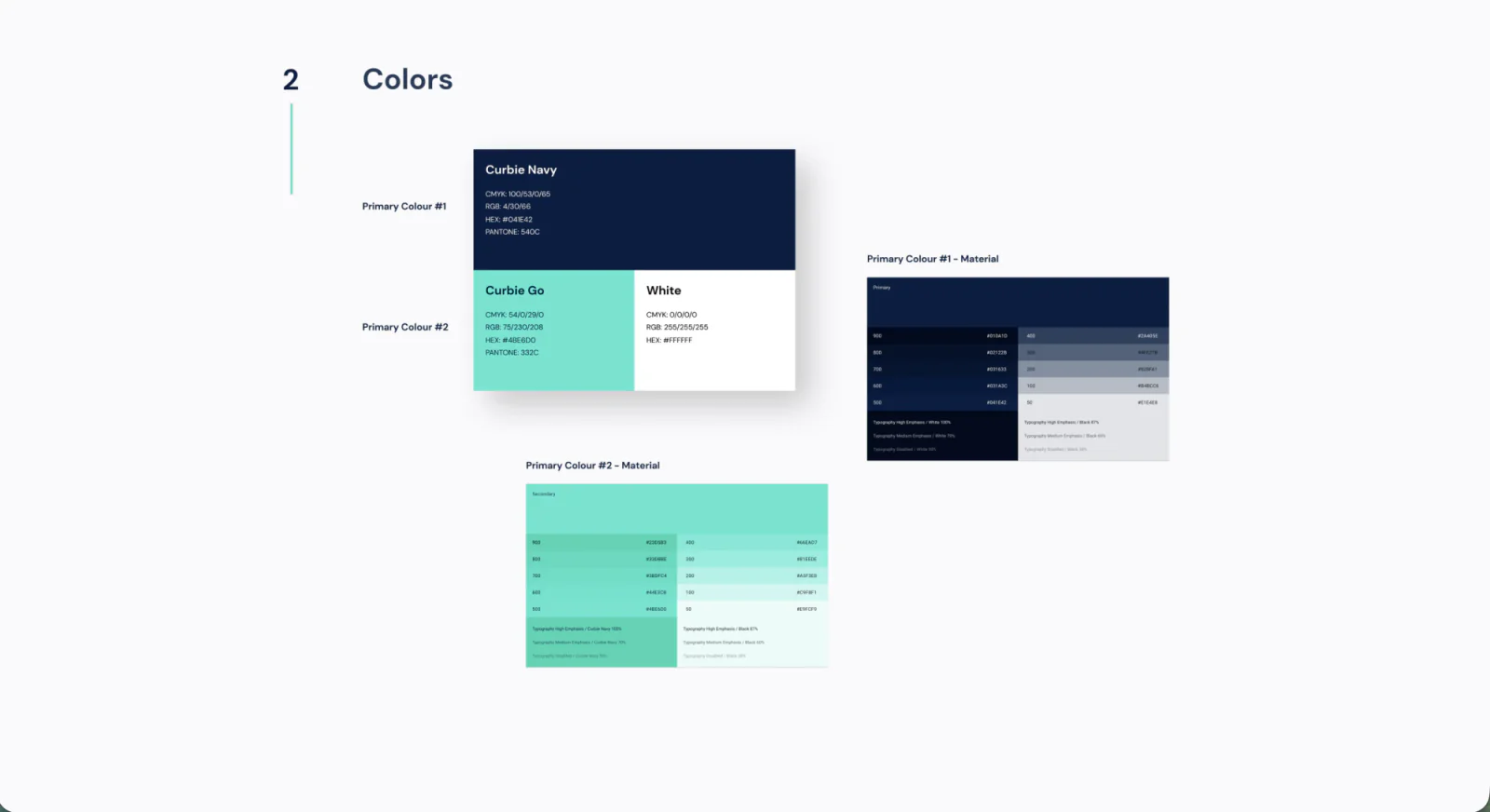
Beyond the new palette, I owned building the design system itself: colors, type scale, iconography, and every core component (buttons, inputs, dropdowns, chips, modals, and more), documented with states like hover, error, and disabled.
Every screen after search, and every designer who touched Curbie after me, inherited the same components instead of rebuilding them.
Components, documented with their states
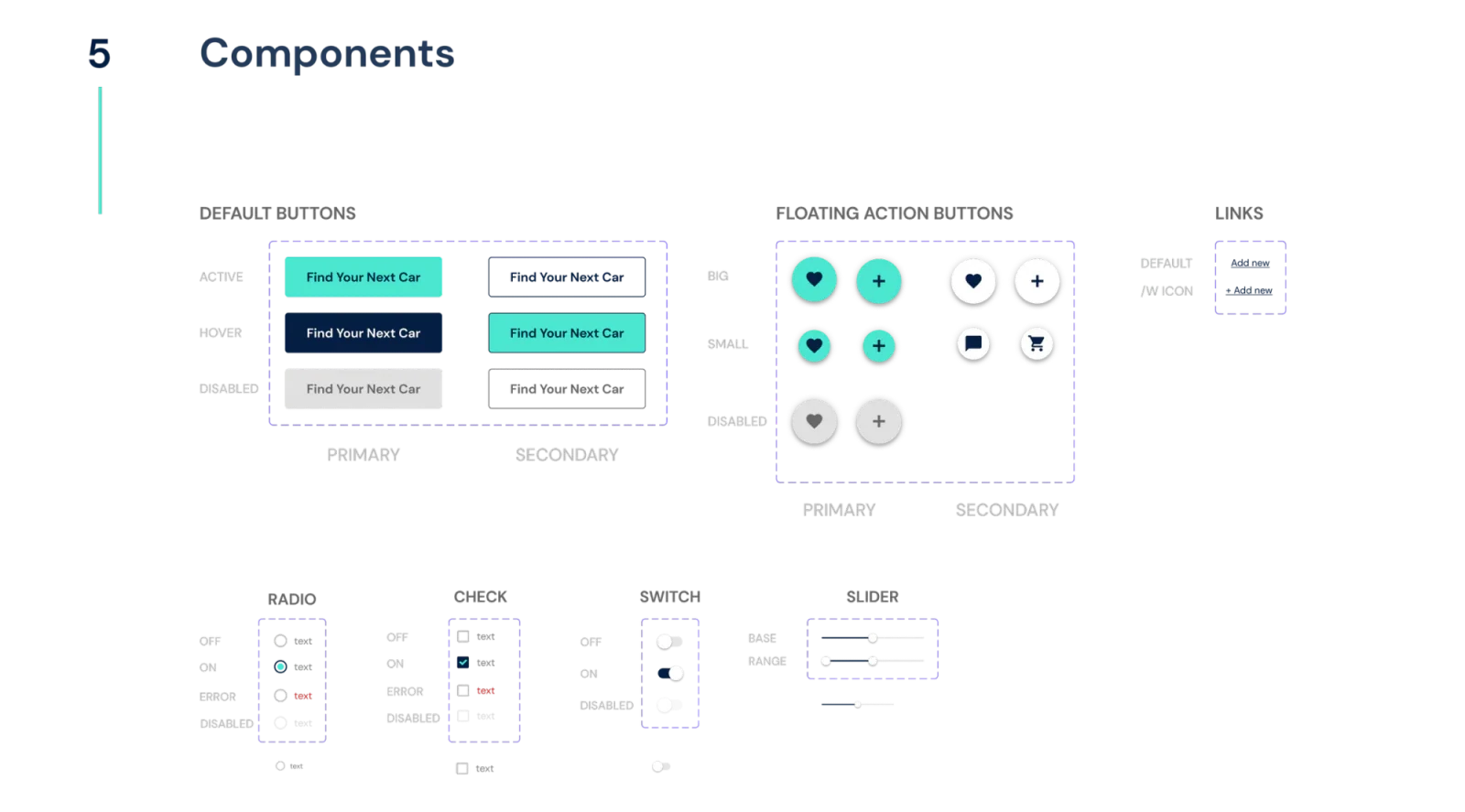
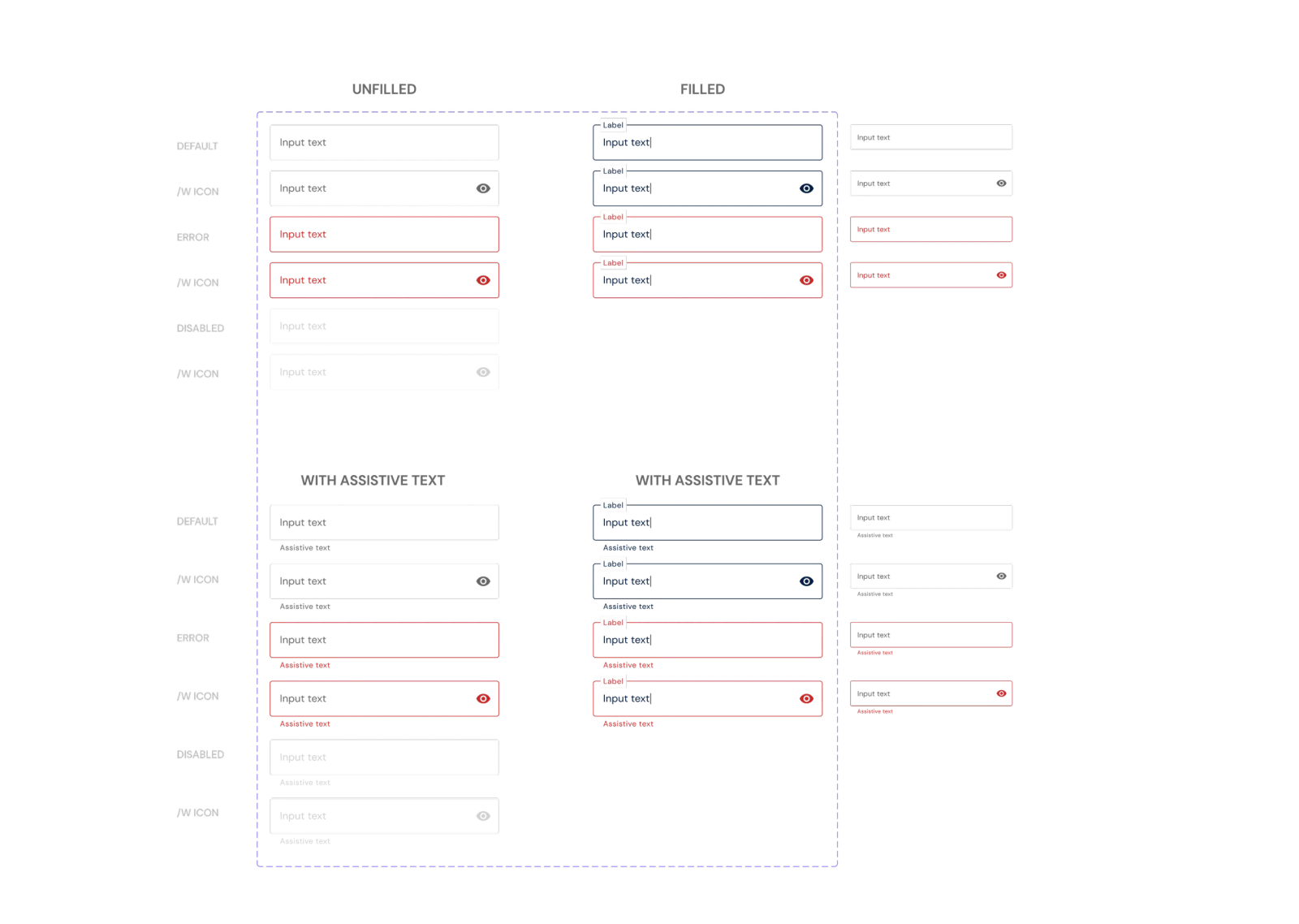
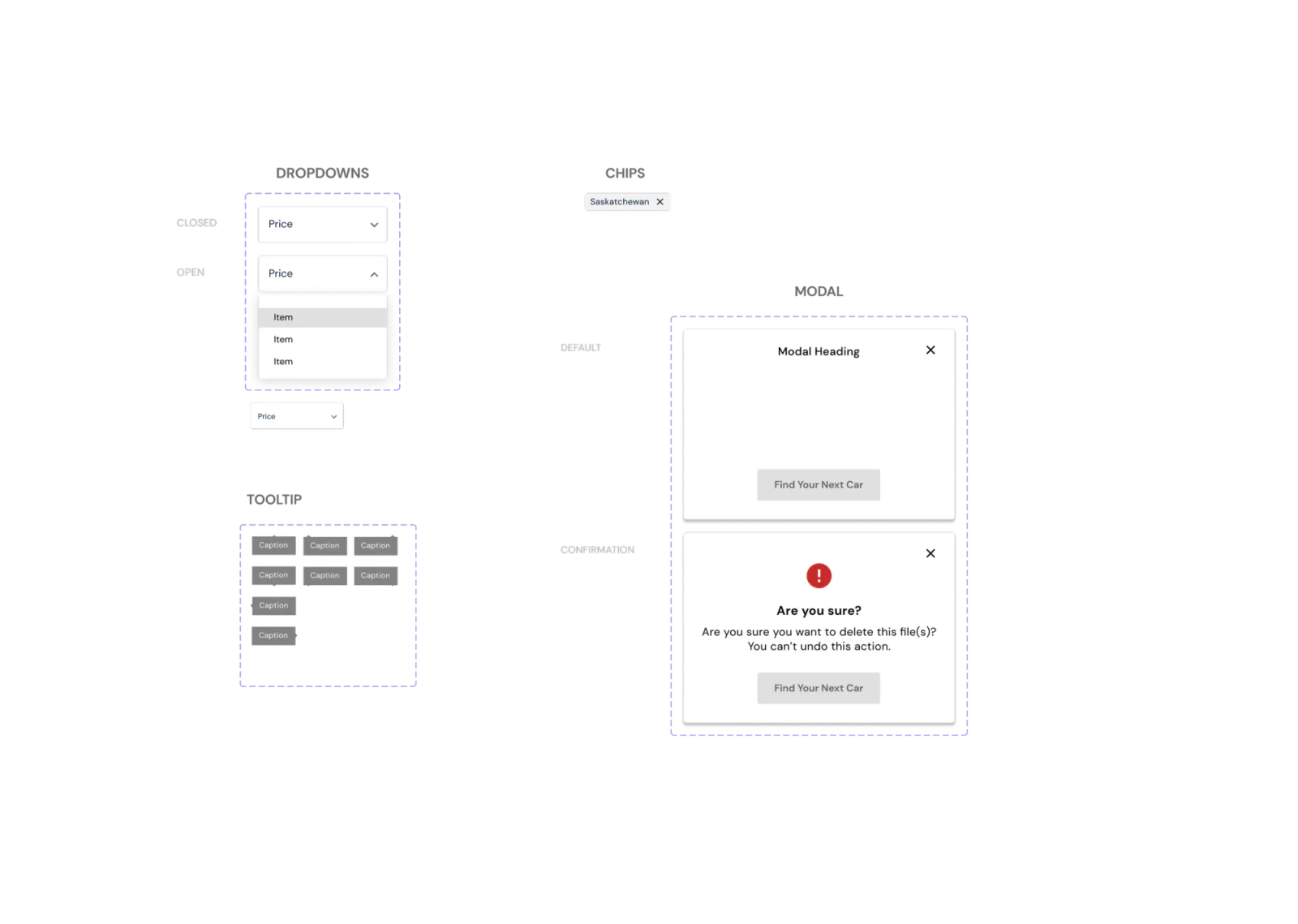
Building search on a shared system meant I wasn’t restyling one page in isolation. The decision paid off well past this project.
08. High fidelity & the roadblock
The finished design didn’t fit the database
Using the new style guide and design system, I brought the high-fidelity design to life in Curbie’s new identity.
Merchandising, not just filtering. Search could have stayed a plain filtered grid. Instead I treated the top of the page as merchandising space: a seasonal “Winter Ready” banner surfacing a curated set of vehicles, the way a retailer features a collection rather than dumping every vehicle on one page. It gave Curbie a lever to promote inventory that mattered without touching the filter logic underneath.
When I walked the finished high-fidelity design through with developers, the estimate came back long.
Rescoping with engineering. Instead of pushing the deadline, I went back to the design with a developer’s input on what the current data model could actually support, cut the features that demanded the heaviest rework, and re-presented a scoped-down version. That version got a timeline stakeholders could accept.
Our database wasn’t structured to support it, and reworking it would have blown the timeline.
Designed → shipped
Designed (not shipped)
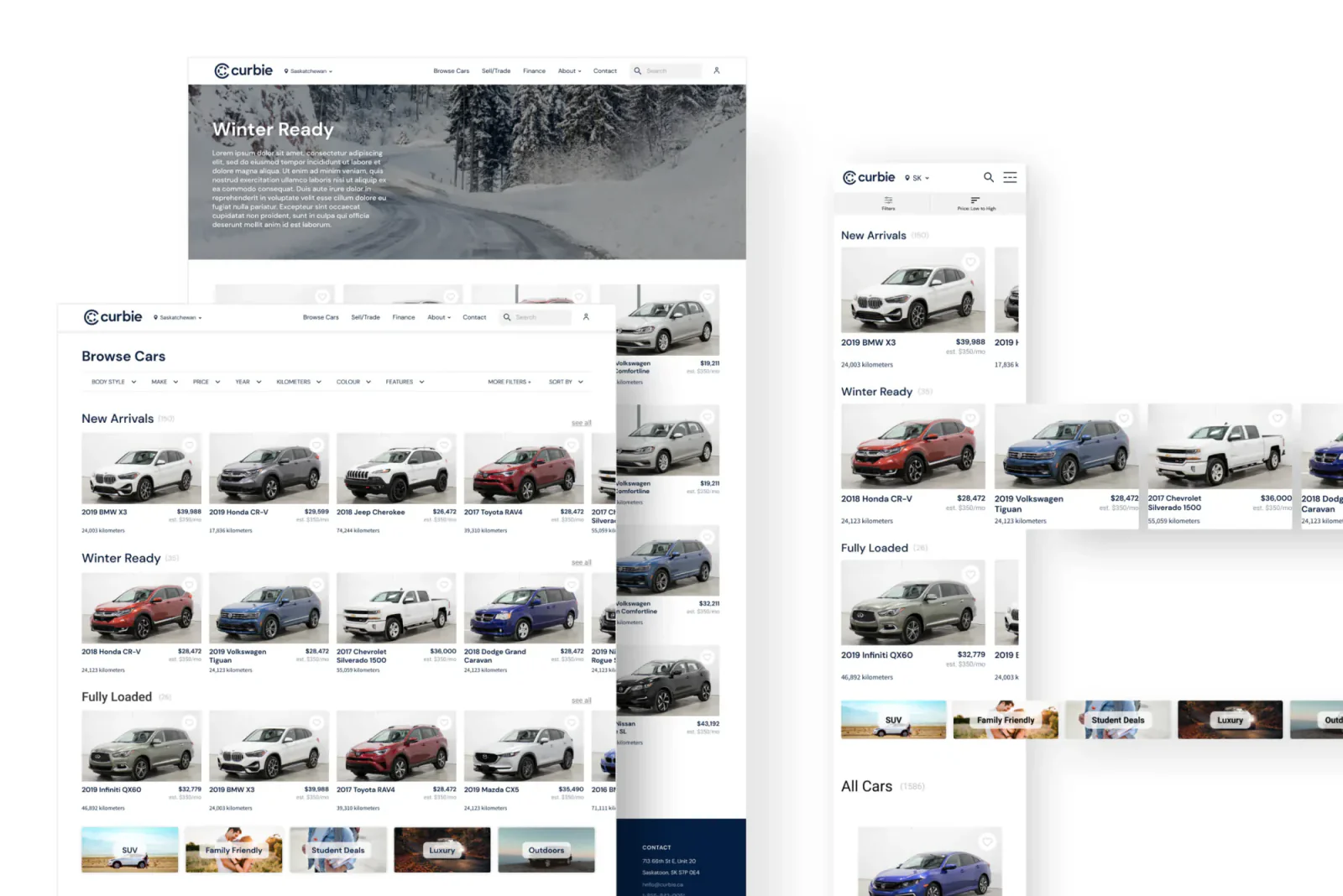
The high-fidelity design before rescoping: lifestyle and category rows, lifestyle tiles, and the “Winter Ready” merchandising banner, on desktop and mobile.
Shipped
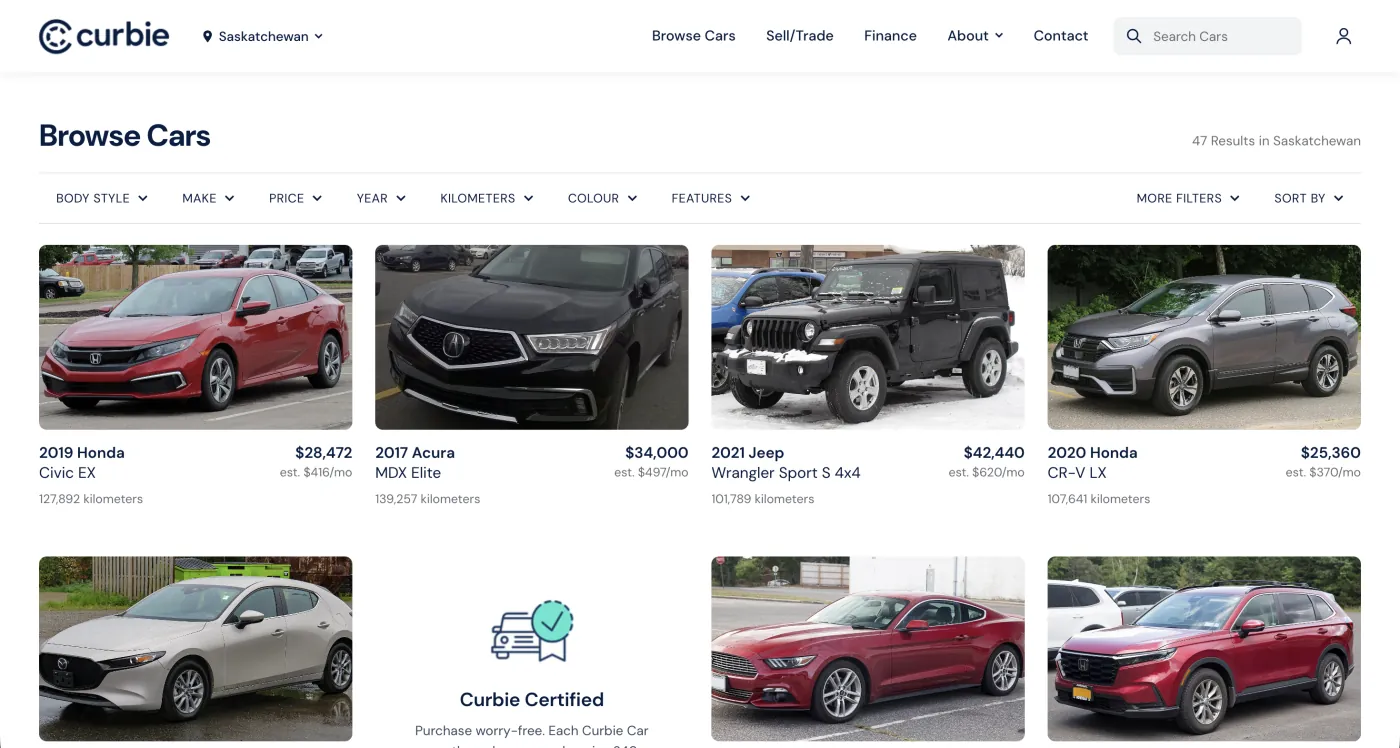
The shipped results page: a single grid of vehicles, with filters and sorting doing the work of narrowing results.
The biggest cut
Lifestyle and category grouping, the structure the research had pointed to. The data model couldn’t support it without a major rework, so we shipped a simpler, filter-based version instead.The design decision
Keep a single results grid the existing data model could support, and make filters and sorting the main way to narrow results.What changed in the version we shipped
Layout
Designed: lifestyle and category groupings.
Shipped: a single grid of vehicles, narrowed by filters and sorting.
No results
Designed: a no-results state with a Get Notified option.
Shipped: as designed, rebuilt in the new navy and teal brand.
Filters
Designed: a filter panel with applied filter chips inside it.
Shipped: the core filters, without the active filter chips inside the panel.
09. In production
The no-dead-ends promise survived the cut
No results
The no-results state and its Get Notified option shipped as designed, rebuilt in the new navy and teal brand. On desktop, the Get Notified modal lists the shopper’s active filters.
Filters
The shipped filter panel kept the core filters, including price with a cash and financing toggle, but removed the active filter chips from inside the panel.
Implementation. I stayed embedded with development through the build, testing for bugs and design drift, and writing code myself where it moved things along faster than a back-and-forth would have.
10. Trust
Answering the trust objection inside the results
Rather than a separate “why Curbie” page shoppers would never visit, I placed benefit cards directly inside the results grid, where people were already scanning.
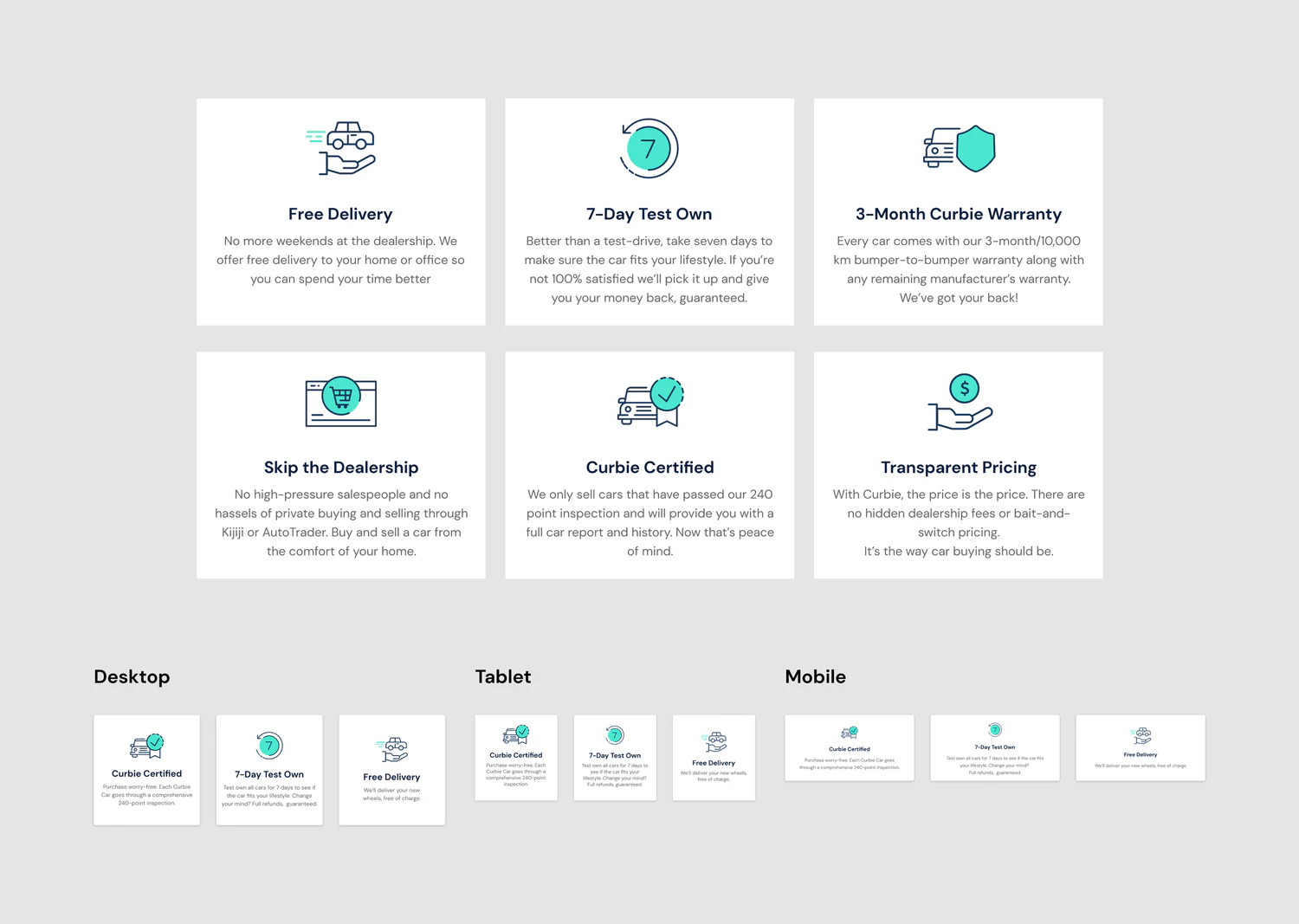
Why I added them
Research showed shoppers were afraid of missing a better deal and wary of sales pressure. Curbie’s advantages answered both, but they lived on pages most shoppers never reached.The design decision
Benefit cards between vehicles in the results, so shoppers saw why Curbie was different at the moment they were comparing cars and deciding where to buy.The same page does double duty: helping people find a car, and answering the trust objection from research at the same time.
11. Results
What changed
No-results searches become lead captures
- ProblemShoppers struggled to find vehicles, and that friction pushed them toward other used-car sites.
- DecisionMap every entry point early, and give no-results searches and the end of the results a Get Notified option.
- OutcomeEvery search path resolves into a result, a suggestion, or a notify sign-up, and each sign-up gives the sales team a lead to follow up.
What shipped
- FilteringRefine results by price or financing, body style, and more.
- No dead endsEvery search path resolves into a result, a suggestion, or a notify sign-up.
- Brand trust built into the flowBenefit cards surface Curbie’s differentiators without a detour.
12. Reflection
What I learned
Check feasibility before finalizing.
Looping in developers earlier would have avoided redesigning a “finished” high-fidelity flow under deadline pressure.
Widen the competitive set on purpose.
The most useful reference points weren’t other car sites. They were apps with more mature filtering and merchandising patterns.
Incremental beats ambitious when scope is contested.
Landing a simpler version that shipped mattered more than holding out for the original vision.
Try it
Clickable prototype
I built interactive prototypes instead of static screens, so we could test how search actually felt to use and catch issues before development.