Simple checklist
A Figma widget that keeps project tasks visible right on the canvas, built while teaching myself the Figma plugin API.
- Figma Widget API
- JavaScript
Why I built it
After using other people's plugins and widgets in Figma for a while, I got curious how hard it would be to build one myself. I read through the widget API docs and started writing code, mostly just exploring. After a couple of days of poking around I had working widgets, and this checklist was one of them.
How it works
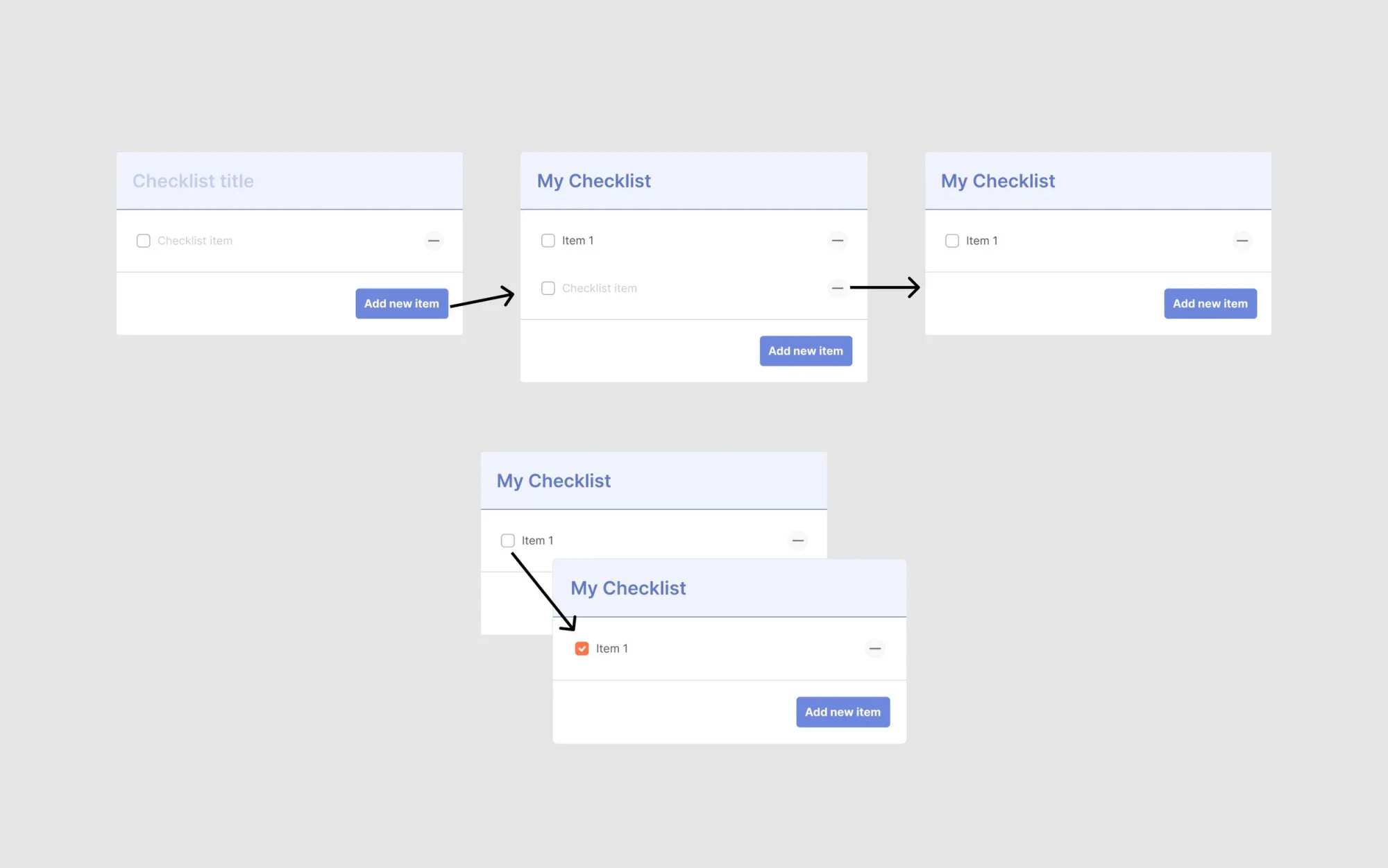
It's a straightforward checklist that starts with a blank title and one blank item, so it drops onto the canvas ready to fill in. Click the button to add a new item, click a checkbox to mark it done, click the minus icon to delete a row, and click any text to edit it in place. There's no separate settings panel.
What I learned
Widgets live and update their own state directly on the canvas, which is a different model than typical plugin UI. Most of the work was figuring out how to structure that state so adding, checking, and deleting items stayed simple and predictable.