Improving the Quoting Process
Helping vehicle purchasers prioritize inquiries and generate quotes faster.
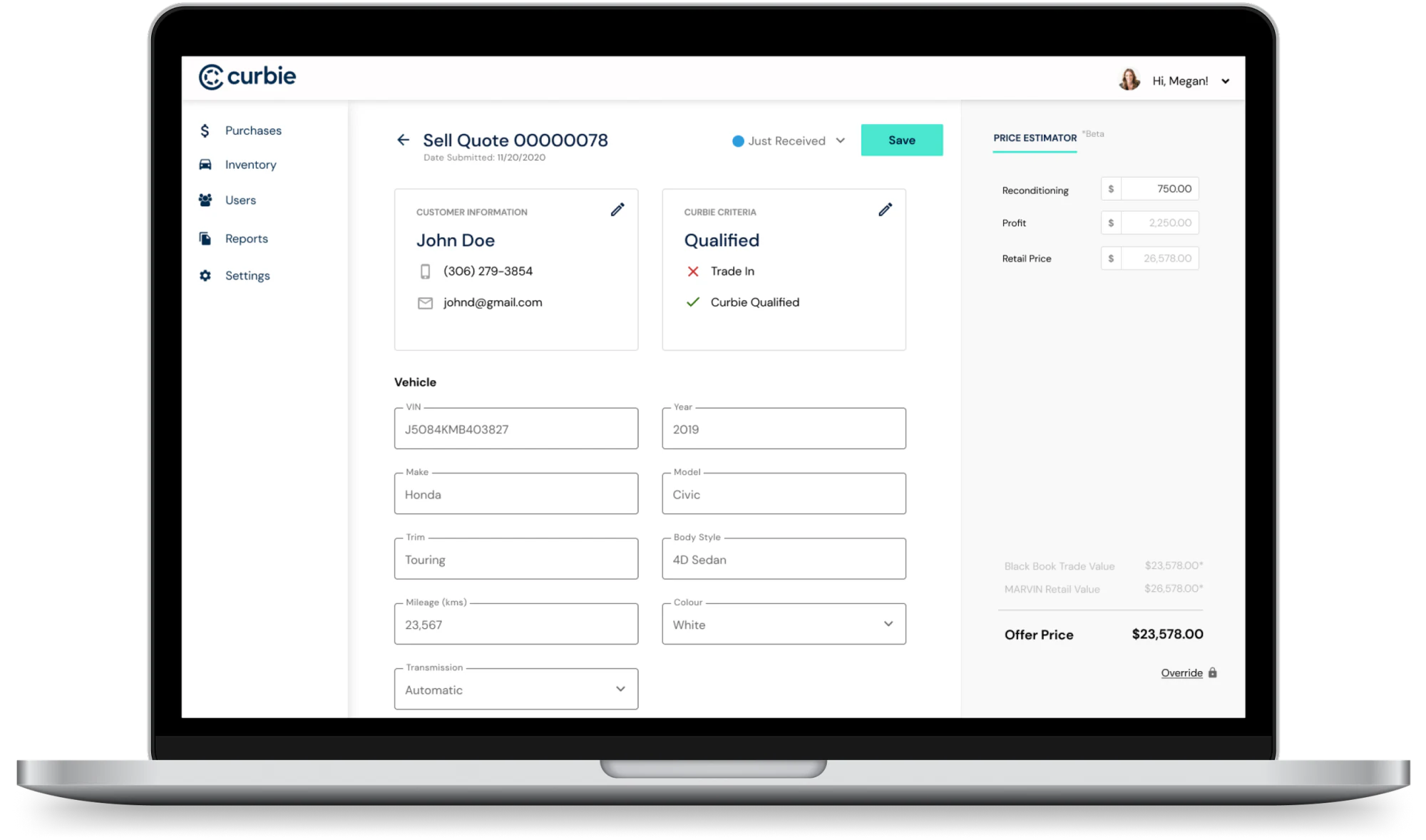
Curbie's "Sell a Vehicle" tool generated a high volume of inquiries from customers looking to sell or trade in their vehicles. Each inquiry required our vehicle purchaser to review the vehicle, determine whether it was worth acquiring, and create an accurate quote.
As volume increased, this became a significant operational bottleneck. The team was spending time reviewing low-value inquiries and entering the same information across multiple tools instead of focusing on vehicle acquisition.
I led the product design for a new internal quoting workflow that centralized inquiries, surfaced high-priority opportunities, and introduced a machine-learning-powered quote calculator.
The problem
The existing process relied on a combination of Curbie's "Sell a Vehicle" tool and external software. When an inquiry came in, the purchaser had to review the vehicle information, determine whether it met Curbie's acquisition criteria, gather pricing information, and create a quote.
- Too much manual work — information had to be entered or referenced across multiple systems.
- Low-value inquiries consumed time — not every vehicle submitted was one Curbie wanted to acquire.
- Opportunities were hard to prioritize — no quick way to spot vehicles that fit Curbie's acquisition strategy, like trade-ins.
- The process wouldn't scale — rising inquiry volume during busy season would only widen the bottleneck.
"How might we help the purchaser quickly identify valuable inquiries and create accurate quotes without relying on multiple tools?"
Understanding the workflow
I partnered with the Product Manager to interview the teams responsible for reviewing inquiries and creating quotes. Rather than only asking what they wanted in a new tool, we focused on understanding how the current process actually worked — how inquiries were reviewed, how vehicles were evaluated, which information was required for a quote, and where information was duplicated across tools.

Three problems came up repeatedly:
- Duplicate data entry — the same information entered or referenced across multiple platforms.
- Not every inquiry was equally valuable — the purchaser needed to focus on vehicles more likely to fit Curbie's strategy.
- The workflow wouldn't scale — more volume meant more manual work, pulling the purchaser further from acquiring vehicles.
Prioritizing the right opportunities
One of the first problems I focused on was helping the purchaser understand which inquiries deserved attention first. We identified two particularly useful signals: whether the vehicle was Curbie qualified — meeting criteria to potentially be listed on Curbie's site — and whether it was a trade-in, representing another valuable acquisition opportunity. Both became core parts of the inquiry management experience.
Looking at existing solutions
I conducted a competitive analysis of the platforms the team was already using, along with other relevant products — not to copy functionality, but to understand established patterns for managing high-volume inquiries, filtering large datasets, and calculating vehicle prices. This helped identify familiar interaction patterns that could reduce the learning curve while still fitting Curbie's specific needs.
Designing the workflow
With a tight timeline and an established component library to work from, I started at a mid-to-high fidelity level rather than spending significant time on low-fidelity explorations, using stakeholder feedback sessions to identify gaps and refine the workflow.
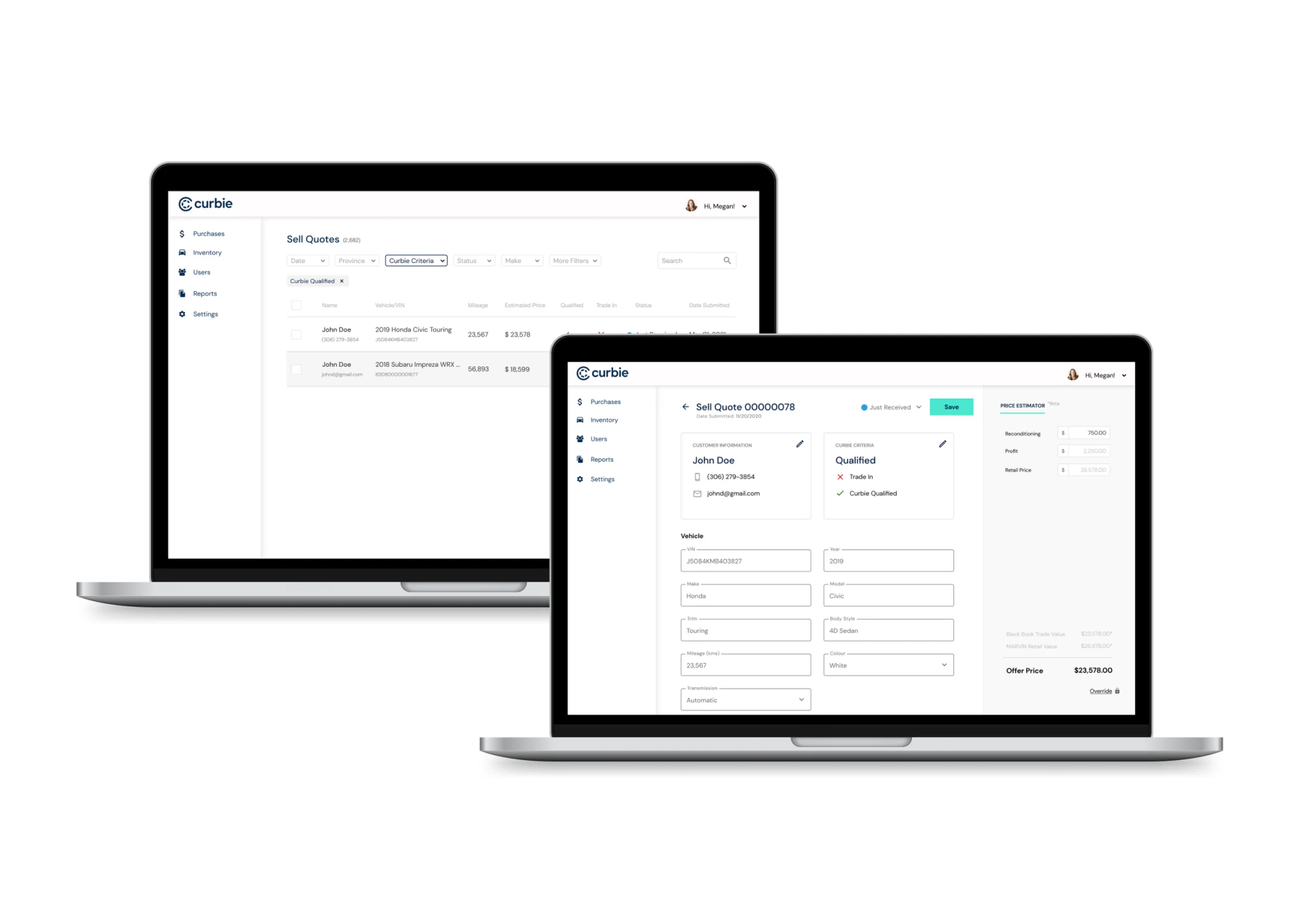
The experience ultimately centered around three connected pieces: inquiry management → vehicle details → quote generation, each solving a different part of the purchaser's workflow.
01 — Centralizing inquiries
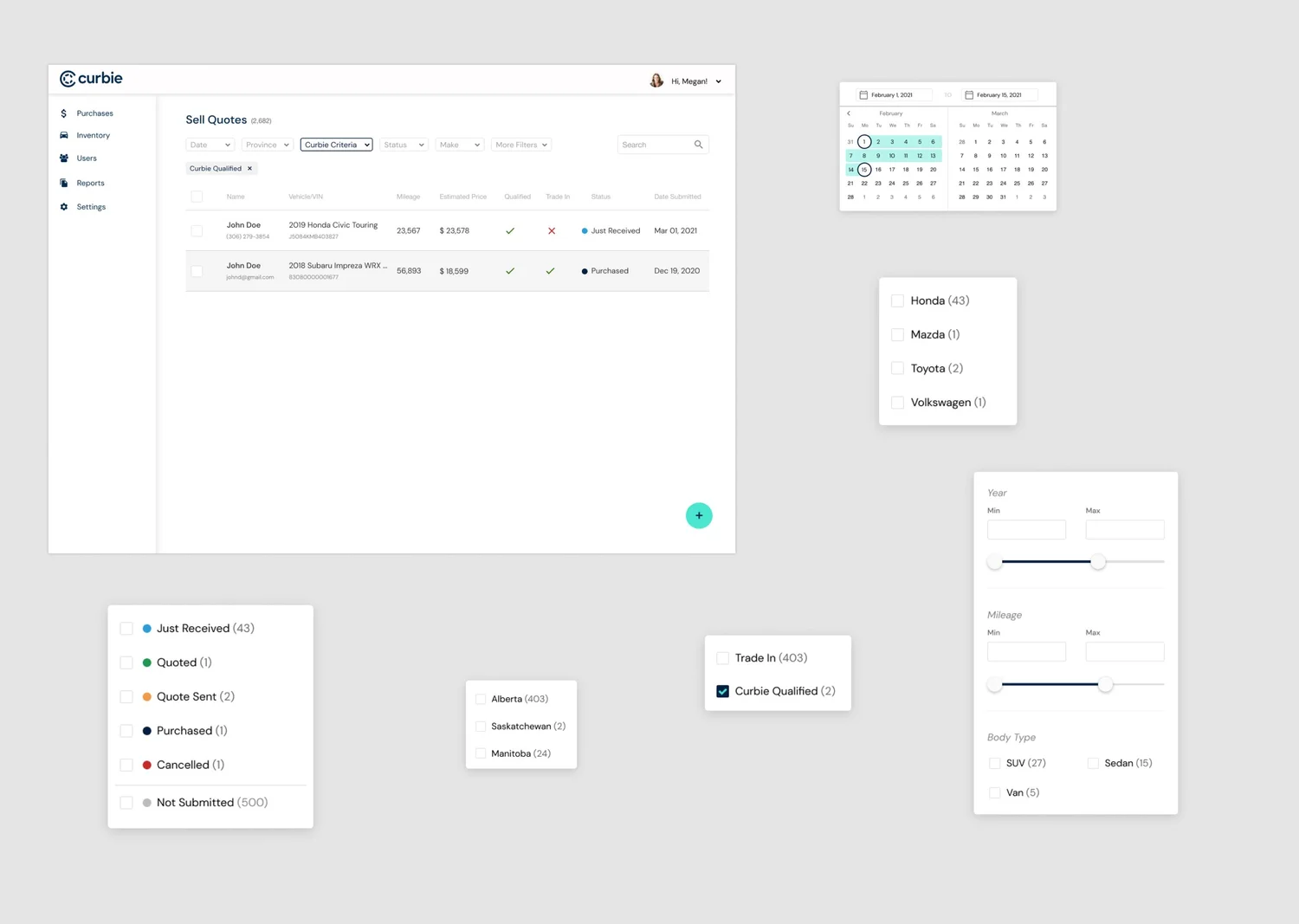
Instead of relying on different tools to understand incoming requests, the new admin experience provided a centralized table of all inquiries — surfacing at a glance whether a vehicle met Curbie's criteria and whether it was a trade-in.
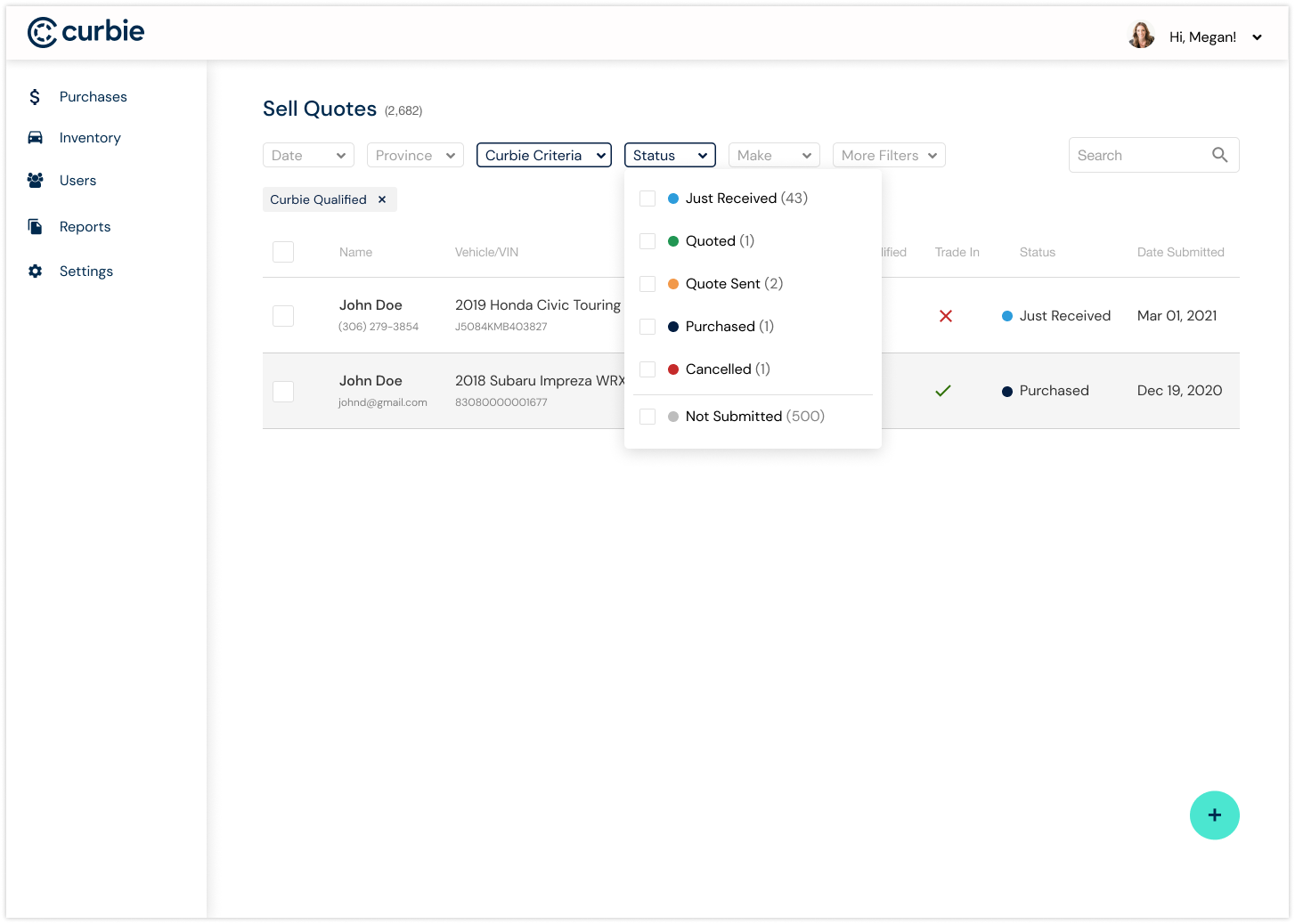
With a growing number of inquiries, showing everything wasn't enough. I designed filters that let the purchaser narrow the list to what mattered — changing the experience from "review every inquiry" to "show me the inquiries I need to focus on."
02 — Bringing vehicle information together
Selecting an inquiry opened a detailed view with everything required to evaluate the vehicle and create a quote — organized into clear sections covering customer details, inquiry status, and vehicle information (VIN, year/make/model/trim, mileage, color, transmission, condition, accident history, tire condition, keys, loan/lease status, location, and internal notes).
The goal was to give the purchaser enough context to make a decision without constantly switching between tools.
03 — Making quoting faster
The most important part of the detailed experience was the quote calculator. Previously, creating an accurate quote required external software and additional data entry — I worked with the team to bring this directly into the Curbie workflow, using Curbie's machine-learning retail pricing tool, MARVIN, to generate a retail price from the available vehicle information.
Designing for confidence
Pricing a vehicle isn't simply a matter of accepting a generated number. The interface needed to give the purchaser enough context to evaluate the recommendation and adjust it when necessary. The calculator included the MARVIN retail price, an estimated reconditioning cost, a desired profit target, a Canadian Black Book trade value for reference, and a timestamp showing when the price was generated.
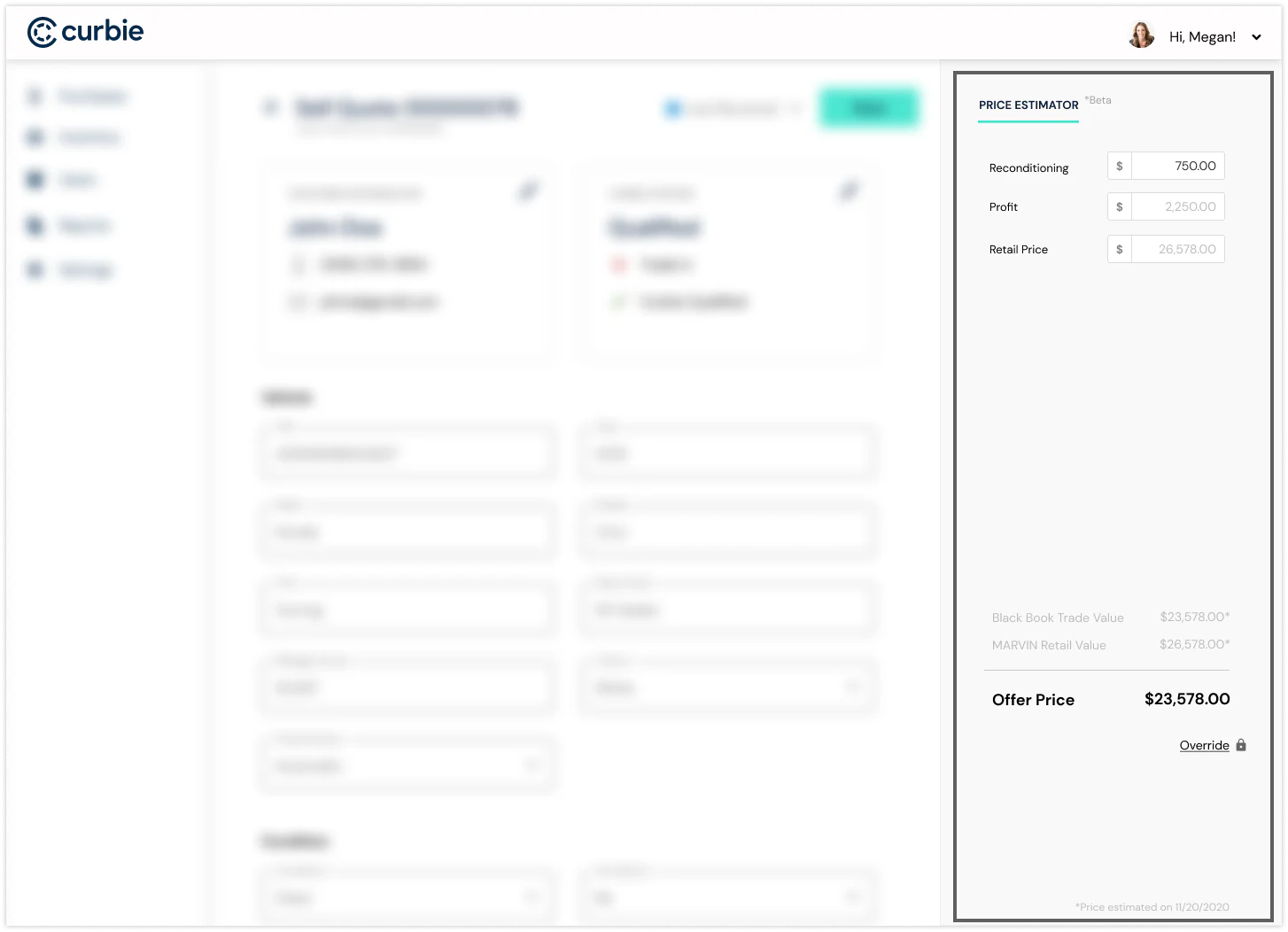
The result was a workflow where the purchaser could generate, evaluate, and adjust a quote without leaving the Curbie system.
Testing the workflow
Once the core flows were designed, I built an interactive prototype and tested it with the vehicle purchaser — walking through the full workflow rather than isolated screens: find an inquiry → determine priority → review vehicle → evaluate pricing → generate quote. The testing surfaced areas where information needed to be clearer and interactions could be streamlined, which I folded into the final designs before development.
Working with Engineering
I stayed closely involved through implementation — providing specs, creating and organizing tickets with the senior developer, working through edge cases, and reviewing and testing the implemented experience before every release. Because this was an internal operational tool, small workflow details had an outsized effect on how quickly the team could process inquiries.
Results
- Faster quoting — the calculator reduced the manual work required to create an offer.
- Less tool switching — purchasers could access information and pricing tools without relying as heavily on external software.
- Better prioritization — the inquiry table and filters helped the team focus on the vehicles most relevant to Curbie's acquisition strategy.
- A more scalable workflow — centralizing the process handled increasing inquiry volume without a matching rise in manual effort.
- Better data consistency — bringing quoting into Curbie's own platform reduced duplicate data entry.
What I learned
- Design around the real workflow. The biggest opportunity wasn't replacing an external tool — it was understanding how the team actually worked and designing around their goals.
- Prioritization can be as valuable as automation. Helping someone determine which work deserves their attention can have just as much impact as making a step faster.
- Check existing solutions before building custom. I spent significant time crafting a custom date filter, only to find an existing library component that closely matched it during development — a reminder to bring Engineering in early.
- Internal tools deserve the same design rigor. Operational products are easy to overlook because they're not customer-facing, but a workflow used repeatedly by a team is worth getting right.