Revolutionizing Permissions Management
Building a flexible permissions system that could scale with complex restaurant organizations.
The problem
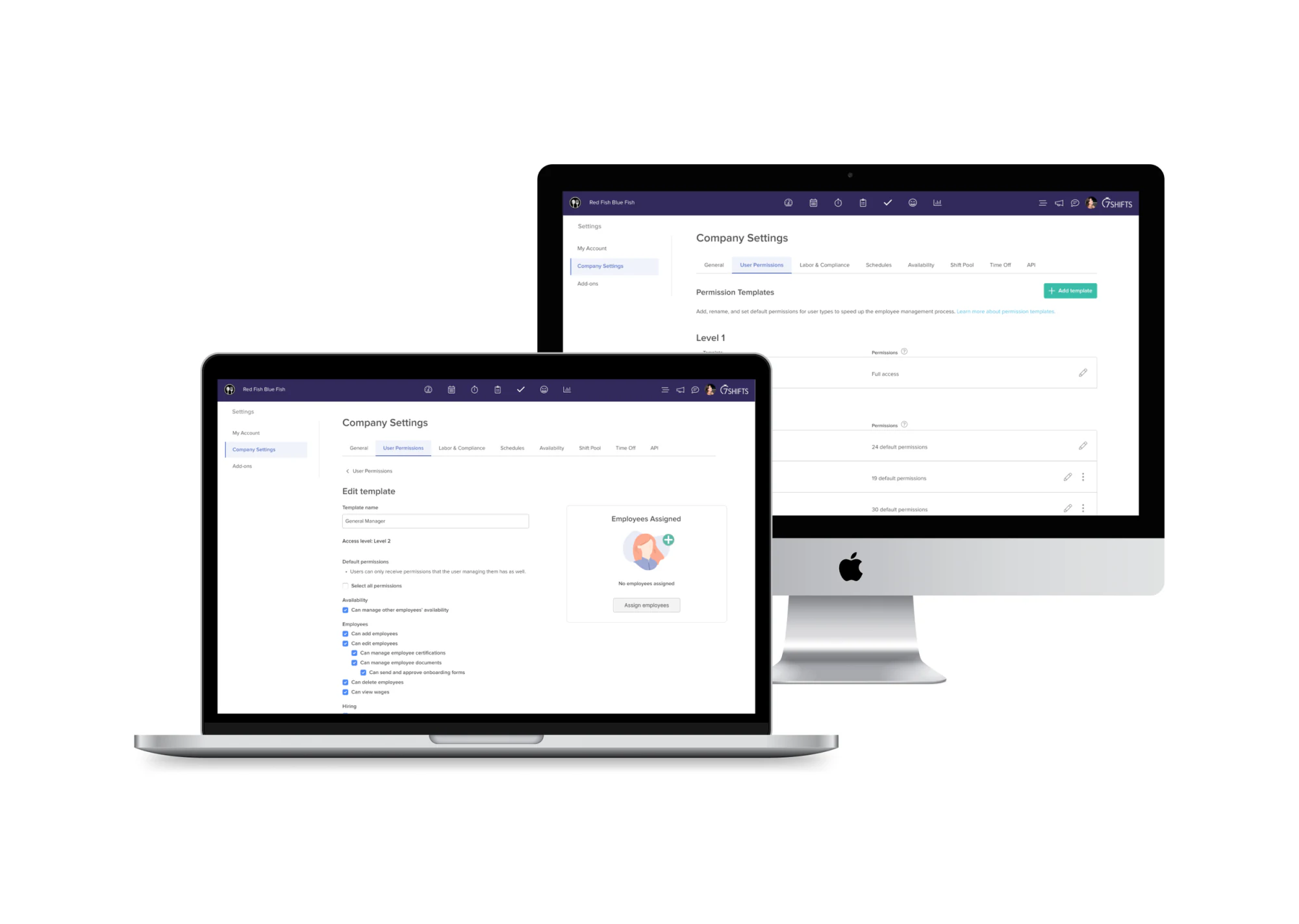
Restaurant organizations don't all operate the same way. A small independent restaurant might have a straightforward structure — Owner → Manager → Employee — but larger restaurants and chains often have multiple levels of management, specialized roles, and different responsibilities across locations.
Our existing permissions system offered a relatively rigid set of user types, so customers were often forced to fit their organization into 7shifts rather than the other way around. That created friction setting up employees and maintaining permissions, and made it hard for larger customers to represent their real hierarchy.
This wasn't simply a permissions-page redesign — we needed to rethink how user types, permissions, employees, and organizational hierarchy worked together across the product.
Understanding the problem
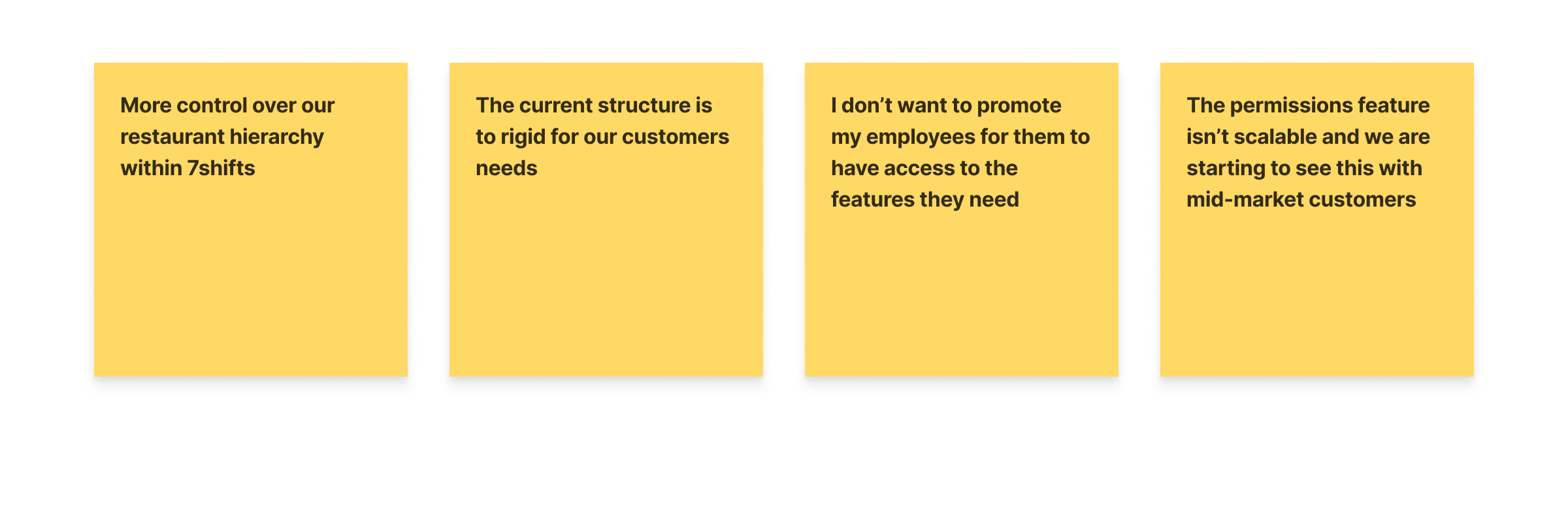
We already had a significant amount of customer feedback, reviews, and research related to permissions. Rather than starting from scratch, I organized those existing insights into themes. Several consistent needs emerged:
- More control over hierarchy. Restaurants wanted to represent their actual structure, not adapt to ours.
- User types didn't map to real roles. Existing types didn't always match how restaurants organized employees.
- Permissions needed to be granular. Operators wanted specific access without changing an employee's whole role.
- Higher-level ≠ administrator. Some employees had responsibilities beyond a manager but shouldn't get full admin access.
- Every organization was different. Larger chains often didn't fit neatly into any predefined option.
Creating a shared understanding
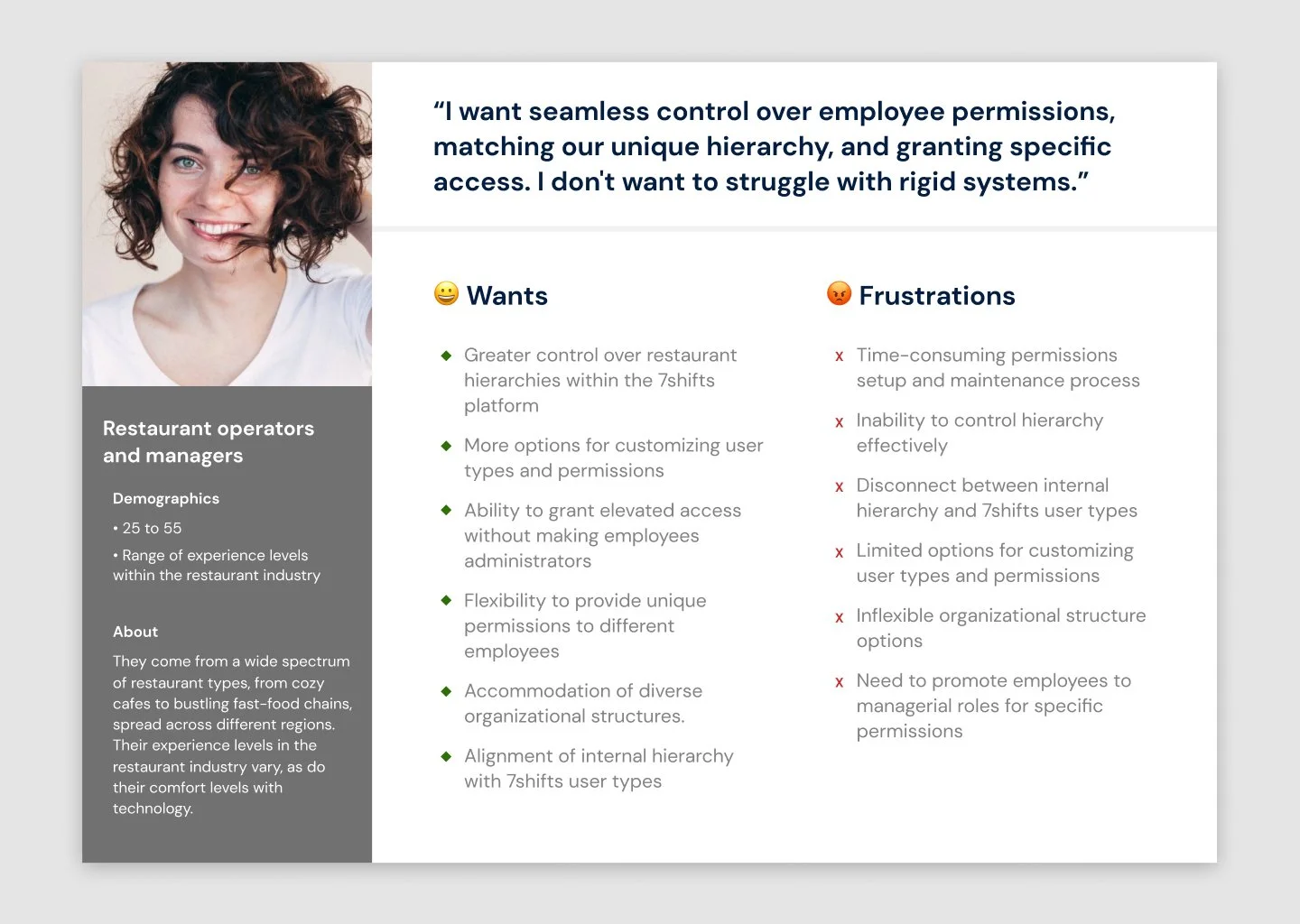
Because permissions touched multiple parts of the product, the team needed a shared understanding of who we were designing for. I built a persona from the customer insights and used it throughout the project to keep discussions grounded in real needs rather than the limitations of the existing system. I also ran competitive research across workforce management products to see how others approached roles and hierarchy, and to spot opportunities to be more flexible.
Designing the system
The biggest design challenge was balancing flexibility and simplicity. Full control over every permission would be powerful, but also hard to understand and maintain. I explored several approaches through wireframes and shared them with the team to weigh the tradeoffs.
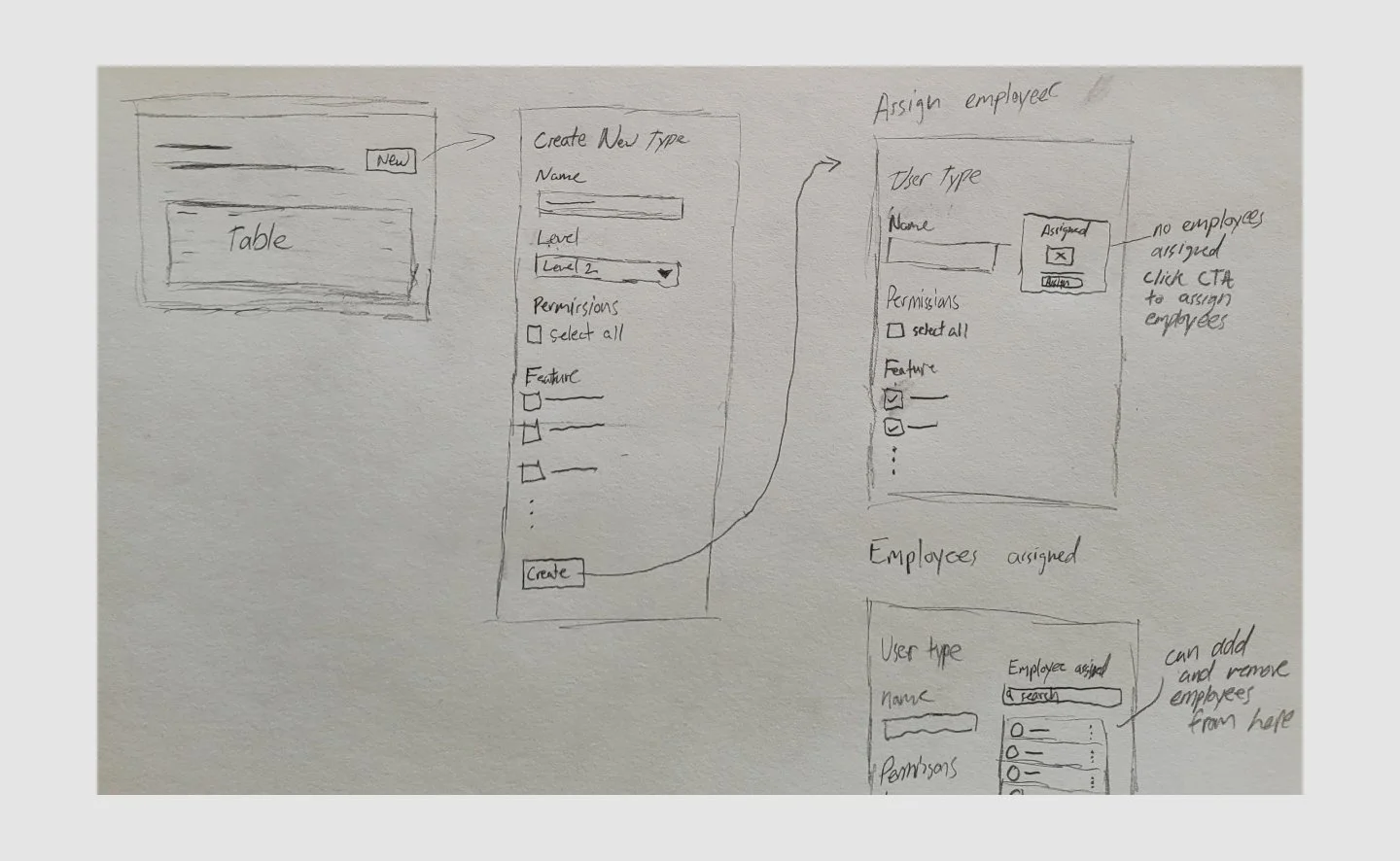
We landed on custom user types with permission templates. Instead of configuring every employee individually, operators create a user type representing a role and assign it a predefined set of permissions — for example, an "Assistant Manager" type covering scheduling, messaging, reports, and employee management — then apply that type to as many employees as needed.
That gave restaurants a system flexible enough to fit different organizations while keeping permissions manageable at the role level instead of the individual level.
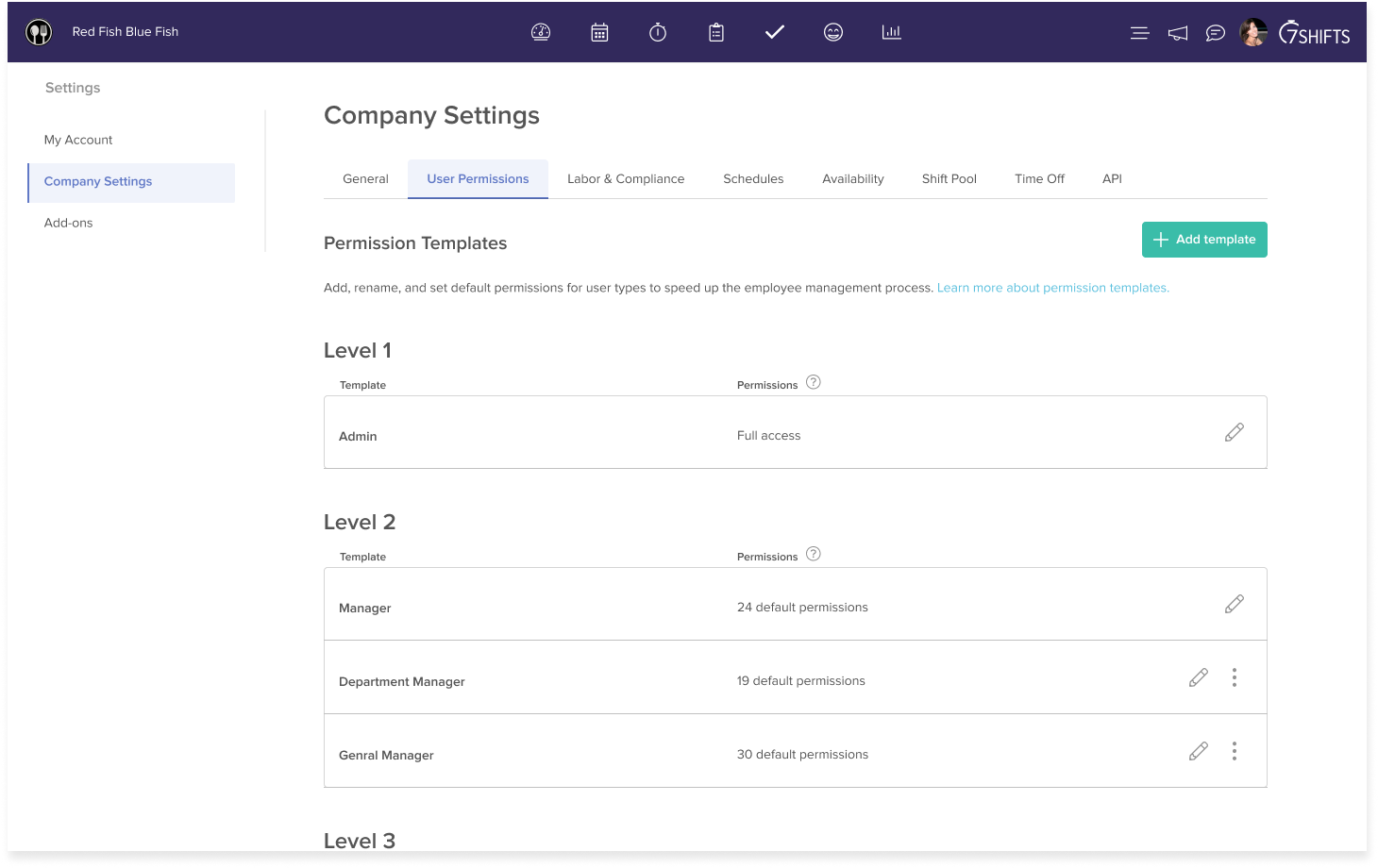
Designing beyond the permissions page
A major realization was that permissions couldn't exist in isolation — changing the model touched several other areas. I mapped the experience across the employee lifecycle and designed the supporting workflows: permission templates, employee profiles, new employee onboarding, user-type associations, adding employees from a template, and propagating changes to everyone on a template at once.
Employee profile
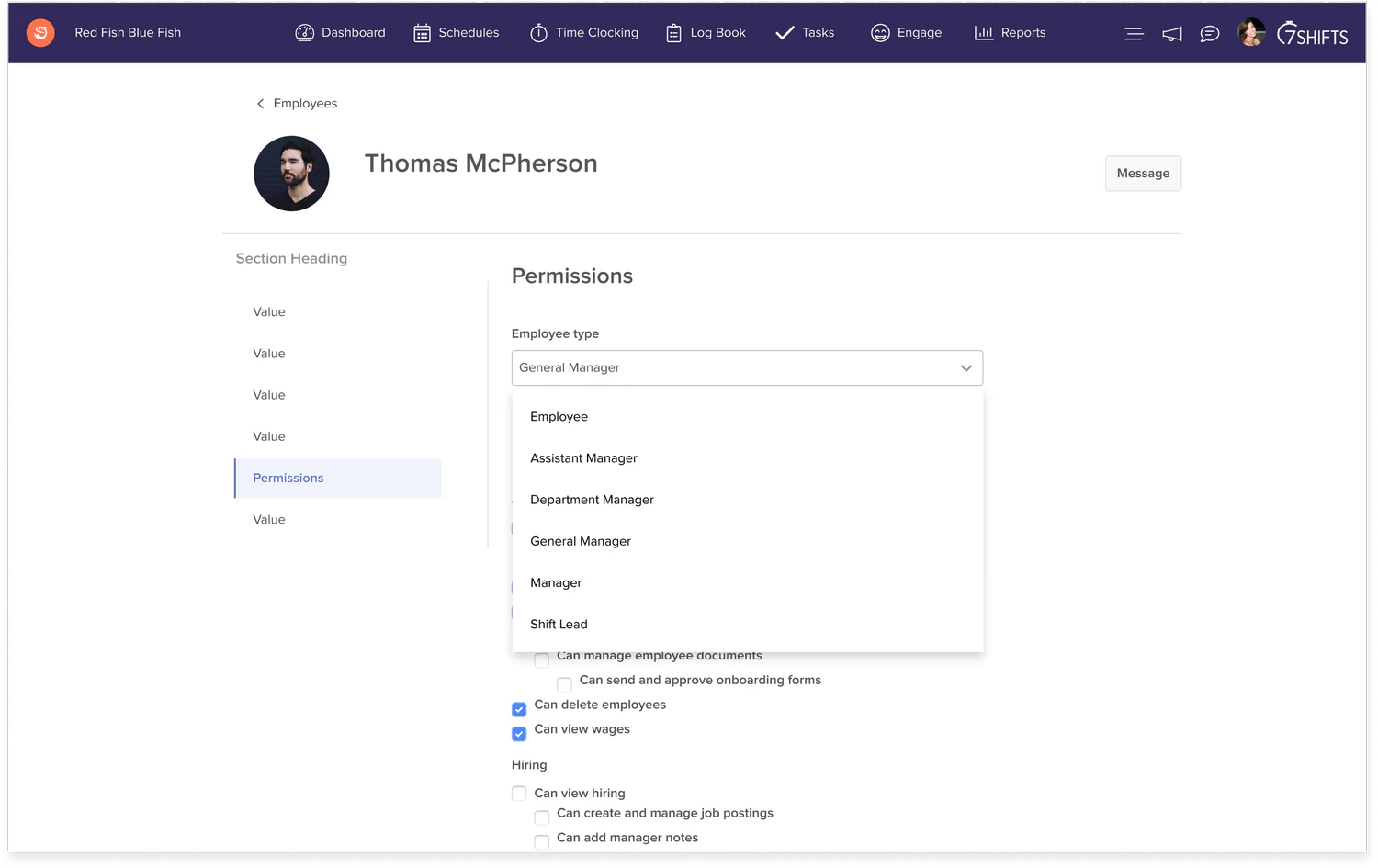
Operators could change an employee's user type directly from their profile — one dropdown, no need to touch individual permissions.
Adding a new employee
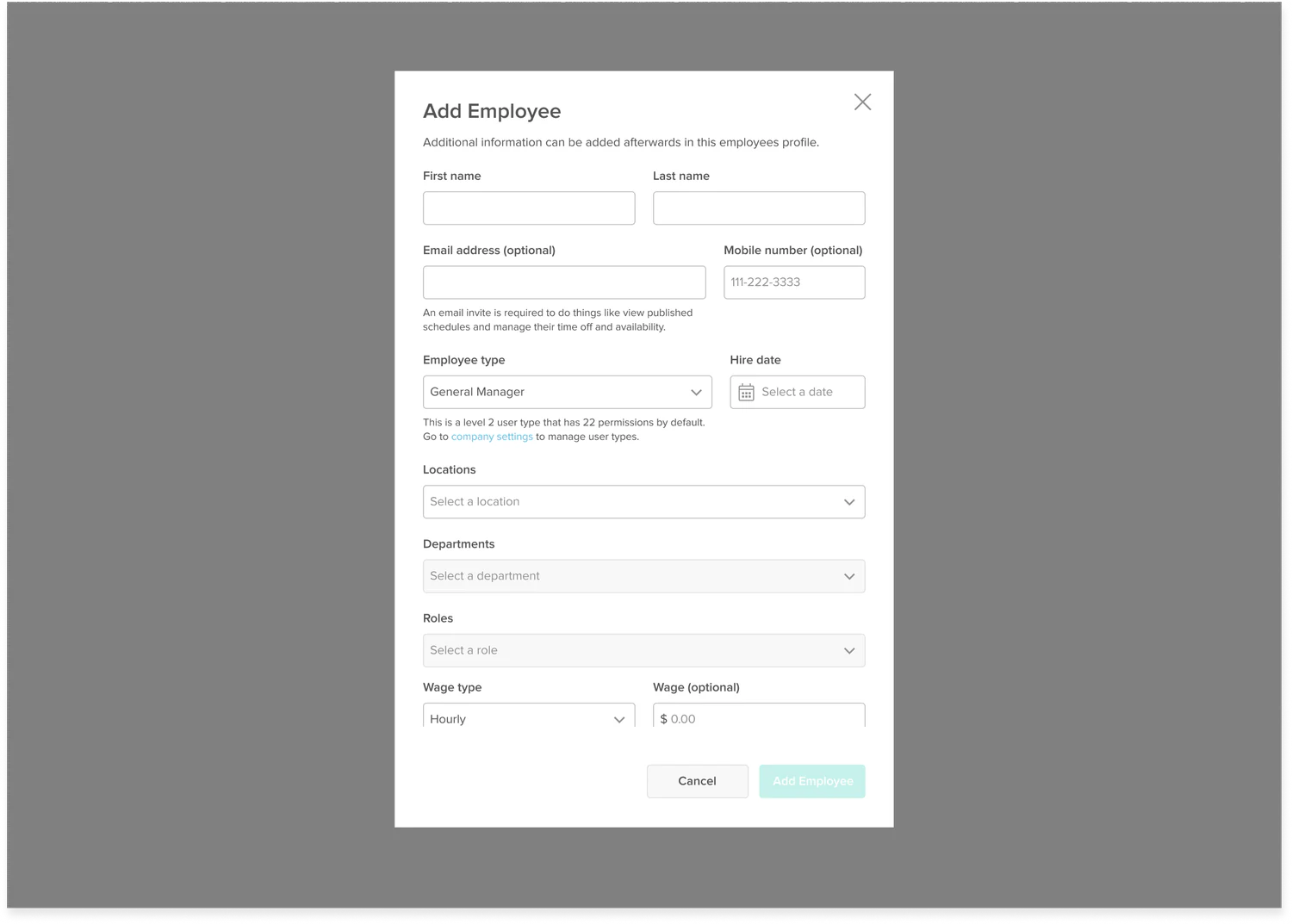
New employees were assigned a user type on the way in, so permissions were correct from their very first login instead of needing setup afterward.
A template before any employees are assigned
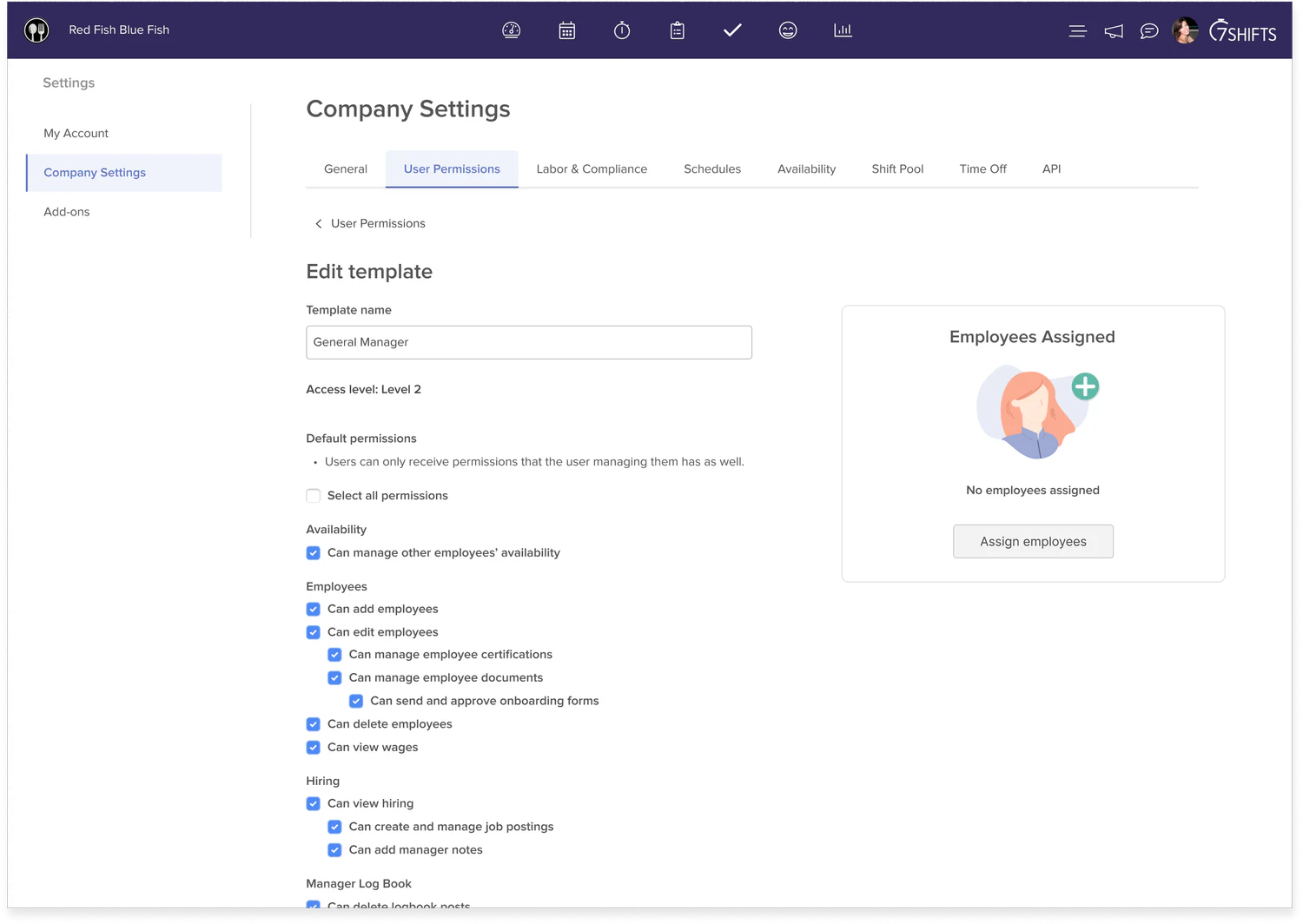
User-type associations closed the loop the other way — from a template, operators could see and manage every employee assigned to it.
The same template, now with employees assigned
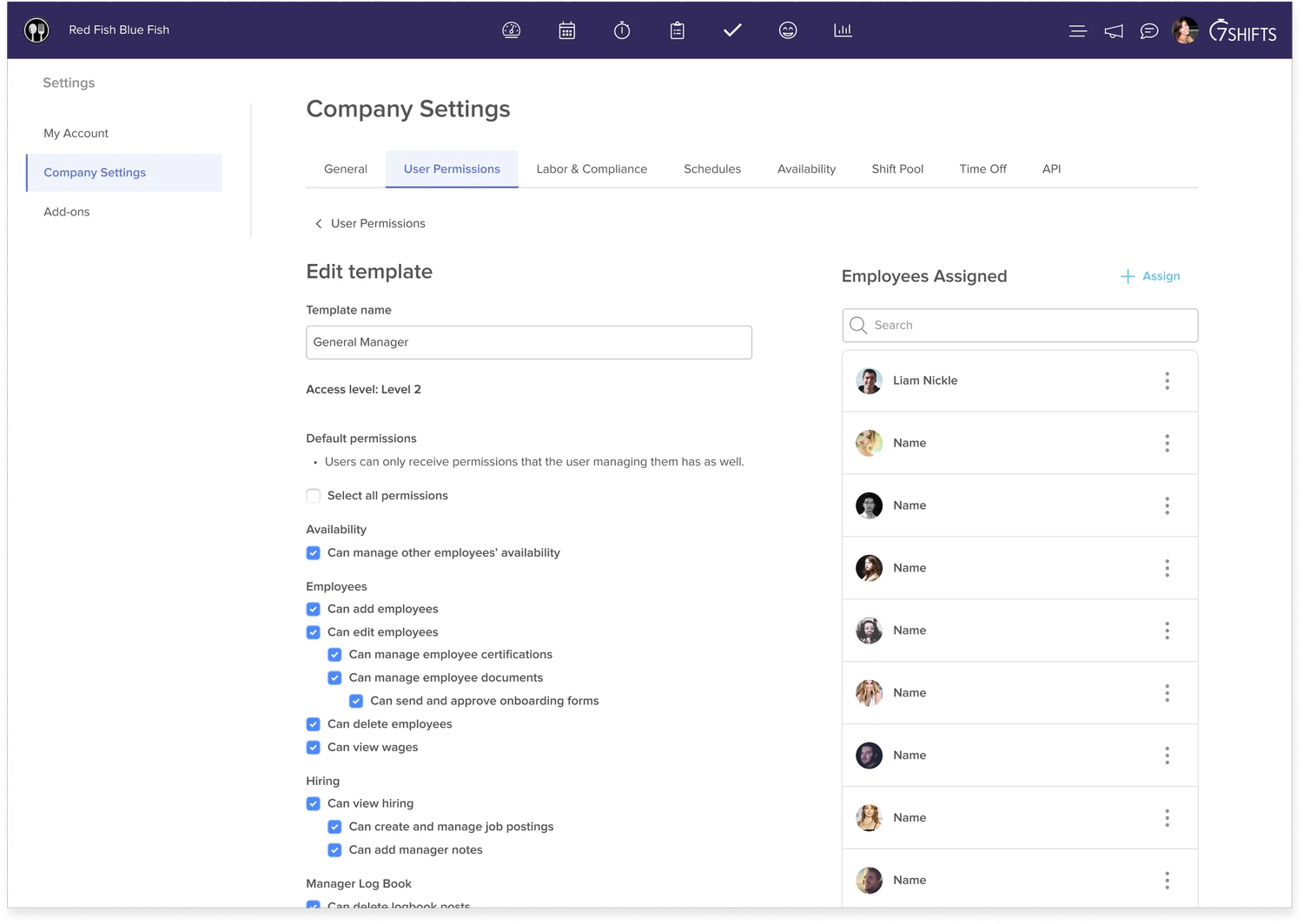
Once employees were assigned, operators had a searchable list right on the template — an easy way to audit or reassign who held a given role.
Propagating a permission change
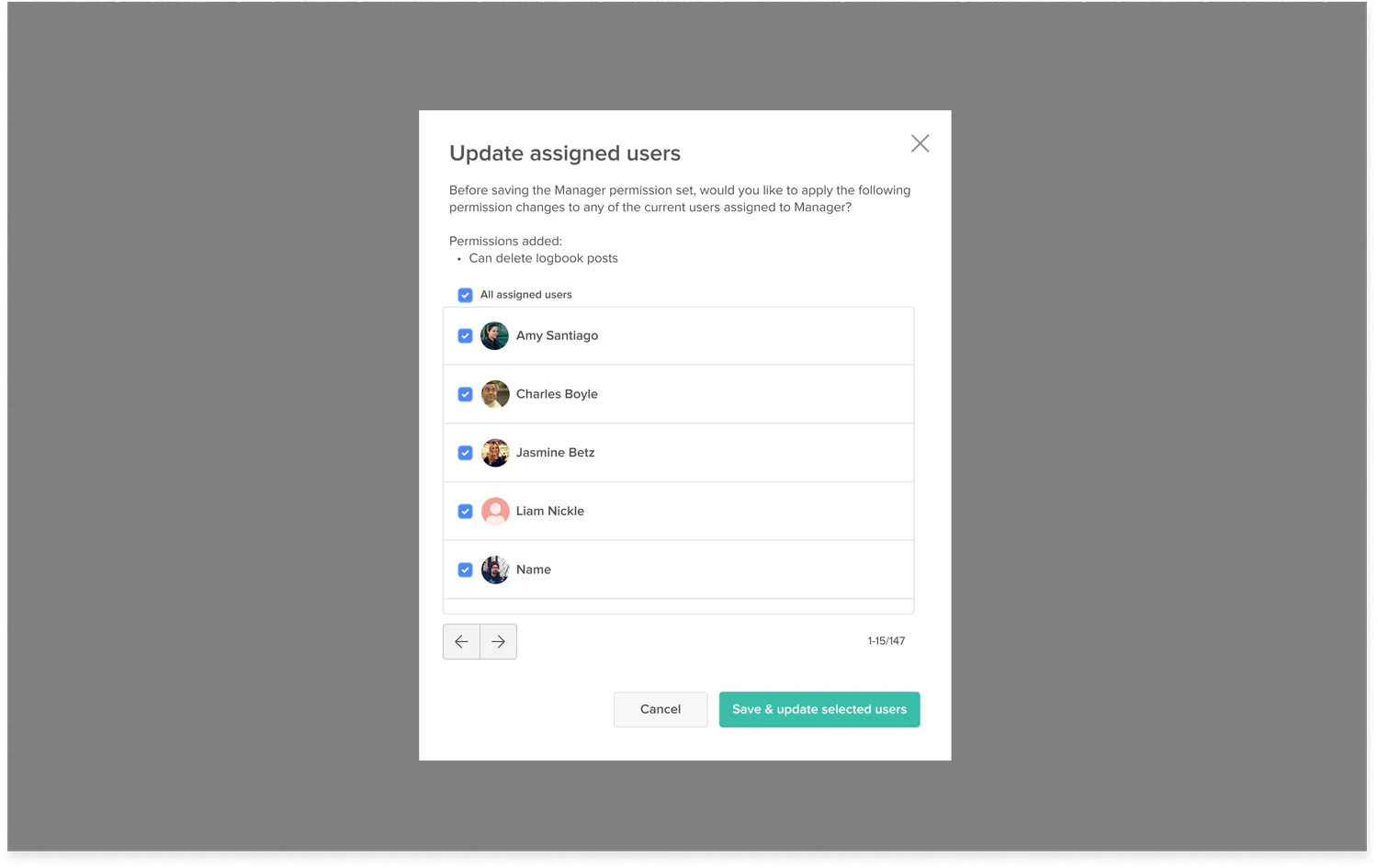
This mattered most — instead of manually updating every employee, operators manage permissions once at the user-type level and push the change across the organization. Before it applies, they see exactly who's affected and can choose who actually gets updated.
From individual permissions to a system
The new model shifted the mental model from Employee → individual permissions to Organization → user types → permissions → employees. That let permissions better reflect how restaurants actually operated, and gave us a foundation that could support more complex structures without managing every employee independently.
Testing the experience
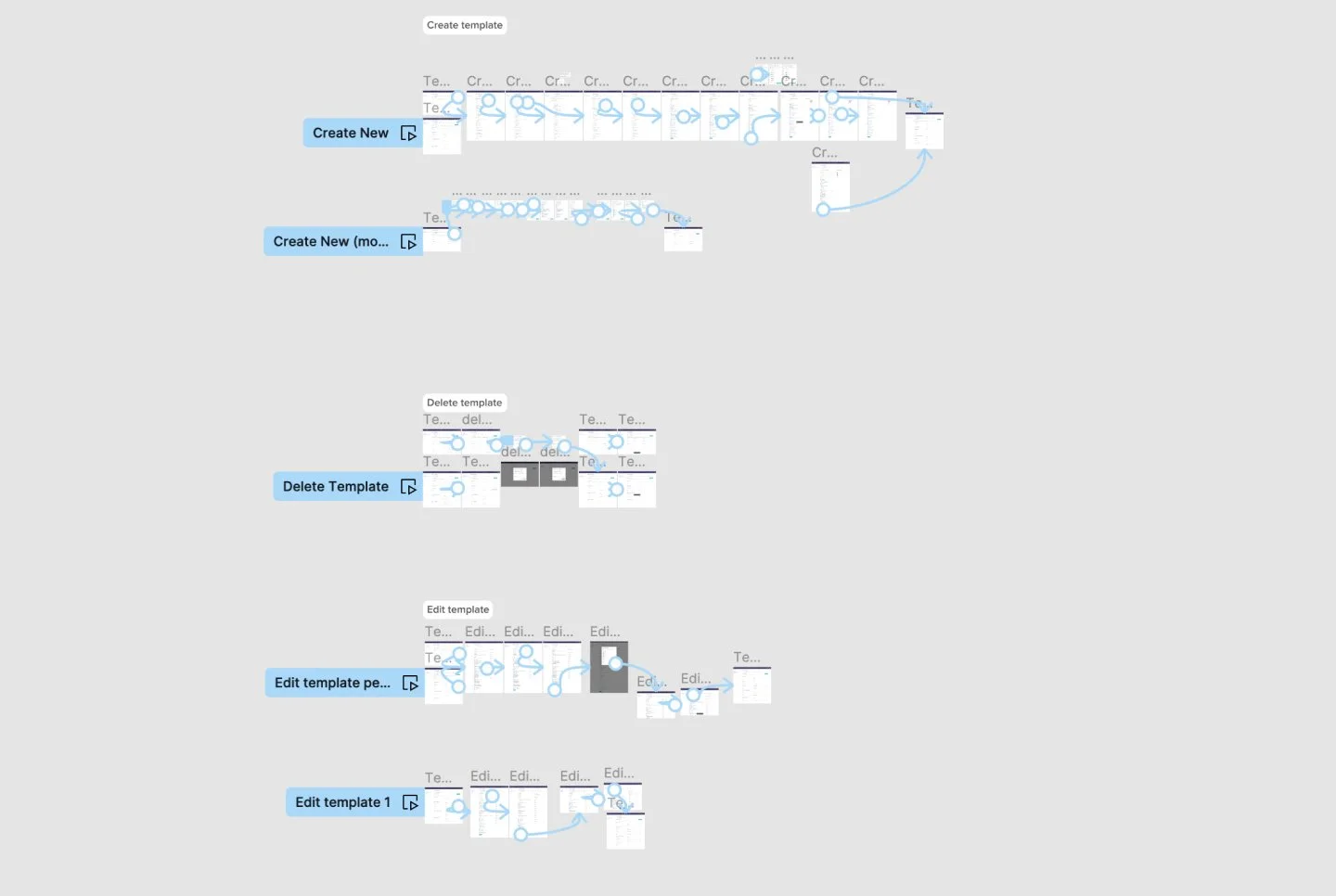
Permissions are foundational, so mistakes here have real consequences. I built interactive prototypes covering the core flows — creating, editing, and deleting a template — and tested with customers to see whether operators could understand the new user-type model, create and configure a custom role, understand how permissions would affect employees, find and manage employees on a user type, and get enough flexibility without feeling overwhelmed. Findings shaped the flows, terminology, and interactions before implementation.
A phased rollout
Changing the permissions model all at once could be disruptive for existing customers, so the team rolled it out in phases — each one adding customization and control while we monitored how customers responded.
Working with Engineering
Because this was a system-level change, close collaboration with engineering was especially important — the new experience needed to be coherent not just visually, but across the many existing employee and permissions workflows. My role included detailed specs, working through edge cases and technical constraints, answering implementation questions, styling details, reviewing builds against the designs, and testing interactions before release.
The result
Custom user types could also be used to filter data within 7shifts, so reporting better reflected each restaurant's own structure. The result was more than a redesigned interface — it was a more flexible underlying system that could support the growing complexity of 7shifts' customers.
What I learned
- Design for the organization, not just the interface. Permissions reflect how a business actually works — the job was understanding those structures, not forcing one model on everyone.
- Flexibility creates complexity. More customization isn't automatically better; the hard part was finding abstractions that stayed understandable.
- Foundational changes require systems thinking. This touched profiles, onboarding, templates, associations, and data filtering — the whole ecosystem had to hold together.
- Collaboration is part of the design. The final experience was shaped as much by conversations and tradeoffs with product, engineering, and data as by the designs themselves.
- The best design work isn't always a new feature. Improving a foundational system can matter just as much to the customers who depend on it every day.